Nutrinomist — the multilingual platform for holistic professionals working online
Client chat

Message clients where you manage them.

A private chat with every client, next to their record. Photos, lab reports and voice notes stay with the client they belong to, not in your personal phone.

  • Photos, files and voice notes
  • Send forms and book sessions from the chat
  • Push and email when a message waits
Included from the Starter plan
Use case

Between sessions, without the messenger mess

A client is three weeks into a gut-health protocol. On a Tuesday evening they send a photo of their dinner, a PDF from the lab and a two-minute voice note about bloating, and ask whether to change anything before your next session.

Today

It all lands in your personal WhatsApp, between family and friends. You save the PDF to your desktop, listen to the note twice, and scroll back to find the photo before the session. None of it reaches the client's record unless you copy it there.

With Nutrinomist

It all lands in the client's chat in Nutrinomist, next to their forms, results and protocol. You reply when it suits you and send the follow-up form from the same thread. On Pro, the voice note arrives written out, so you can read it in a minute.

What it does

Everything the chat does, in detail

Captures from a demo practice in the live app. Chat is included from the Starter plan.

One inbox for every client

Each client you add has a conversation ready, in one list on the web and in the Nutrinomist app. Open a chat from the inbox or from the client's record, where it sits with their forms, lab results and protocols.

  • The chat is a tab in every client's record
  • Favorites, an archive and mute for each conversation
  • Find a conversation by the client's name
  • See when a client is online or typing

What it saves you: Searching three apps for what a client said.
A real conversation, not a contact form

Chat works the way your clients already message: in real time, with replies, reactions and ticks that show a message was read. A message written without signal waits on the device and goes out by itself when the connection is back.

What it saves you: The “did you see my message?” follow-ups.

  • Reply to a specific message, so the answer keeps its question
  • React with a quick emoji instead of typing “ok”
  • Edit or delete your own messages
  • Sent, delivered and read ticks on every message
  • Clickable links, with previews you can turn off
  • Messages written offline are sent in order once you are back online

Photos, lab reports and food diaries

Clients send photos straight from their phone and documents such as lab PDFs, Word files and spreadsheets. Photos and PDFs open right in the app, and everything stays in the client's conversation instead of your camera roll.

  • Photos from any phone, iPhone photos included
  • PDF, Word, Excel and ZIP files
  • Photos and PDFs open in the app, and downloads keep their own name
  • Files up to 20 MB each

What it saves you: Saving attachments to your desktop and forgetting whose they were.

Voice notes, for what is easier to say

Hold the microphone to record and let go to send. Clients do the same when typing feels like too much. Voice notes show their length and waveform, and several in a row play one after another.

What it saves you: Long typed messages, on both sides.

  • Hold to record, release to send
  • Up to 30 minutes per voice note
  • Play at 1×, 1.5× or 2× speed
  • Notes in a row play one after another
From Pro

Voice notes you can read

On Pro, every voice note in the chat, yours and your client's, is written out a moment after it arrives. Open the text under the note to skim it, quote it, or check a detail without listening again.

What it saves you: Listening back to every voice note.

  • Transcribed automatically, with nothing to switch on
  • In most of the 13 languages; Danish, Finnish, Polish, Swedish and Ukrainian voice notes aren't transcribed reliably yet
  • Show or hide the text under each note
  • Your AI assistant can read the transcripts too

Clients see your message, even outside the app

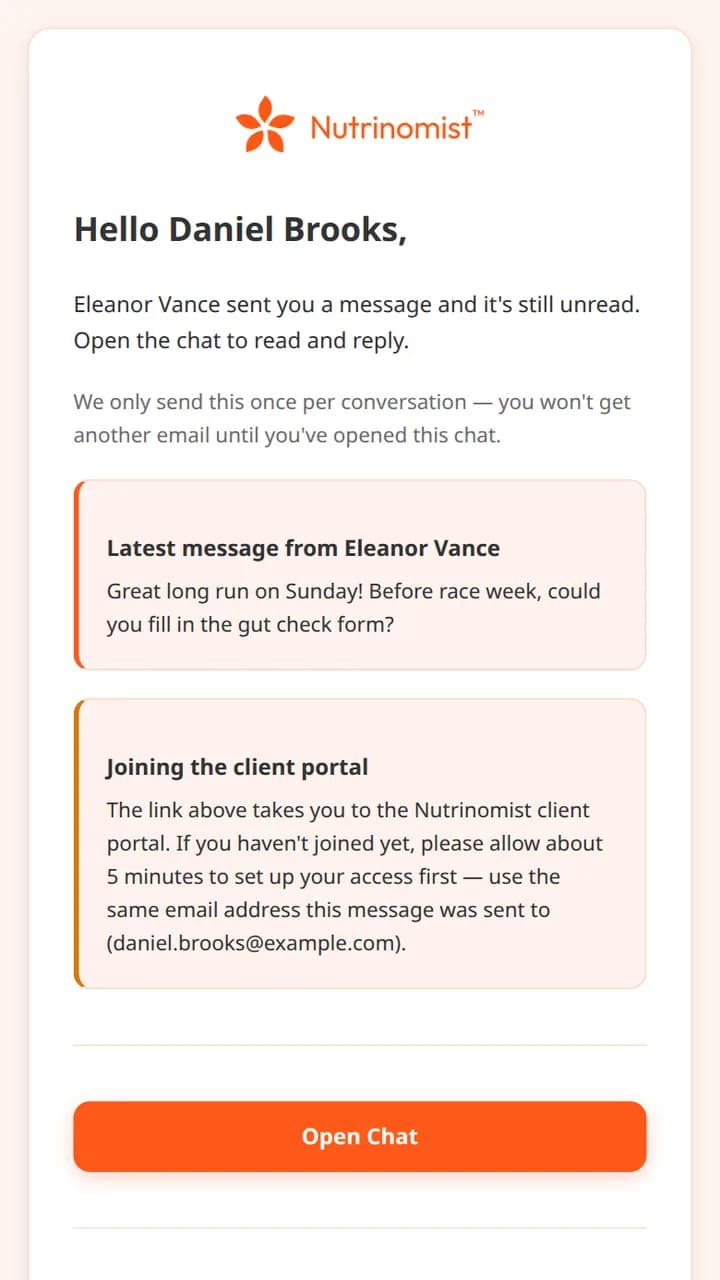
You can write to a client before they have joined. Your first message invites them to your portal by email, and everything you wrote is waiting when they arrive. After that, an unread message reaches them as a push notification first, then as one email.

  • Write before a client joins: your first message invites them
  • Push notifications on the web, iPhone and Android, with your photo
  • One unread-message email per conversation, never a stream
  • Emails in the client's own language

What it saves you: Chasing clients on other channels to say you wrote.

The unread message email a client receives, with the latest message and an Open Chat button

Act on what the client says

When a conversation turns into a next step, take it from the thread. On desktop, the chat menu sends the client a form or books the next appointment without leaving the conversation.

What it saves you: Switching screens between the message and the next step.

  • Send a form from the chat
  • Schedule the next appointment from the chat
  • The same thread is open during video sessions
From Pro

Ask your AI assistant about a conversation

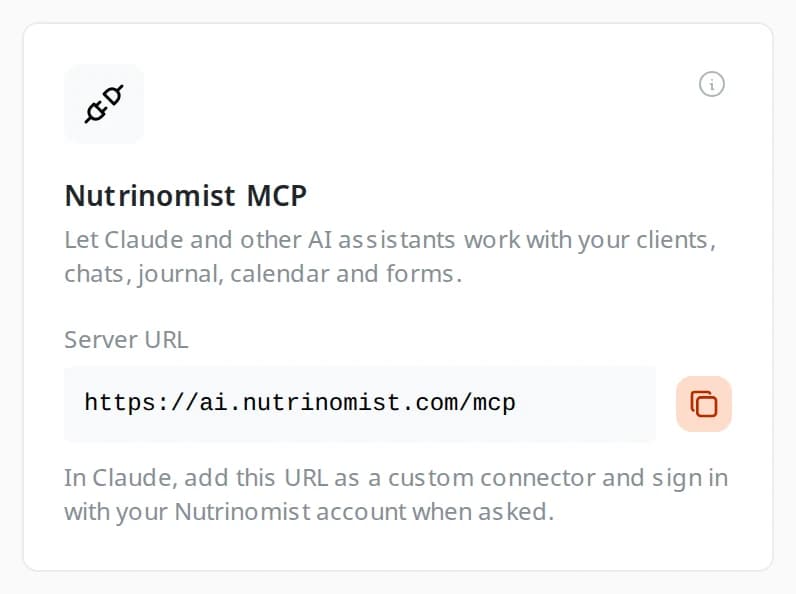
On Pro, connect Claude, ChatGPT or another assistant to Nutrinomist. When you ask, it reads your chats and voice transcripts, so you can catch up on a busy week or prepare for a session in a few questions.

  • Ask what a client said about sleep, food or symptoms
  • Catch up on a week of messages before a session
  • It works with your own Nutrinomist sign-in

What it saves you: Re-reading long threads before every session.

The Nutrinomist MCP card in the app's integrations, with the server URL to add to Claude

Everything the chat includes

The small things that make it work every day.

Messages

  • Real-time chat with typing and online indicators
  • Sent, delivered and read ticks on every message
  • Replies, emoji reactions, and editing or deleting your own messages
  • Line breaks, formatting, clickable addresses and link previews you can turn off
  • Messages written offline wait on the device and are sent in order
  • Favorites, archive and mute for each conversation

Photos, files and voice

  • Photos, PDFs and other files
  • Photos and PDFs open in the app, and download under their own name in the browser
  • Hold to record voice notes up to 30 minutes long
  • Voice notes transcribed automatically, from Pro
  • Voice notes play one after another, at the speed you choose

Reaching the client

  • Write to clients before they join; your first message invites them
  • Push notifications on the web, iOS and Android, with your photo
  • One unread-message email per conversation, in the client's language
  • The same thread inside video sessions
  • Send a form or book a session from the chat, on desktop
  • Claude, ChatGPT and other AI assistants can read chats and voice transcripts over MCP, from Pro

How it works

1

Write to any client

Every client you add has a conversation ready. Your first message invites them to the portal by email, and everything you wrote is waiting when they join.

2

Chat in real time

Text, emoji, photos, files and voice notes, with typing indicators and read receipts. A message written offline stays on the device and is sent when the connection is back.

3

Act from the conversation

Send a form or book the next session without leaving the thread.

4

Keep the history

Every conversation stays with the client record, and the same thread is there during video sessions.

Frequently asked questions

Do clients need an account to chat?

Clients join your portal once, from the link in the email about your first message, using the address it was sent to. After that they chat from any browser or the Nutrinomist app for iOS and Android.

Can I message a client who hasn't joined yet?

Yes. Your first message emails them an invitation straight away, and when they join they see every message you sent, in order.

Are chat messages translated automatically?

No. Chat is a direct conversation between you and your client. Everything around it is in the client's language: the portal, the notification emails and your forms. So each of you writes in the language you share.

Works even better together

Every Nutrinomist feature is built to hand work to the next one.

Move client messages out of your personal apps

Professional conversations belong next to the client record.