Nutrinomist — the multilingual platform for holistic professionals working online
For dietitians

Practice management software for dietitians, from intake to follow-up

Most of a dietitian's admin sits around the consultation: chasing the diet history, typing up notes, rewriting the same handout, invoicing each review. Nutrinomist puts each step in the client's record, so the time you bill goes on advice.

  • Intake answered before the client arrives
  • Consultation notes written from the recording
  • Handouts and review packages you set up once
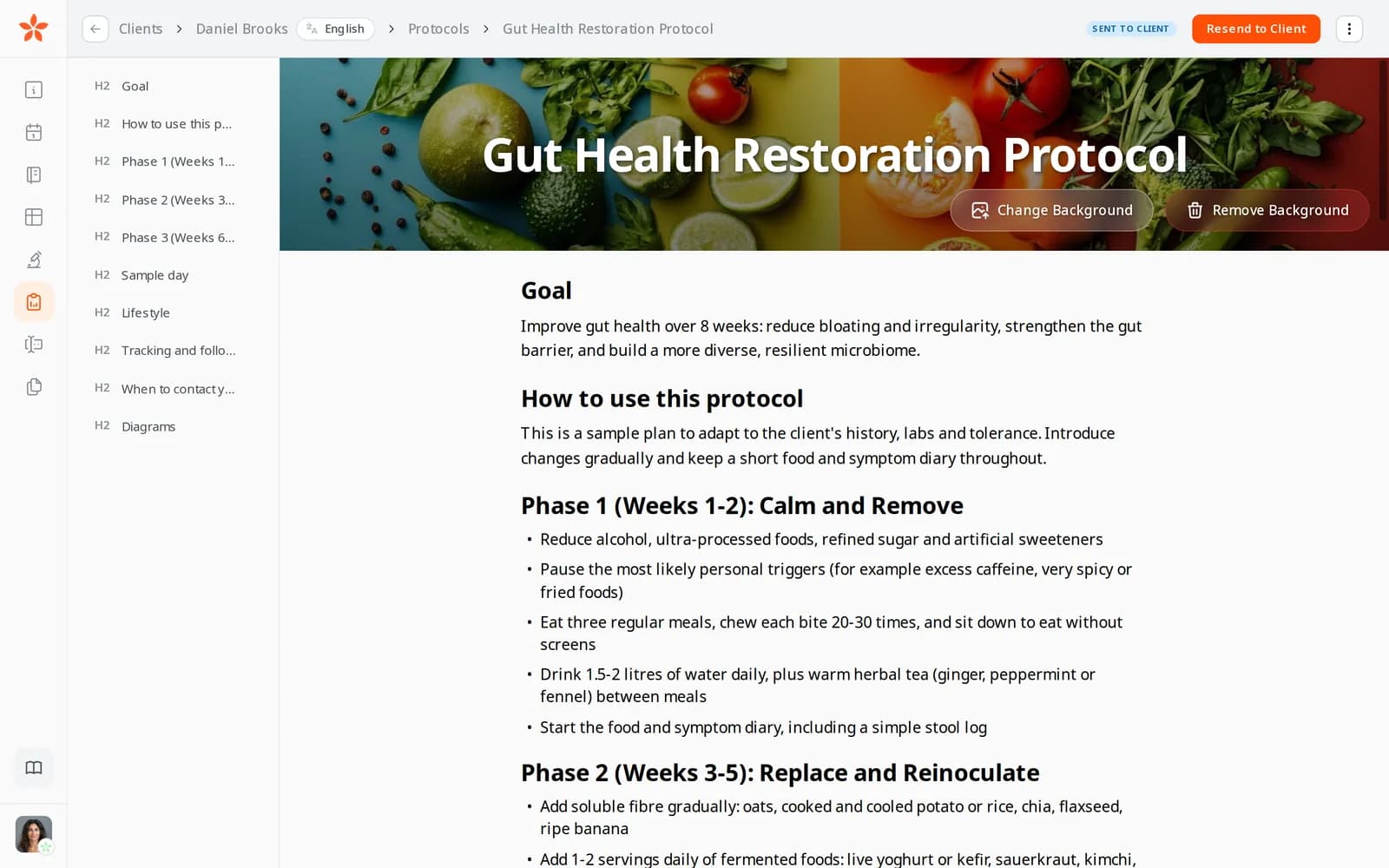
A gut health protocol in the editor: a cover photo of vegetables behind the title, the outline of sections on the left and Resend to Client at the top

Where a dietitian's week goes

The diet history, taken in the session

The intake form went out by email and came back half done, so the appointment opens with questions the client could have answered at home.

Notes typed after the last client

You listen during the consultation and write it up in the evening, from memory and a page of shorthand.

The same handout, rewritten

Low-FODMAP phases, label reading, a sample day: you've written them many times, and you copy them out of an old client's document again.

In practice

Four workflows from a dietitian's week

Each one starts from a moment in a typical week and shows the features it uses, what it changes for your business and the plan it needs.

From Starter

The diet history, answered before the first appointment

A new client books an initial assessment. In the calendar you attach your intake, built in the form builder from the Health Status, Medications, Nutrition and Eating Habits sections, or converted from the PDF you use today. The client fills it in at home, and the answers are in their record before you meet.

  • Due 48 hours before the appointment, with a reminder if it isn't done
  • Ready-made sections, plus your own questions on intolerances
  • Answers turned into a worksheet to compare at each review

What it changes: The appointment starts on the advice rather than the history, and you've read the answers before the client joins.
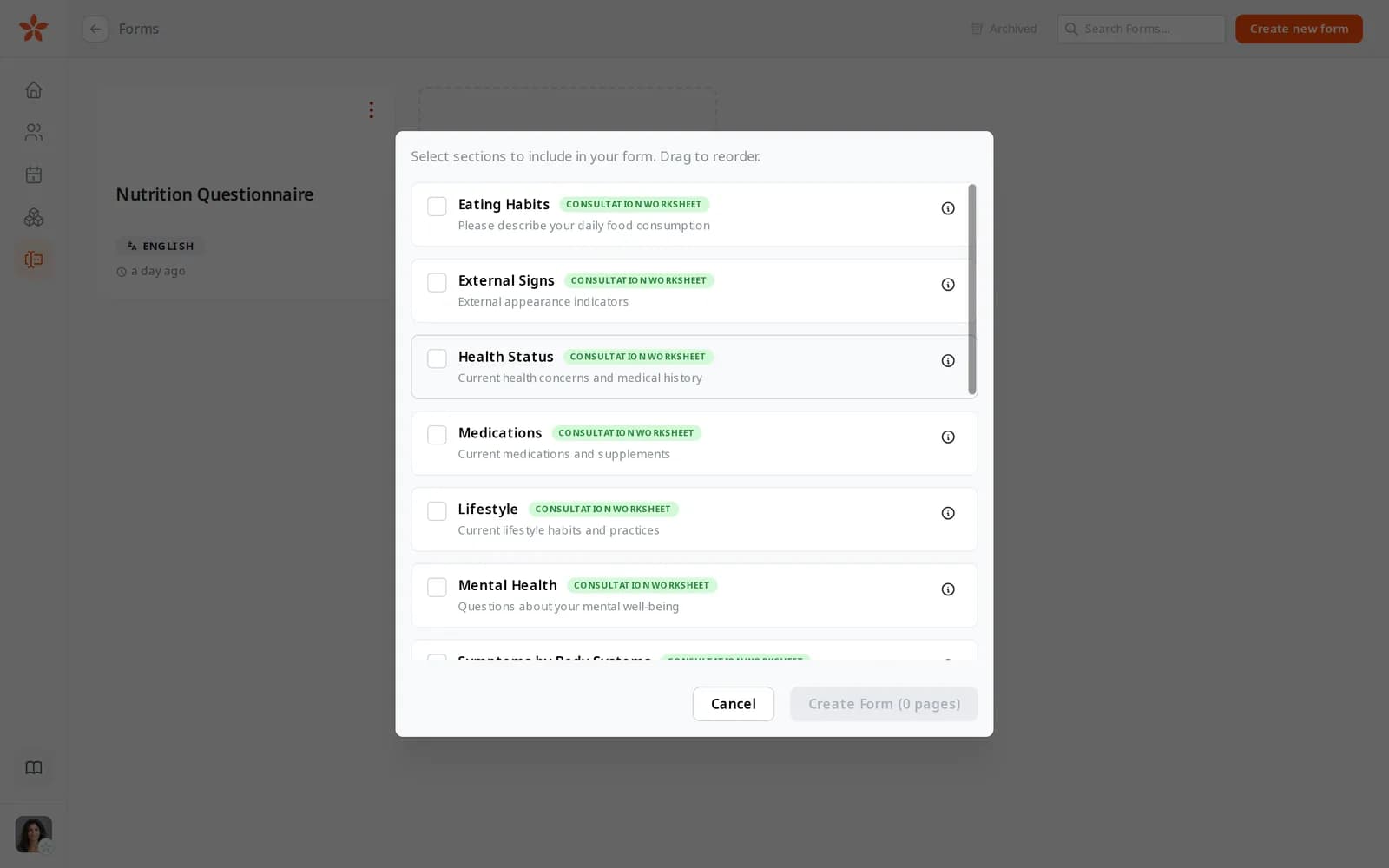
Choosing template sections for a new form: Eating Habits, External Signs, Health Status, Medications, Lifestyle and Mental Health
From Starter

Consultation notes written from the recording

You run follow-ups in the built-in video room, with recording on for the sessions you choose. Afterwards the audio is transcribed with each speaker named, and AI writes a journal entry in your own note template. An email tells you it's ready; you correct it, and the note is done.

  • Your sections, such as presenting concern, diet history, agreed changes and next review
  • Clients are told before they join that the session is recorded
  • On Starter, 3 AI notes a month (a rewrite or re-transcription uses one); no limit under fair use on Pro

What it changes: Notes are finished the same day as the consultation, and your evenings aren't spent writing them up.

From Starter

Handouts you write once and adjust for each client

In the protocol builder you save the sections you keep rewriting as segments: a low-FODMAP elimination phase, a label-reading guide, a sample day. For the next client you insert them, change what's different and press Send to Client. The protocol arrives by email and stays in their client portal.

  • Segments keep their tables and pictures
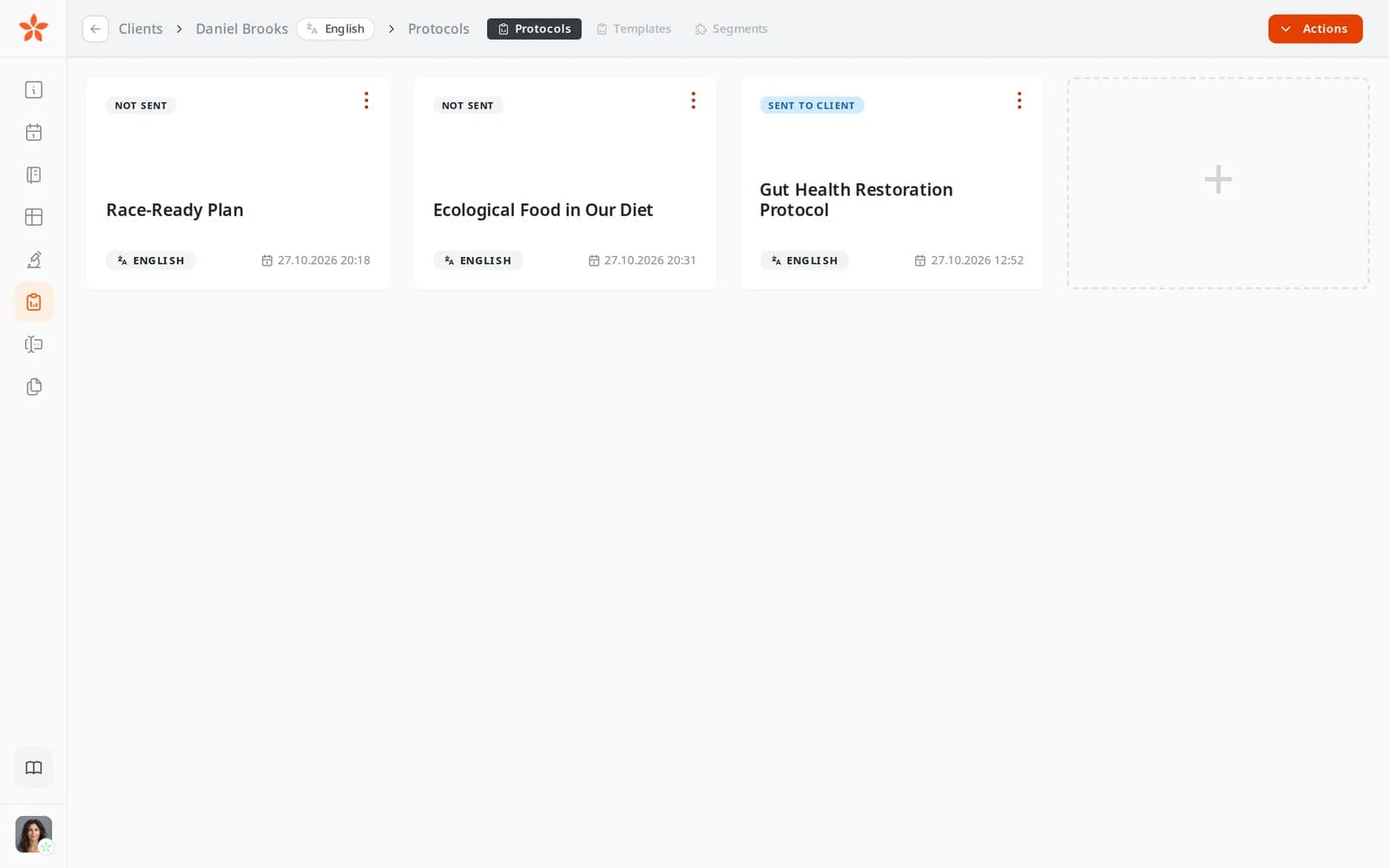
  • Each protocol shows Not sent, Sent to client or Read by client
  • A PDF you can download for clients who like to print

What it changes: A handout becomes an edit rather than a rewrite, and before the review you can see whether the client opened it.

A client's Protocols tab with three protocols, two marked Not sent and one marked Sent to client
On every plan

An assessment and three reviews, sold as one package

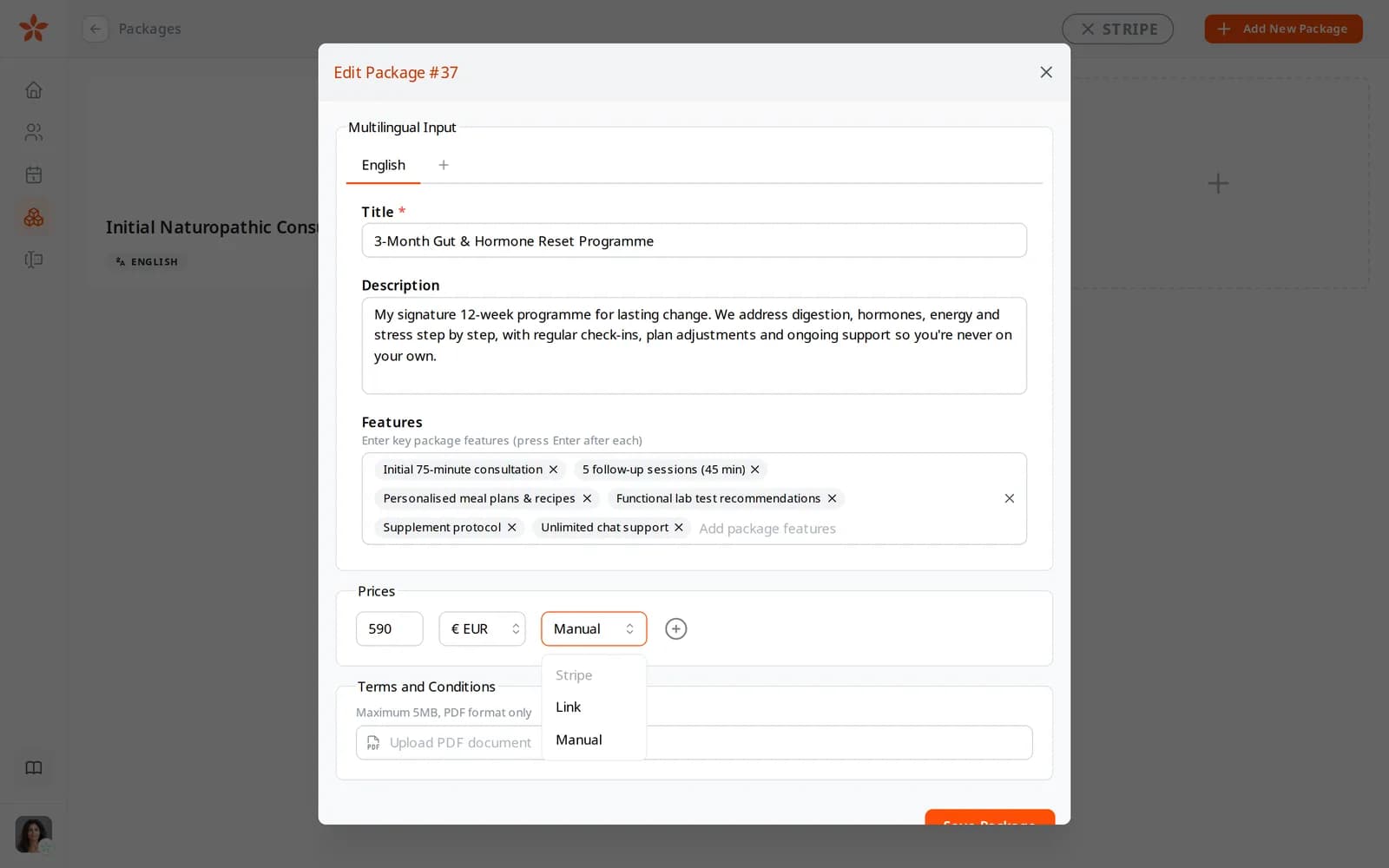
Instead of invoicing each review, you offer an initial assessment with three follow-ups as one package on your page. Clients pay up front through packages: by card on your own Stripe account, through your own payment link, or by arrangement.

  • Card payments settle in your Stripe account, with no Nutrinomist fee
  • Your cancellation terms attached as a PDF and agreed at purchase
  • The next package sent to the client as a payment request

What it changes: Clients commit to the course of reviews at the start, and you stop chasing payment for each one.

The payment method menu on a package price: Stripe, Link and Manual

A dietitian's first week on Nutrinomist

Start on the Free plan with up to 5 active clients. Move to Starter for the client portal, video, protocols and AI forms.

1

Day 1: your page and packages

Publish your page at nutrinomist.com/yourname with your assessment and review packages, and connect Stripe if clients pay by card.

2

Day 2: your intake form

Build it from the template sections, or on Starter upload your current PDF intake and let the copilot turn it into a form.

3

Days 3 and 4: notes and handouts

On Starter, set the sections your AI notes follow, and save your most-used handouts as protocol segments.

4

Day 5: your next new client

Book them from their record with the intake attached. Bring current clients over as they rebook.

Questions dietitians ask

Is client health data stored in the EU?

Nutrinomist's app servers and database run in Frankfurt, Germany, and session recordings are stored in the EU. You decide for every session whether it is recorded, and clients are told before they join.

Can I keep the intake form I use now?

Yes. From Starter, attach the PDF form you use today in the form copilot and it becomes a fillable form you can edit. On the Free plan you build forms from the 14 template sections.

Does the AI write advice for my clients?

No. It writes your consultation notes from a recording, drafts forms and, on Pro, reads lab PDFs into values. You check and edit all of it, and the advice your client receives is what you write and send.

How do I move off spreadsheets?

There's no automatic import yet, and you don't need one to start. Begin with new clients, invite current ones as they rebook, and from Starter bring older consultation notes in as worksheets from PDF.

The features behind these workflows

Each feature page goes into the detail, plan by plan.

Spend the consultation on advice

Start free with up to 5 active clients. Your page, packages and forms are on every plan.