Nutrinomist — the multilingual platform for holistic professionals working online
For nutrition clinics & teams

Nutrition clinic management software for one way of working

When each practitioner uses their own forms, note format and tools, the client's experience depends on who they see. Nutrinomist gives every practitioner in the clinic the same intake sections, a note template each can set to the clinic's structure, and the same client portal, in each client's language.

  • One intake standard for the clinic
  • Consultation notes in the clinic's structure
  • Enquiries from abroad in the client's language
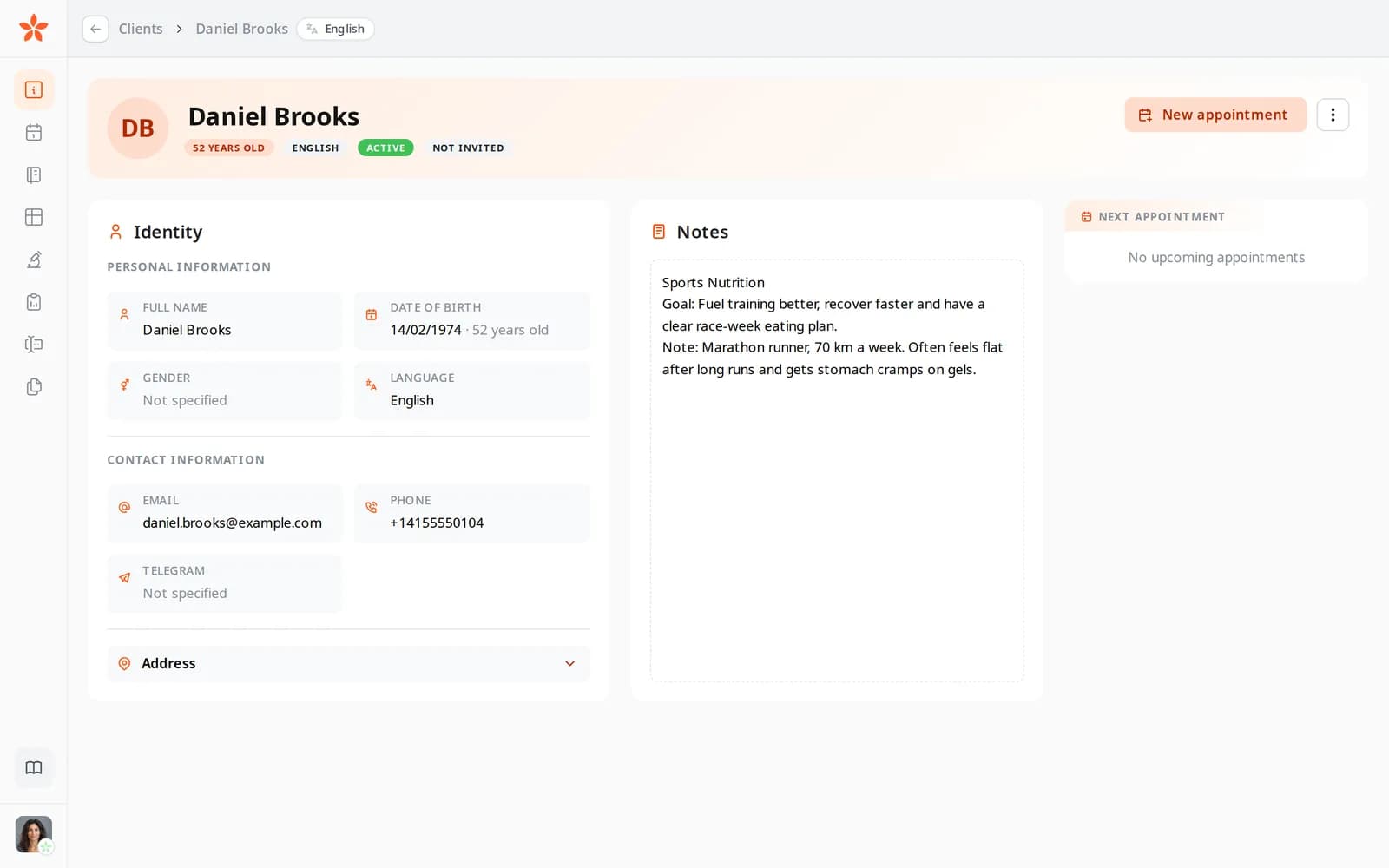
Daniel Brooks's client record, with his language set to English

What slows a nutrition clinic down

A different intake for every practitioner

Different forms ask different questions, so the client's first experience depends on who picks up the case.

Notes in every style, written after hours

Each practitioner writes consultation notes their own way and in their own time, often once the clinic has closed.

An international front desk

Enquiries arrive in several languages, and every form and email waits for someone on the team to translate it.

In practice

Four workflows for a nutrition clinic

Each one starts from a moment in a typical week and shows the features it uses, what it changes for your business and the plan it needs.

From Starter

One intake standard, built from the same sections

The clinic agrees its intake once. Every practitioner builds it in the form builder from the same ready-made sections, or converts the clinic's own PDF intake with the copilot, and attaches it to first appointments in the calendar with the same deadline.

  • 14 template sections, from Personal Information to Final Information
  • Every section ready in all 13 languages
  • Sections marked for worksheets, so follow-ups compare like with like

What it changes: A client gets the same questions whoever they see, and nobody maintains a private version of the intake.
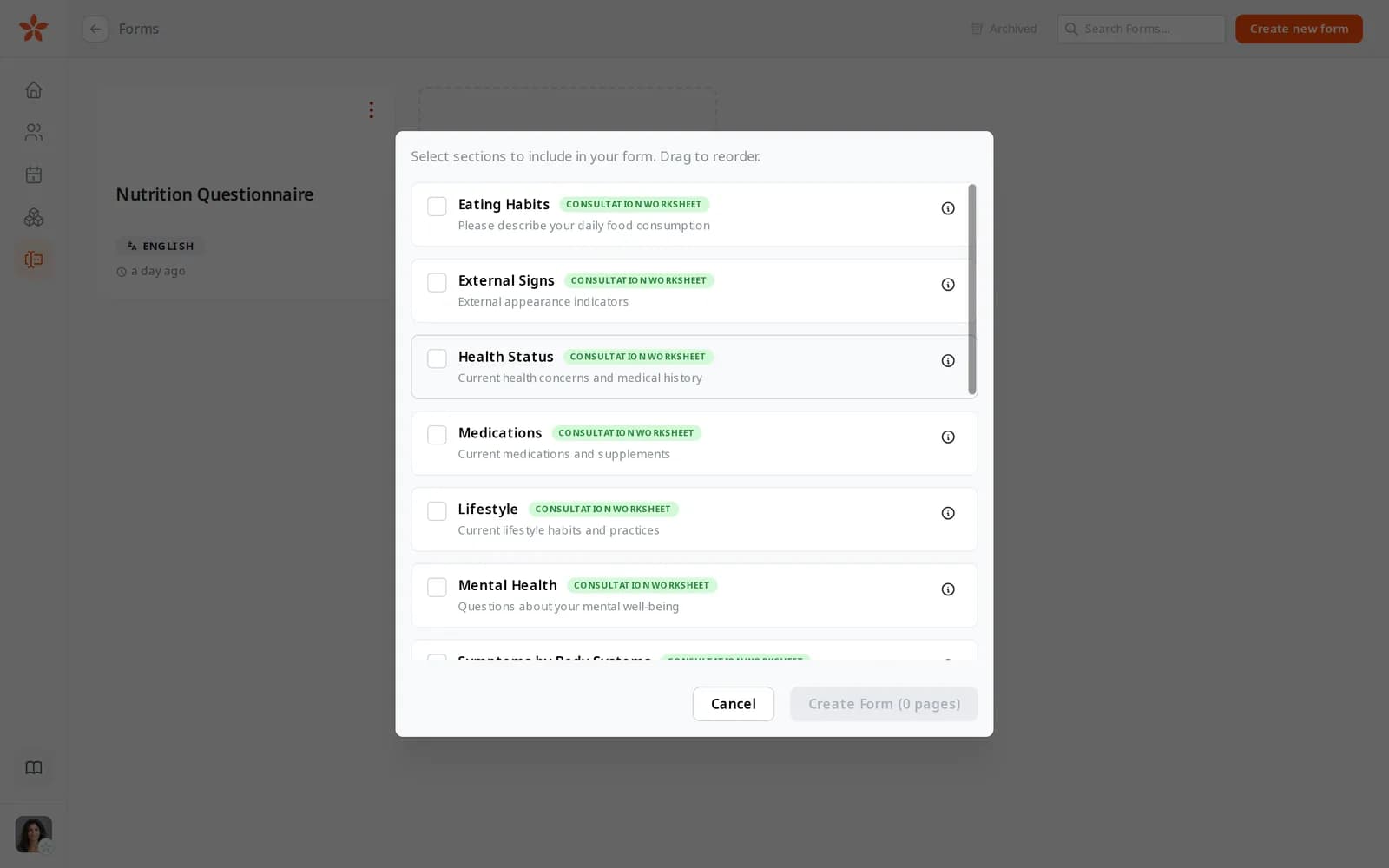
Choosing template sections for a new form: Eating Habits, External Signs, Health Status, Medications, Lifestyle and Mental Health
From Starter

Consultation notes in the clinic's structure

Each practitioner sets the clinic's note sections in their journal template, such as presenting concern, assessment, plan and follow-up, with an instruction for each. Sessions recorded in the video room are written up in that structure, and the practitioner gets an email when a note is ready to check.

  • No limit under fair use on Pro and Team; 3 a month on Starter
  • Clients are told before they join that the session is recorded
  • Recordings stored in the EU

What it changes: Notes read the same way across the clinic, and practitioners don't write them up after hours.

On every plan

Enquiries from abroad, answered in their language

The clinic's page is published in each language you serve, written by AI from your main one and checked by the team. A visitor from Spain taps Book a call and leaves a message. They arrive in the client list as a lead with Spanish already set, you get a notification and an email, and they get a confirmation in Spanish.

  • Any of the 13 languages, on every plan
  • Packages priced in several currencies
  • Invitations and reminders follow the language on the client's record

What it changes: International enquiries don't wait for a translator, and each new client's language is set before the first email goes out.

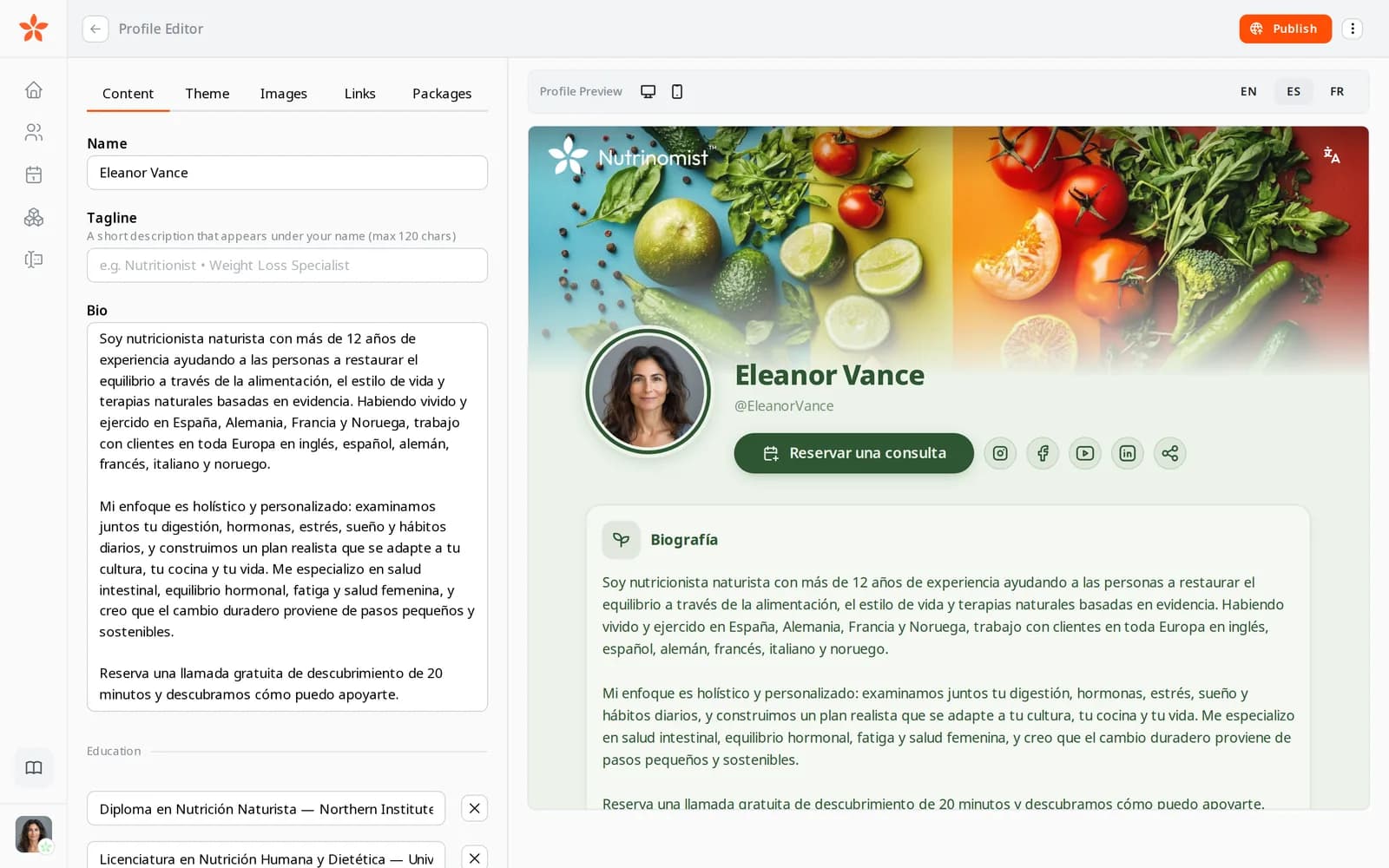
The live preview of the same page in Spanish
From Pro

A day of consultations, prepared in one conversation

Each morning a practitioner asks their AI assistant, connected through the Nutrinomist connector: who am I seeing today, and what did each of them write in their intake? It reads their calendar, clients, forms and journal entries with their own sign-in, and answers in a few lines.

  • Included on Pro and Team
  • It can draft a protocol, and never sends anything
  • Secure sign-in, with every request logged

What it changes: Preparing a full day takes a few questions instead of opening every record.

The Nutrinomist MCP card on the Integrations page, with the server URL to add to an AI assistant

A clinic's first week on Nutrinomist

The Team plan is set up with you rather than bought online. Practitioners can start on their own plans while you decide.

1

Day 1: agree the standard

Choose the intake sections and the note structure the whole clinic will use.

2

Day 2: set it up for each practitioner

Each practitioner builds the intake from those sections and sets the note template.

3

Day 3: the clinic's page

Publish the page in the languages you serve, with your consultation packages and prices.

4

Days 4 and 5: talk to us about Team

Tell us how many practitioners you have and how you work, and we'll set up the Team plan with you.

Questions nutrition clinics ask

How does the Team plan work?

Team is set up with each clinic rather than bought at checkout, and it includes everything in Pro. Tell us how many practitioners you have and how you share the work, and we'll set it up with you.

Where is client data stored?

Nutrinomist's app servers and database run in Frankfurt, Germany, and session recordings are stored in the EU.

Which languages can our clients use?

All 13: Danish, German, English, Spanish, Finnish, French, Italian, Norwegian, Polish, Portuguese, Russian, Swedish and Ukrainian. Each client has a language on their record that invitations, reminders and the portal follow, while each practitioner works in their own.

Can we move over gradually?

Yes. There's no automatic import yet, so start with new clients and bring others over as they rebook. From Starter, older consultation records can come in as worksheets from PDF.

The features behind these workflows

Each feature page goes into the detail, plan by plan.

Bring your clinic onto one way of working

Tell us about your team, and we'll set up the Team plan with you.