Nutrinomist — the multilingual platform for holistic professionals working online
For naturopaths & integrative practitioners

Practice management software for naturopaths, from case history to protocol

A naturopathic case takes in a lot: body systems, family health, external signs, reports from several labs, and a plan with herbal, supplement and lifestyle sections. Nutrinomist keeps it in one client record, and lets you reuse the parts of your work you write again and again.

  • A full case history before the first visit
  • Lab reports from any lab on one chart
  • Protocols from your own library
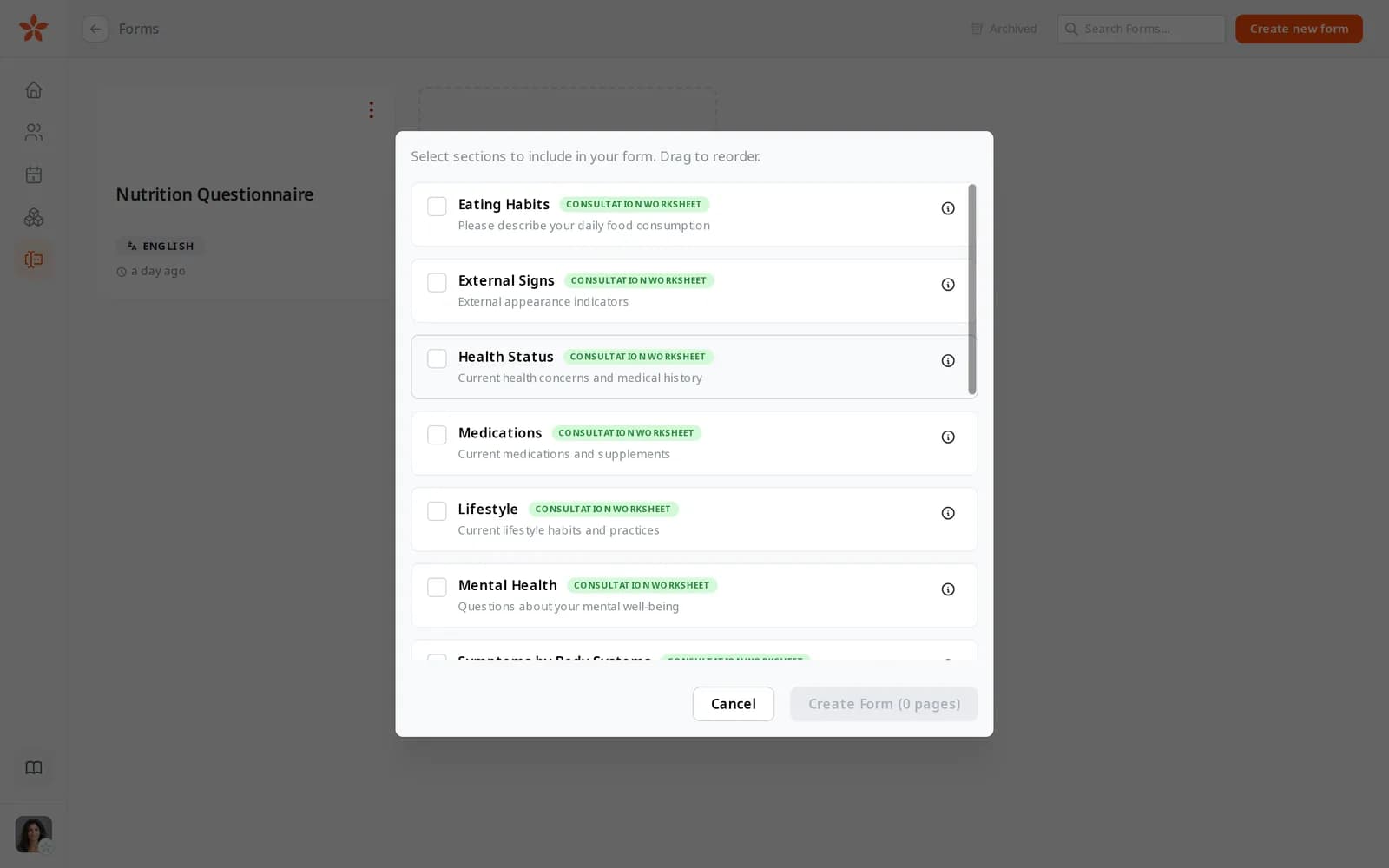
Choosing template sections for a new form: Eating Habits, External Signs, Health Status, Medications, Lifestyle and Mental Health

What a naturopathic case involves

Case histories that fill the first visit

Body systems, family health, lifestyle, emotional health: taken on paper or in the session, the history leaves little time for the consultation itself.

Lab reports in every format

Clients bring results from different labs and countries, in different units and languages, and you retype them to compare.

Protocols rebuilt from old documents

Your liver-support phase or your sleep routine is your craft, but it lives in last month's Word file, so each new plan starts as a copy of an old client's.

In practice

Four workflows from a naturopathic practice

Each one starts from a moment in a typical week and shows the features it uses, what it changes for your business and the plan it needs.

From Starter

The full case history, completed before the first visit

You build your intake in the form builder from the sections a naturopathic case needs: Symptoms by Body Systems, Family Health, External Signs, Lifestyle, Mental Health and Women's or Men's Health. You attach it to the first appointment in the calendar, due 72 hours before, and the answers are in the client's record when you open it.

  • One page at a time with a progress bar, on a phone or a computer
  • Questions that appear only when an earlier answer calls for them
  • The answers turned into a worksheet, with a column for each follow-up

What it changes: The first visit goes on the consultation, because the history has already been read.
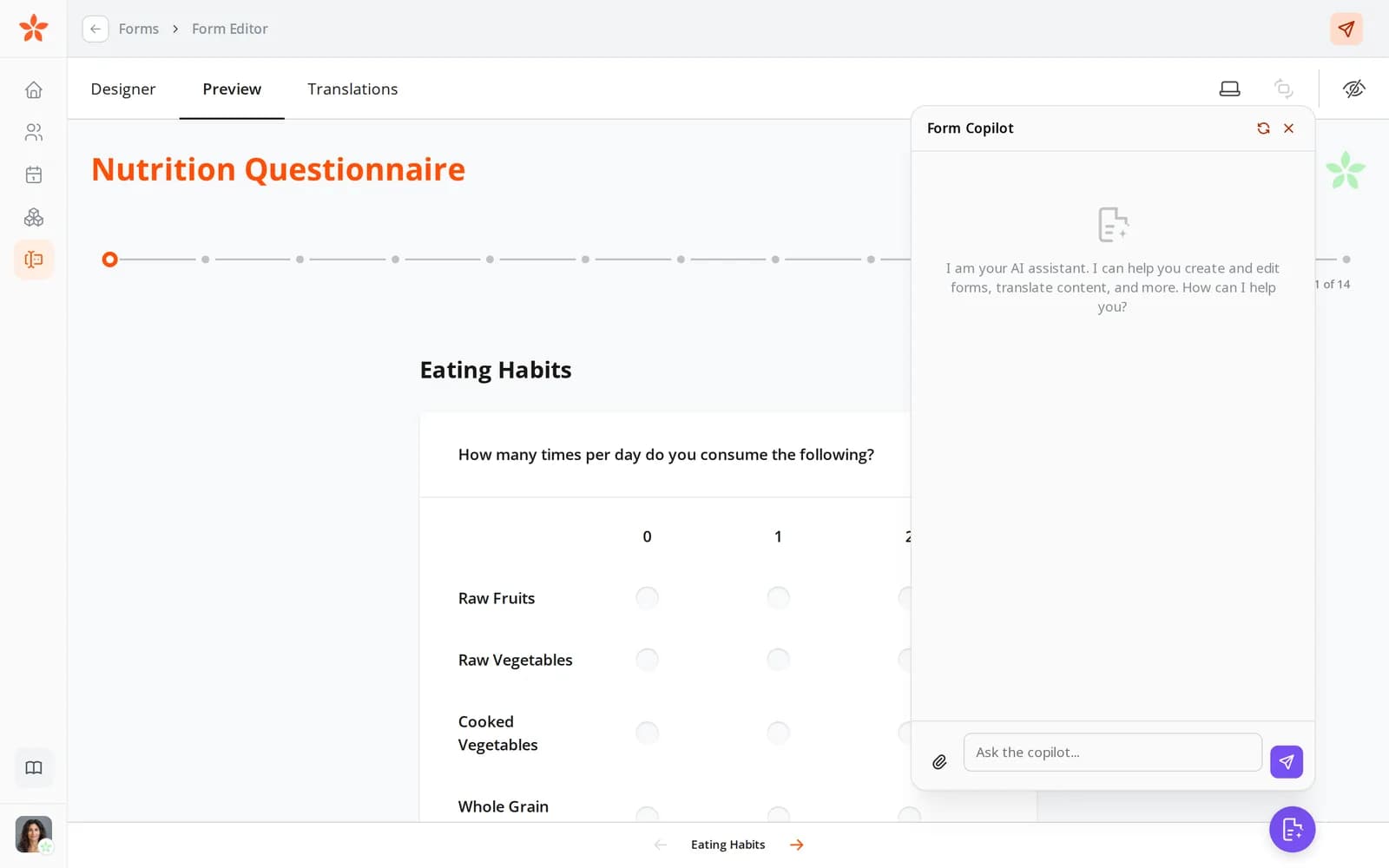
A form as the client sees it: the Eating Habits page with a grid of foods and how often they're eaten, and the progress through 14 pages
From Pro

Reports from three labs, on one chart per marker

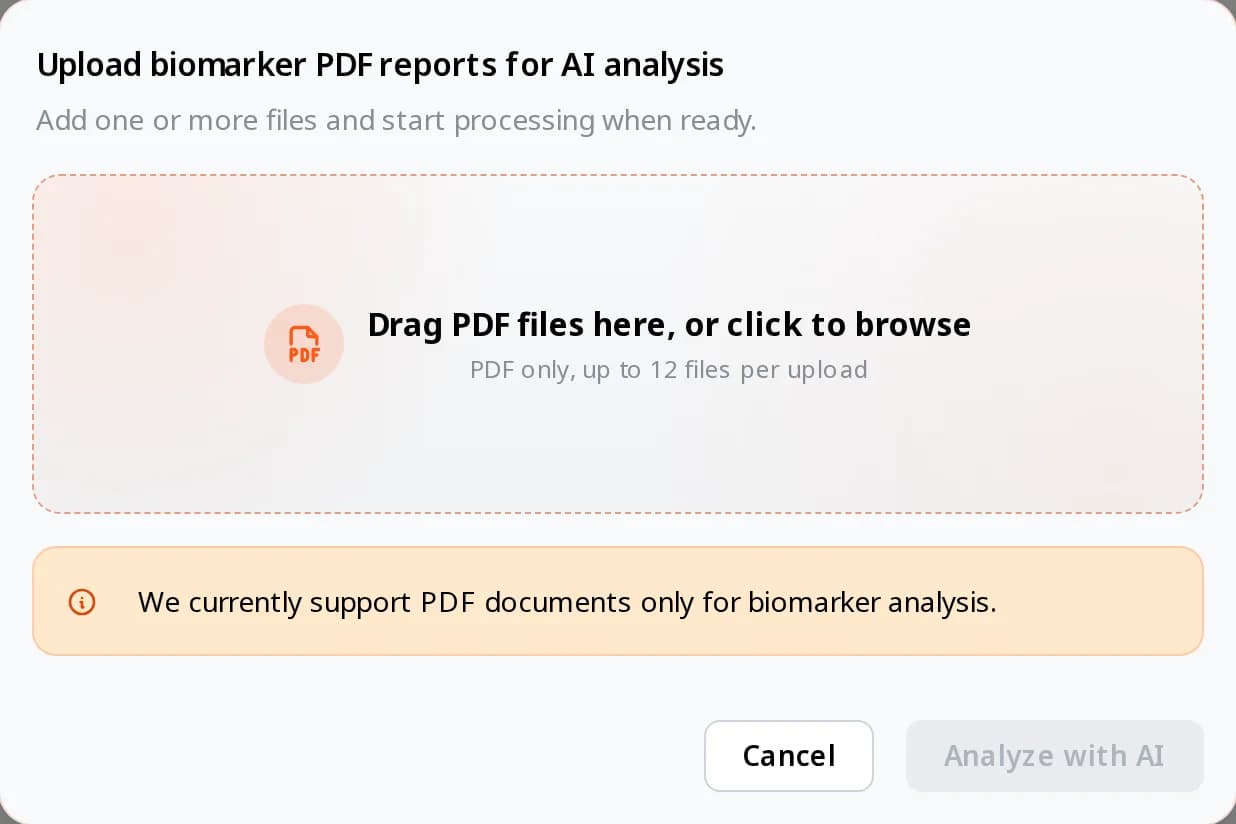
A client sends their last three blood panels, one of them in German. You drop the PDFs into their Biomarkers tab. Each report is read, translated where needed, converted to SI units and matched to more than 130 common markers, and you check the list before anything is saved.

  • Up to 12 lab PDFs at once, from any lab (scans aren't read yet)
  • Each value marked against the lab's range and an optimal range you set
  • One chart per marker, with every reading on it

What it changes: No retyping or unit conversion, so the time before a review goes on reading the results.

The biomarker import window: drag PDF lab reports here, up to 12 files per upload, then Analyze with AI
From Starter

Protocols assembled from your own segments

In the protocol builder you save the sections you write for most clients as segments: a liver-support phase, herbal tea preparation, a sleep routine, a sample day. For each client you insert the ones that fit, adjust the details and send the protocol to their client portal with a personal note.

  • Segments bring their pictures and tables with them
  • Read by client, once they've opened it
  • On Pro, your AI assistant can draft a protocol from your templates for you to review and send

What it changes: A personal plan can go out the same day as the consultation, and your best sections stay yours to reuse.

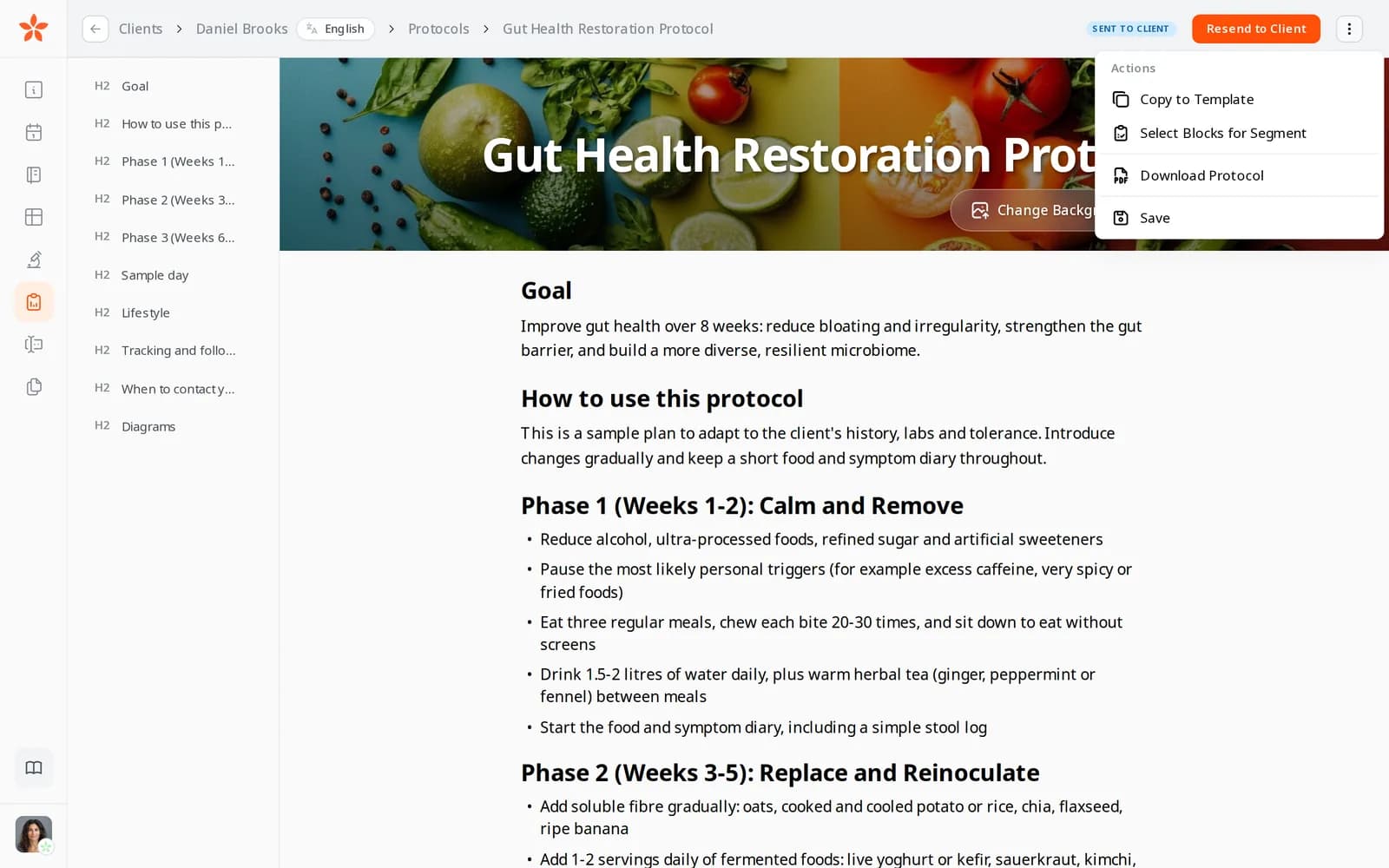
The protocol editor's actions menu: Copy to Template, Select Blocks for Segment and Download Protocol
From Starter

Clients who read another language

A new client prefers Polish. You set Polish on their record and translate your intake with AI in the form builder, then read it through. Invitations, reminders and the client portal reach them in Polish, one of the 13 languages Nutrinomist speaks.

  • Your page and packages translated by AI, on every plan
  • Protocols go out in the language you write them in
  • You keep working in your own language

What it changes: You can take on clients in other languages without a translator, and they read your forms and emails in their own.

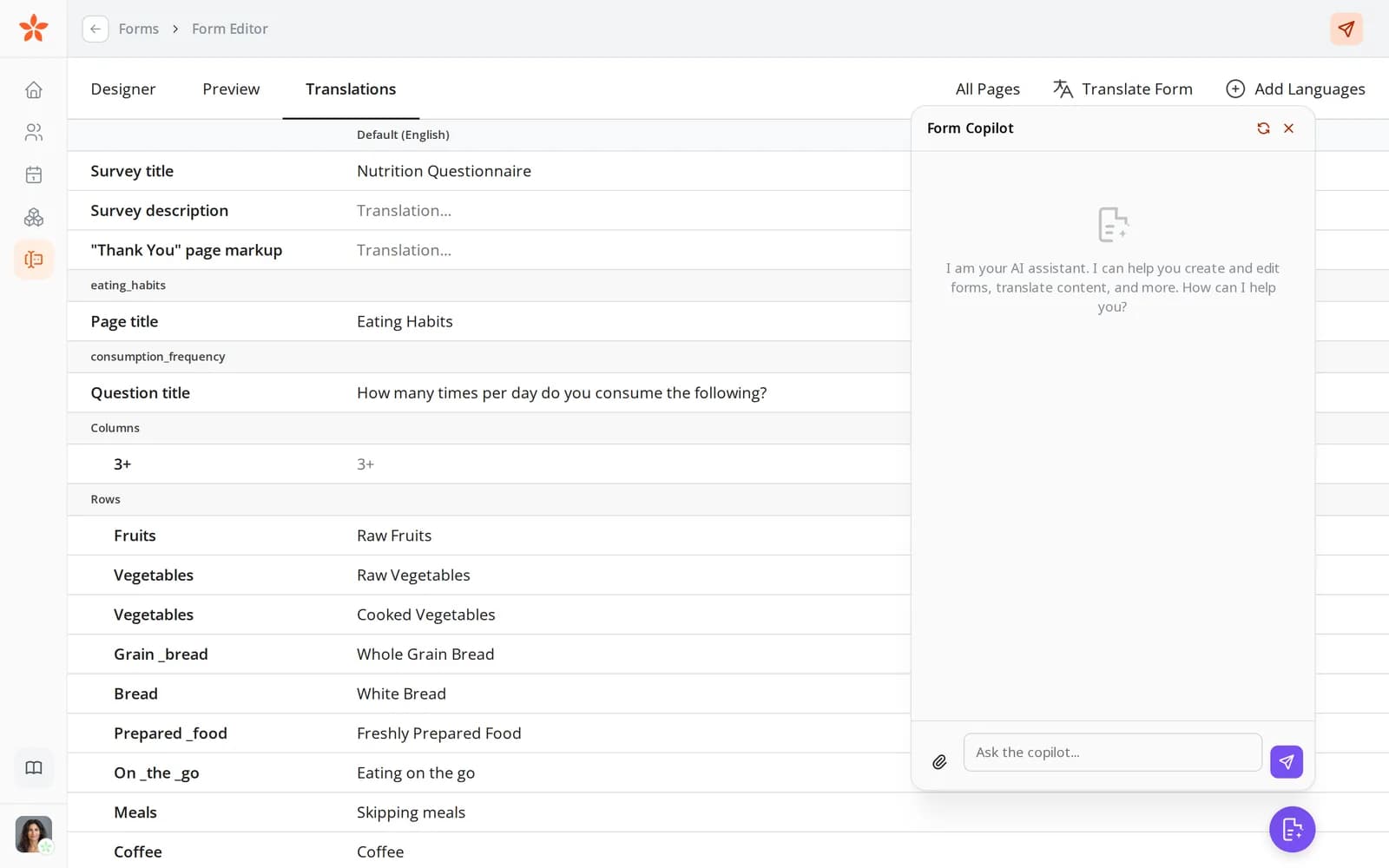
The form editor's Translations tab

A naturopath's first week on Nutrinomist

Start free with your page and template forms. The client portal, protocols and worksheets start on Starter, lab imports on Pro.

1

Day 1: your intake

Pick the template sections your case history needs, or on Starter upload the PDF intake you use today to the copilot.

2

Day 2: your protocol library

Write one protocol, copy it to your templates, and save your most-used sections as segments.

3

Day 3: your page

Publish your page with your training, how you work and your consultation packages, in each language you see clients in.

4

Days 4 and 5: your next new client

Book them with the intake attached. On Pro, import their lab reports before the first visit.

Questions naturopaths ask

Is my clients' health data kept in Europe?

Yes. Nutrinomist's app servers and database run in Frankfurt, Germany. Lab values you import aren't saved to the client's record until you approve them.

Does Nutrinomist interpret lab results?

No. It reads the values from the report, converts the units and marks each value against the lab's range and the optimal range you set. What the results mean for the client stays your judgement.

Can I bring in my old case notes?

From Starter, upload a PDF of an earlier intake or consultation notes, up to 1 MB, and AI reads its questions and answers into a worksheet. You see what it found before anything is added. There's no bulk import of client lists yet.

Can I see clients who don't read my language?

Yes. Forms can be translated with AI from Starter, your page and packages on every plan, and the portal and emails follow each client's language. Protocols go out in the language you write them in.

The features behind these workflows

Each feature page goes into the detail, plan by plan.

Put your craft in a reusable library

Start free with your page and template forms, and build your protocol library on Starter.