Nutrinomist — the multilingual platform for holistic professionals working online
Protocol builder

Build protocols from parts you already wrote.

Write recommendation documents with headings, checklists, tables and images, reuse the sections you write most, and send each one to the client by email and to their portal.

  • Reusable segments and templates
  • Cover photos, pictures and diagrams
  • Sent by email, kept in the client's portal
Included from the Starter plan
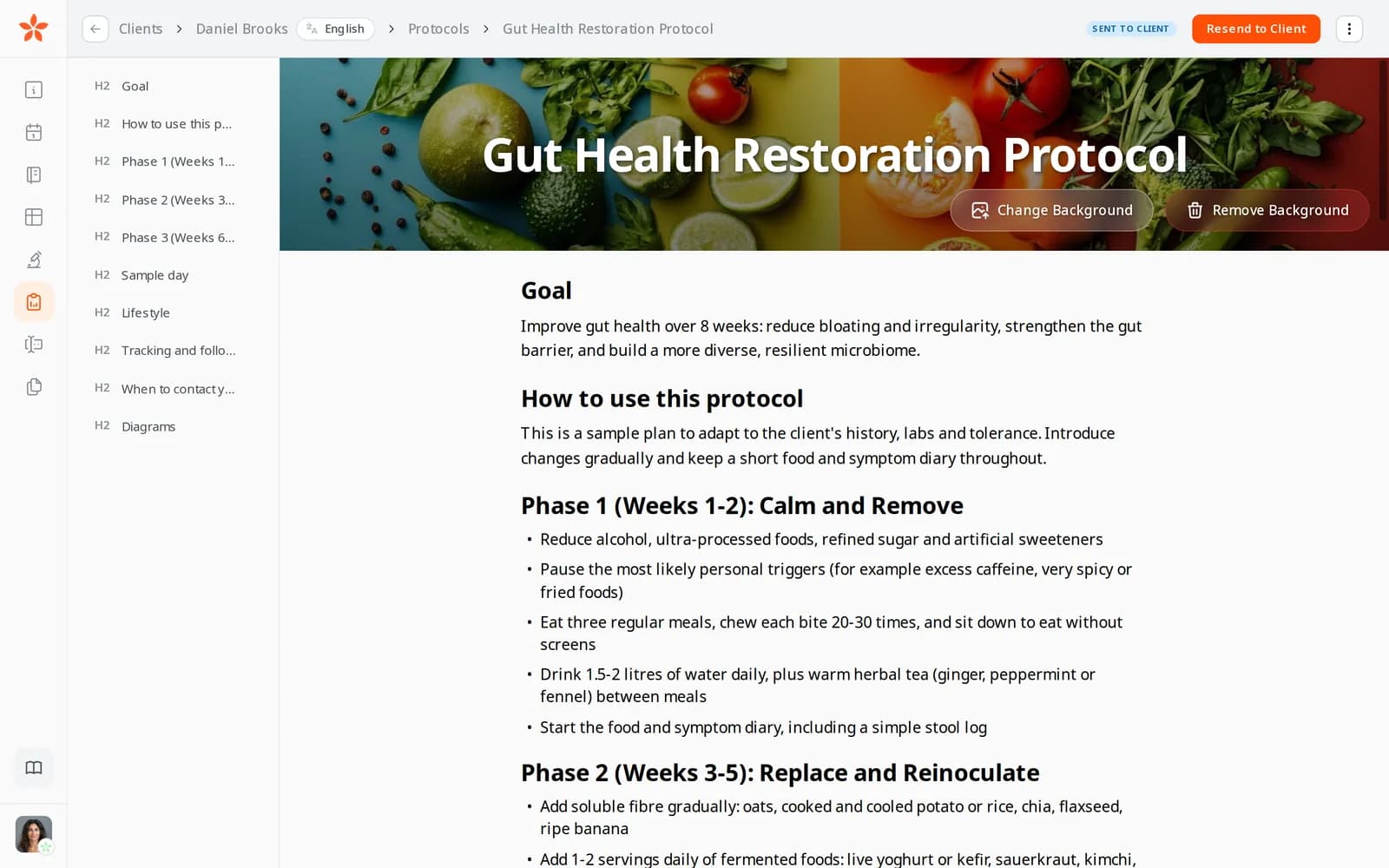
A gut health protocol in the editor: a cover photo of vegetables behind the title, the outline of sections on the left and Resend to Client at the top
Use case

The same gut-health advice, for the fifth client this month

Three new clients with digestive complaints book in one week. Each needs a gut-health plan, with the phases, the foods, a sample day and when to get in touch, adjusted to their history and labs.

Today

You open last month's Word document, save a copy, replace the old client's name, fix the formatting that broke, export a PDF and attach it to an email. A week later the client asks you to send it again.

With Nutrinomist

You open the client's Protocols tab, drop in your saved phases and sample day, and change what is different for this client. Send to Client emails them a link with your note, the protocol stays in their portal, and its badge turns to Read by client once they open it.

What it does

Everything the protocol builder does, in detail

Captures from a demo practice in the live app. The protocol builder is included from the Starter plan.

An editor made for recommendations

Write with headings, paragraphs, bulleted and numbered lists, checklists and tables, and highlight the lines that matter most. The outline on the left lists every section, so a long protocol stays easy to move around, and your work is saved as you write.

  • Headings, lists, checklists and tables
  • A highlighter for the lines that matter
  • An outline of every section beside the text
  • Saved as you write, with the time of the last save

What it saves you: Fighting a word processor's formatting.
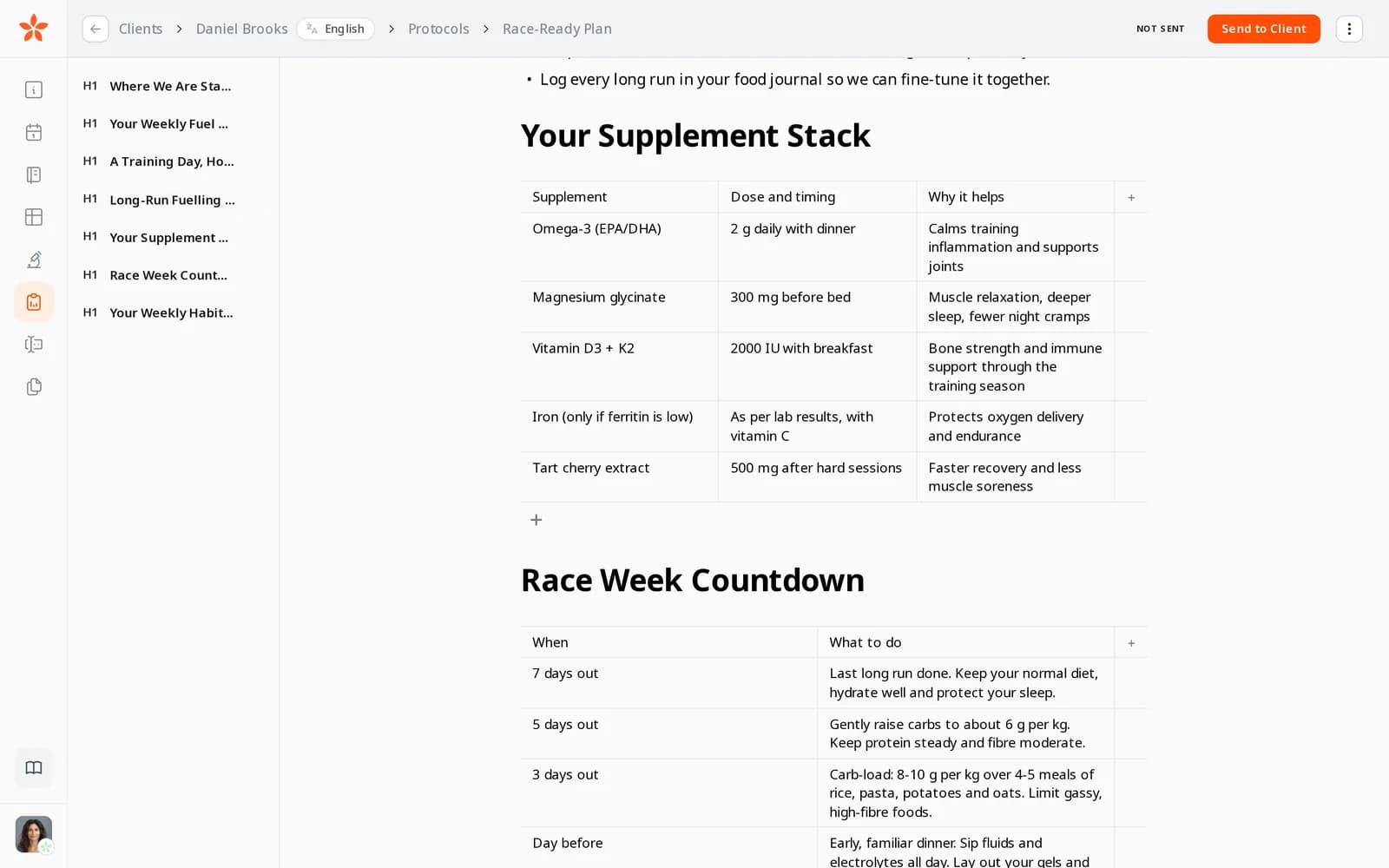
A race plan in the editor: a supplement table with dose, timing and why it helps, the race-week countdown table below and the outline of sections on the left

Cover photos, pictures and diagrams

Put a cover photo behind the protocol's title, and add pictures, diagrams and illustrations wherever they explain better than words. Images are compressed as you upload them, so protocols open quickly on a phone.

  • A cover photo behind the title, changed or removed in a click
  • Pictures and diagrams anywhere in the text
  • Images compressed as you upload them

What it saves you: A design tool for documents clients pay for.

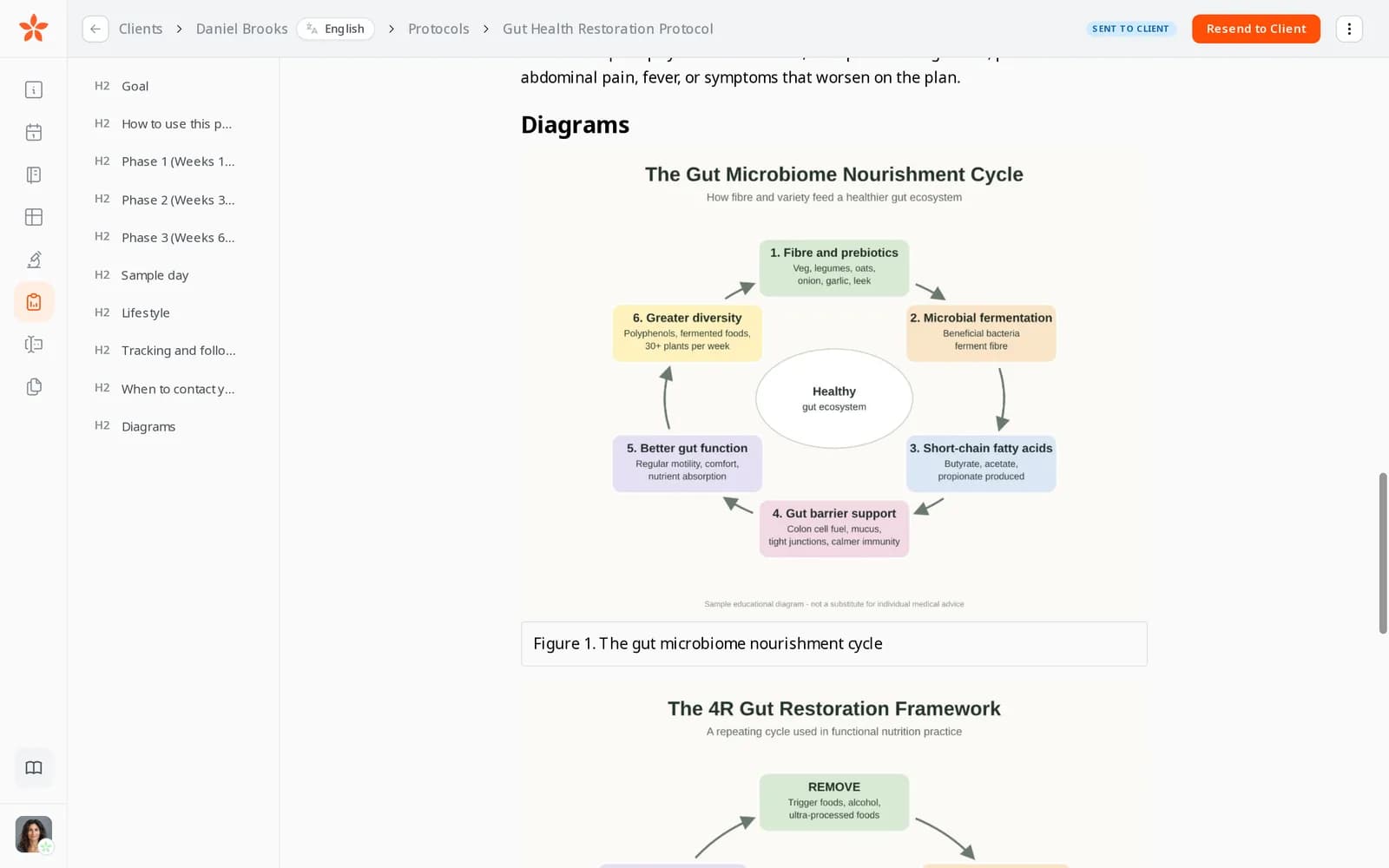
The diagrams section of a gut health protocol in the editor, with illustrated diagrams between the text

Segments: the sections you write again and again

Select the blocks you keep rewriting, such as hydration guidance, a sample day or supplement notes, and save them as a named segment. Insert a segment into any protocol from the editor, images included, then adjust it for the client.

  • Select blocks and save them as a segment
  • Insert a segment into any protocol
  • Its images come along
  • Adjust the copy for each client

What it saves you: Copying and pasting from old documents.

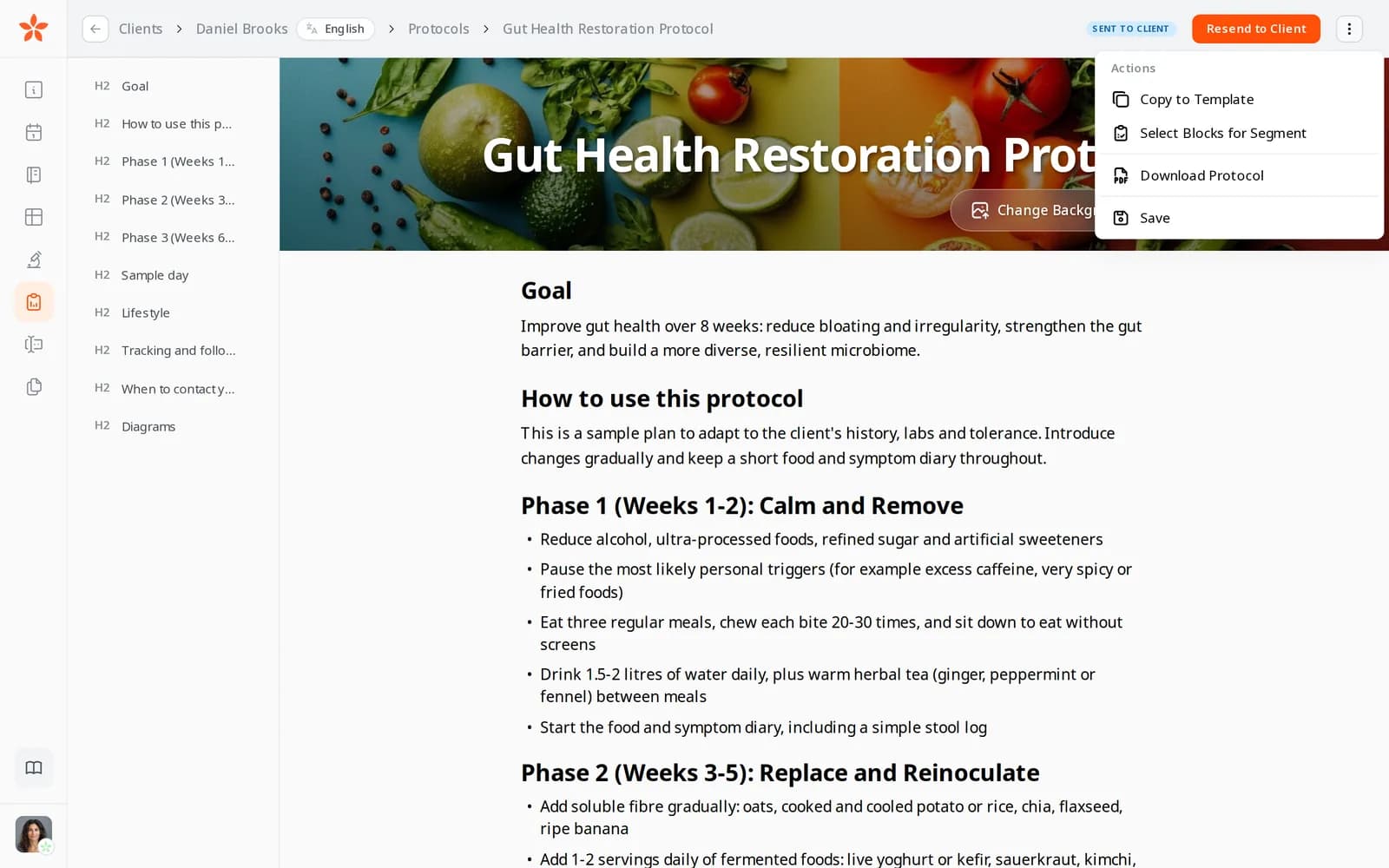
The protocol editor's actions menu: Copy to Template, Select Blocks for Segment and Download Protocol

Templates for whole protocols

Copy any protocol to your templates in one step. Templates and segments sit next to every client's protocols, so your best work is always one tab away.

What it saves you: Starting every plan from a blank page.

  • Copy any protocol to a template
  • Templates and segments in every client's Protocols tab
  • Edit or delete templates as your practice changes
From Pro

Let your AI assistant write the first draft

Connect Claude, ChatGPT or another AI assistant and ask for a protocol in your own words. It starts a draft for the client from one of your templates, protocols or segments, then writes and rearranges headings, text, lists, checklists and tables to fit what you asked. In Claude and ChatGPT the draft opens as a live preview in the chat and refreshes as it changes. It stays a draft: you add pictures, check it and send it from Nutrinomist.

What it saves you: Typing up the first draft from scratch.

  • Starts from your templates, protocols or segments
  • Writes and reorders headings, text, lists, checklists and tables
  • A live preview in the chat in Claude and ChatGPT
  • Never sent for you: you review and send it

Send it with a personal note

Send to Client emails the client a link to the protocol, in their language, with an optional note from you. The protocol also appears in their client portal, so they can find it again without searching their inbox. Made changes? Send it again.

  • An email in the client's language, with a link
  • An optional personal note
  • Kept in the client's portal
  • Resend after changes

What it saves you: Exporting, attaching and re-sending files.

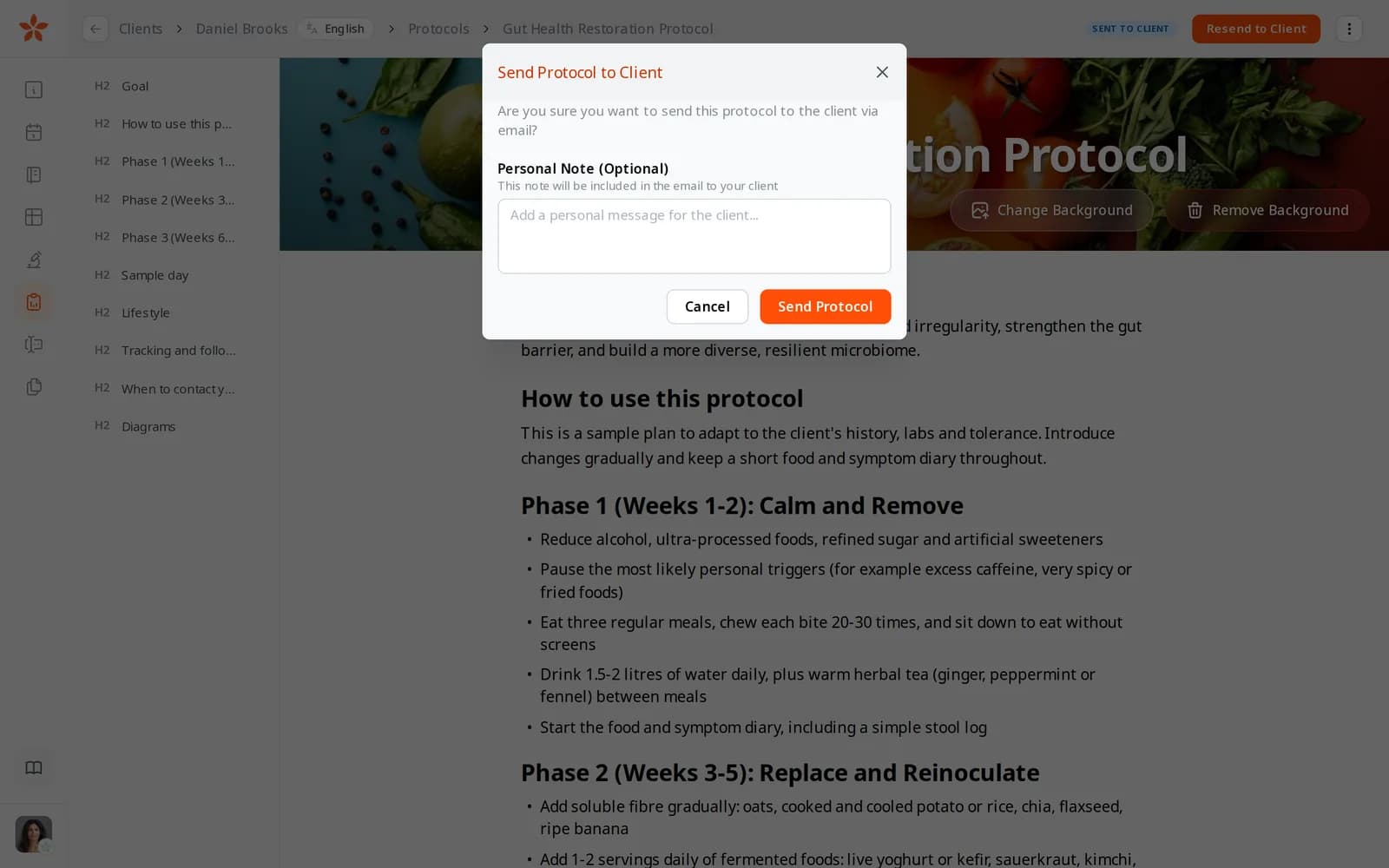
The Send Protocol to Client window, with a field for an optional personal note that goes into the email

See which protocols were read

Every protocol in the client's Protocols tab shows where it stands: not sent, sent to client, or read by client once they have opened it.

  • Not sent: still a draft
  • Sent to client
  • Read by client, once they open it

What it saves you: Asking “did you get my email?” at the next session.

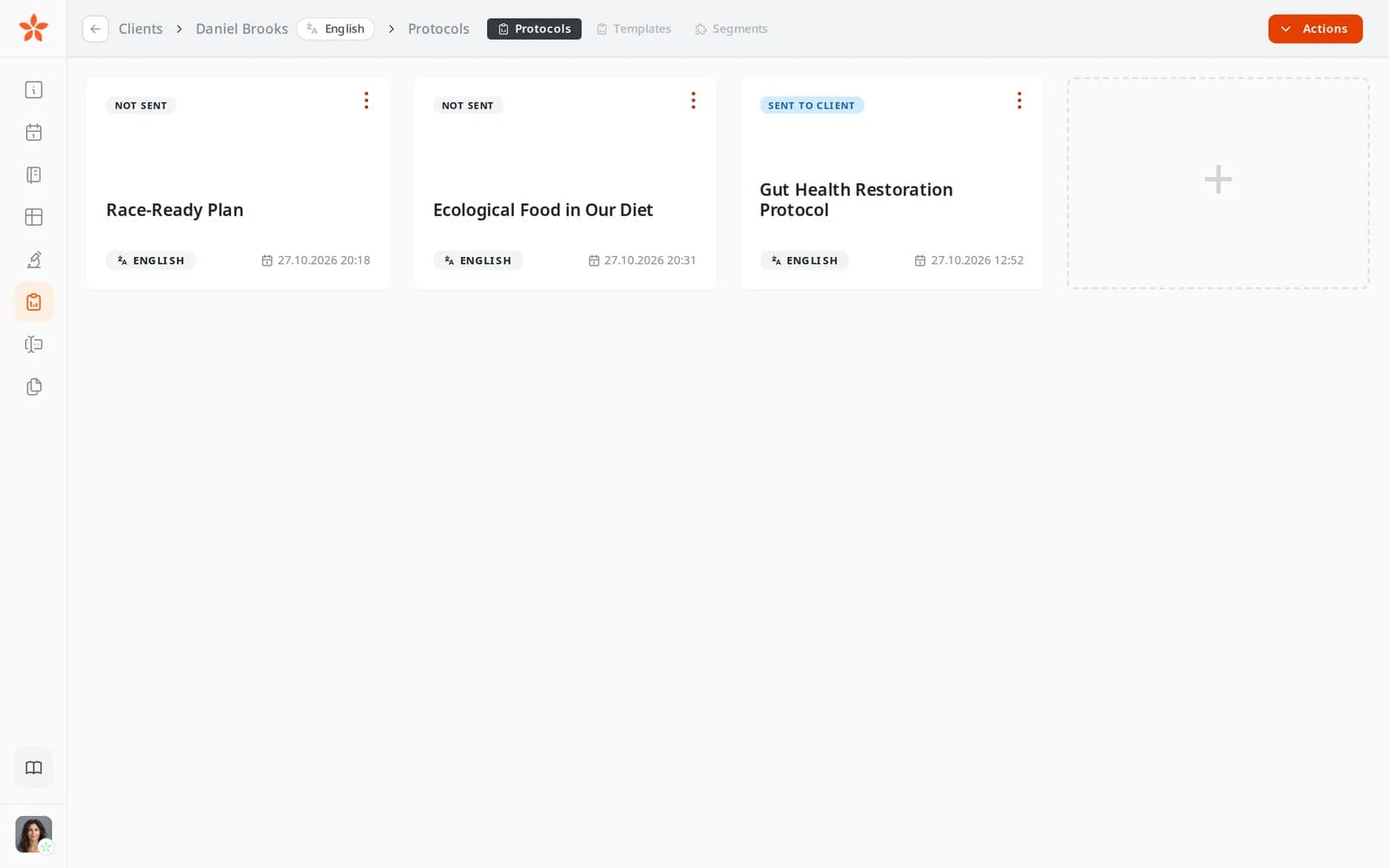
A client's Protocols tab with three protocols, two marked Not sent and one marked Sent to client

What the client sees

The client opens the protocol from the email or their portal, on the web or in the app, with your cover photo, headings, checklists, tables and pictures as you laid them out.

What it saves you: Clients losing the plan in their downloads folder.

  • On the web or in the app
  • Your cover, headings and pictures as you laid them out
  • Always there in their portal

Download as a PDF

Download any protocol as a PDF with its cover photo, for clients who like to print or who prefer a file.

What it saves you: Rebuilding the protocol in another tool to print it.

  • One click from the editor's menu
  • The cover photo comes along

How it works

1

Start a protocol for the client

Open the client's Protocols tab and start a new protocol.

2

Compose from segments

Insert your saved sections, then adjust them for this client.

3

Add a cover and pictures

A cover photo, diagrams and images; the editor handles the layout.

4

Send it to the client

They get an email with your note, and the protocol stays in their portal.

Frequently asked questions

Can I reuse protocols between clients?

Yes, that is the point. Copy any protocol to your templates, and save any group of sections as a segment you can insert into another client's protocol, then adjust it.

How do clients receive their protocol?

Send to Client emails them a link, in their language, with an optional note from you. The protocol also stays in their client portal. You can also download it as a PDF.

Which plan includes the protocol builder?

The protocol builder is included from the Starter plan. Having your AI assistant draft protocols is included from Pro, with the rest of the MCP connection.

Works even better together

Every Nutrinomist feature is built to hand work to the next one.

Turn your expertise into templates

The second protocol takes minutes when the first one built your library.