Nutrinomist — the multilingual platform for holistic professionals working online
Packages & payments

Sell your work without an invoicing tool.

Describe each package in the languages you work in, price it in several currencies and choose how clients pay: by card through your own Stripe, through your own payment link, or by arrangement.

  • Paid by card, by your own link or by arrangement
  • Packages in several languages and currencies
  • Card and manual orders add the client to your list
Included from the Free plan
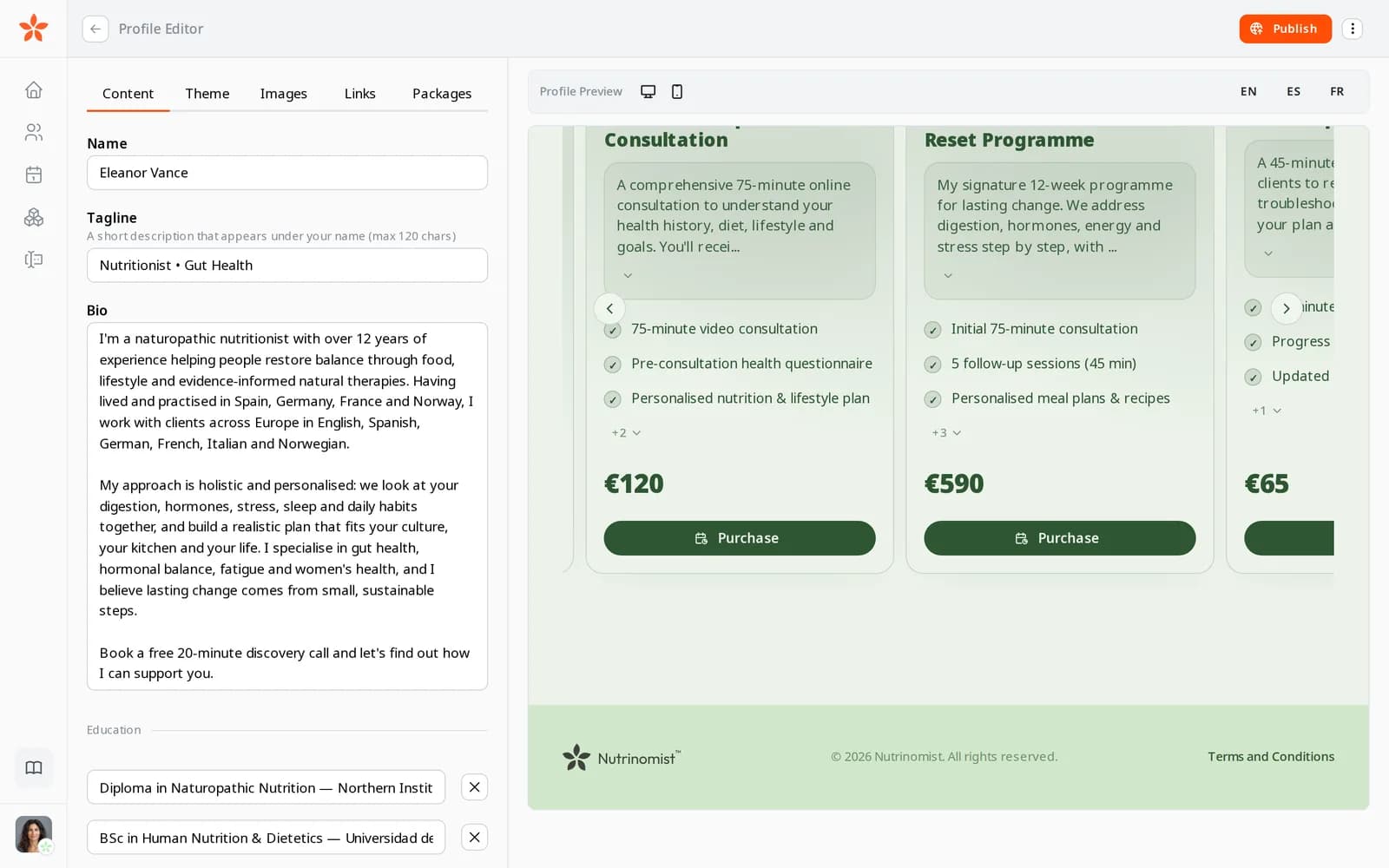
Three packages on a practitioner's page, each with what is included, its price and a Purchase button
Use case

From a price list to a paid programme

A practitioner offers a first consultation, a 3-month programme and follow-up sessions. A new client has read the page and wants to start the programme.

Today

You send a PDF with prices, then your bank details by email. You check your account for days, send your terms separately and copy the client's name, email and phone into a spreadsheet once the money arrives.

With Nutrinomist

The client opens the programme on your page, reads what is included and your terms, and pays by card in their own language. The money goes to your Stripe account, the client is added to your list, the order shows on your dashboard and they get a confirmation.

What it does

Everything packages do, in detail

Captures from a demo practice in the live app. Packages and all three ways to get paid are included in every plan, Free too.

Describe what you sell

Give each package a title, a description and a list of what is included, such as the number of sessions, a meal plan or chat support. Hide a package you are not offering right now, and choose where it sits on your page.

  • A title, a description and what is included
  • Show or hide each package
  • Choose its position on your page
  • Attach your terms as a PDF, up to 5 MB

What it saves you: Rewriting the same offer in every email.
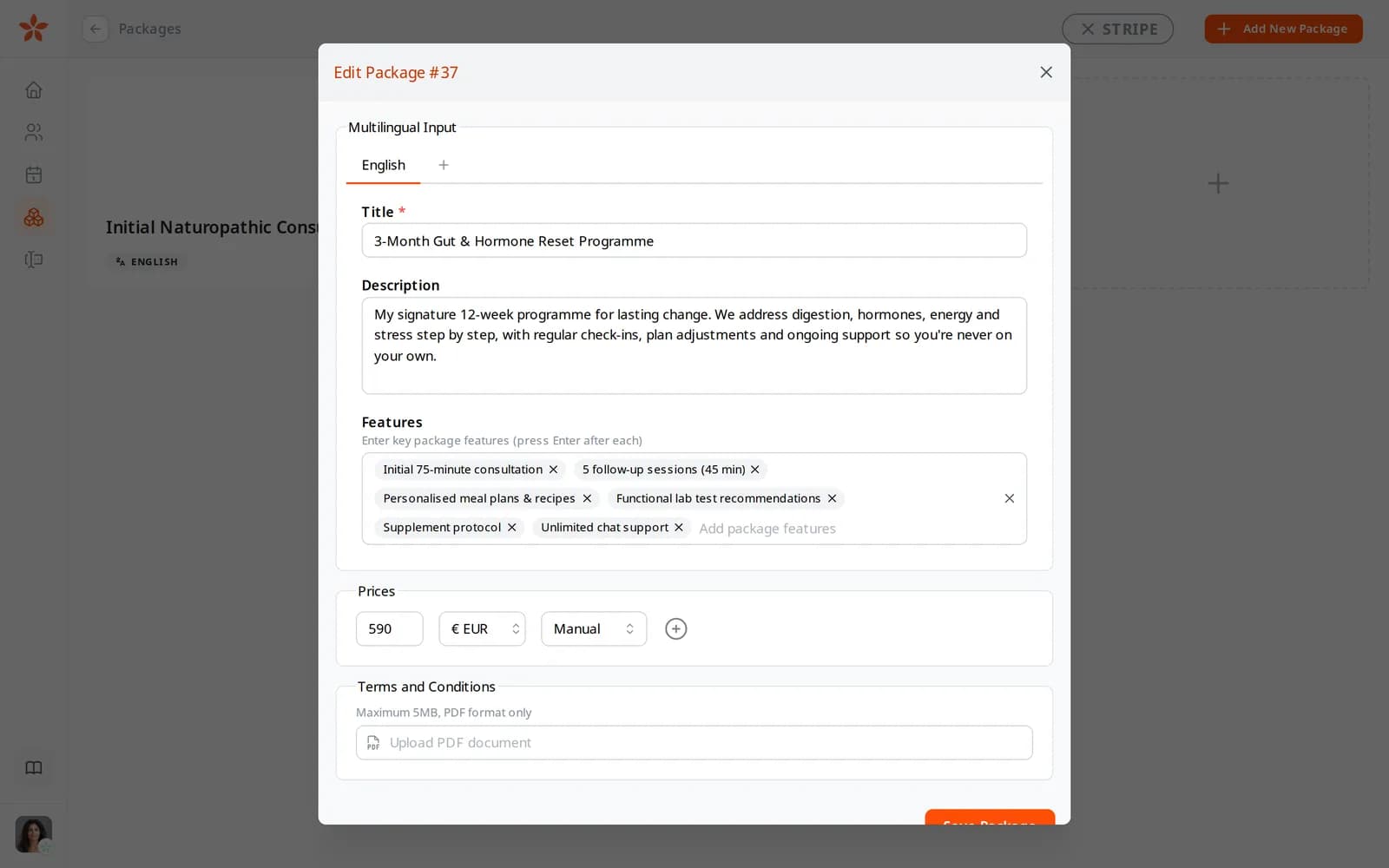
Editing a package: its title, description, what is included, price and payment method

In your clients' languages and currencies

Write a package once and add other languages, filled in by AI from the first one. Add a price in each currency you accept. Visitors read the package in their language on your page and at checkout.

What it saves you: A separate price list for every country.

  • A version of each package for every language you need
  • AI fills the other languages from the first, on every plan
  • Prices in several currencies

Paid the way you want

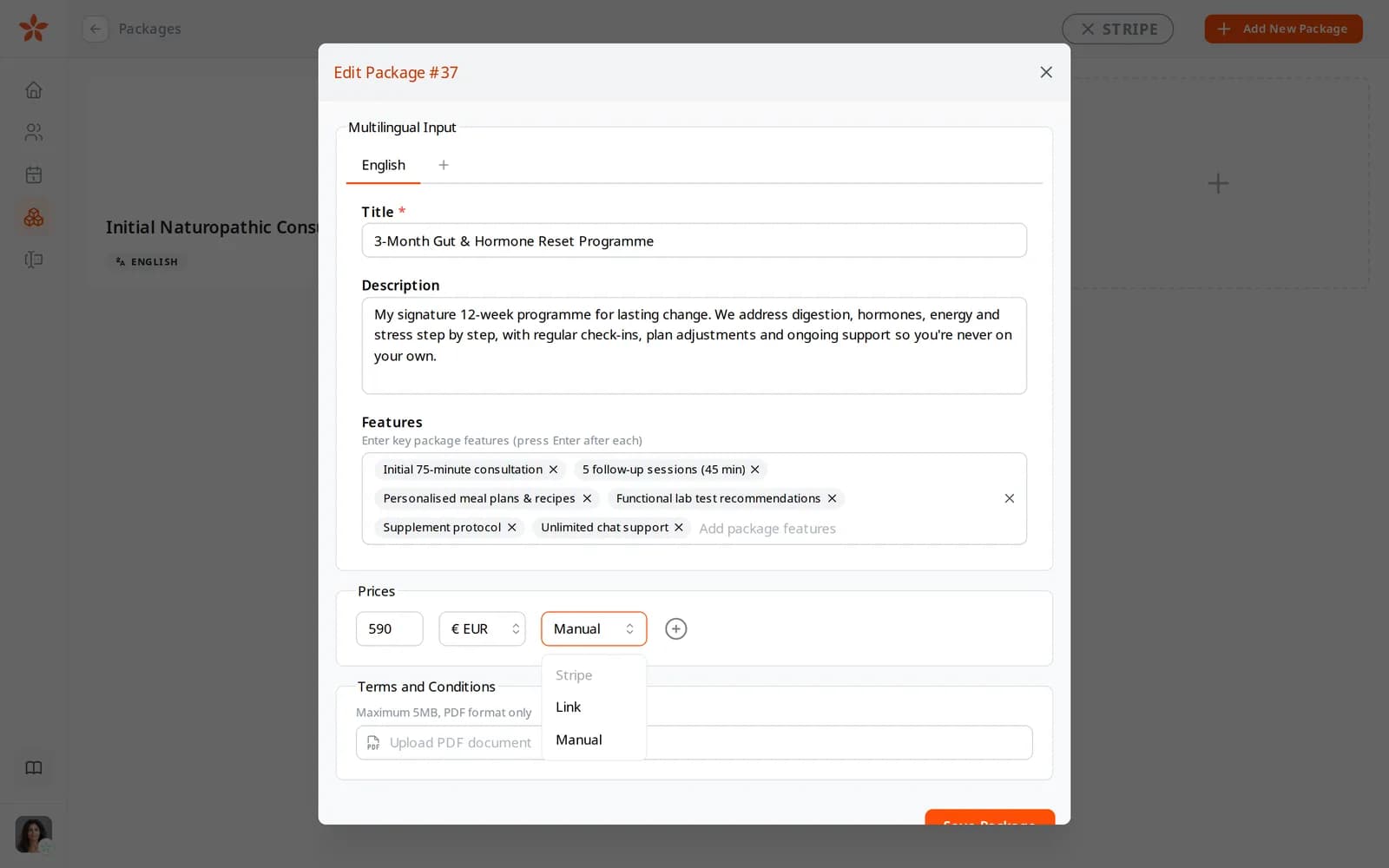
For each price, choose how the client pays. Stripe takes the card payment on your own Stripe account. A link sends them to a payment page you already use. Manual lets them send a request, and you mark it paid once the money arrives.

  • Stripe: card payments to your own Stripe account
  • Link: your own payment page
  • Manual: the client sends a request and you confirm the payment

What it saves you: Sending bank details and checking your account every morning.

The payment method menu on a package price: Stripe, Link and Manual

A checkout with your name on it

Each package has its own checkout page with your name, what is included and the price. When you attach terms, the page links them, and buying the package means agreeing to them. The page is in the client's language, and Stripe's payment page follows it.

What it saves you: Explaining payment and terms in separate emails.

  • Your name and the package at the top
  • Your terms linked, agreed to on purchase
  • In the client's language, through to Stripe
  • A short form for manual payment, with notes

Ask a client to pay

Send a package to one or more clients with a short message. They get an email with a link to its checkout. Or copy the link and share it wherever you talk to them.

What it saves you: Writing payment reminders by hand.

  • Pick one or several clients
  • Add a message of your own
  • Copy a package's link to share anywhere

Every order, in your practice

When a client pays by card or sends a manual request, they are added to your client list if they are new, and the order appears on your dashboard. The client gets a confirmation email in their language. Manual orders stay unpaid until you mark them paid. Payments through your own link happen on that page, so you track them there.

What it saves you: Copying every buyer into your client list by hand.

  • A new client record from the buyer's email
  • Recent orders with package, price and payment method
  • A confirmation email in the client's language
  • Mark manual orders paid from the dashboard

Your Stripe, your money

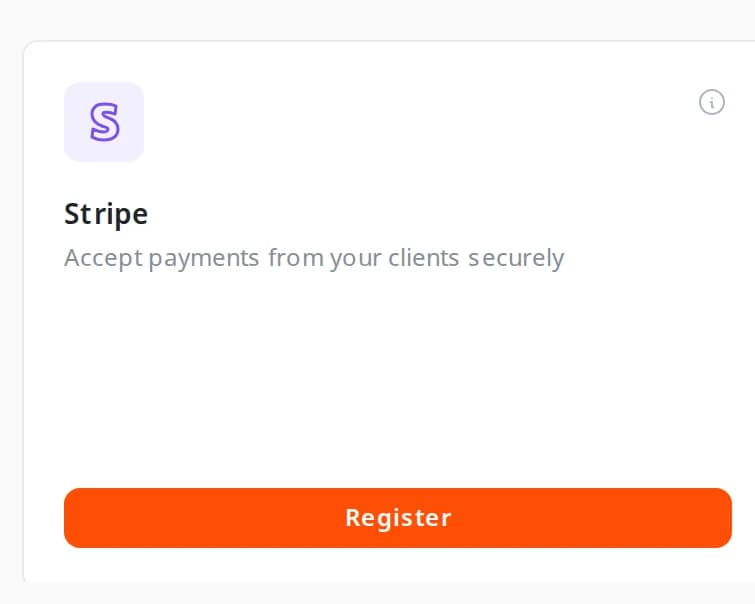
Connect your Stripe account once from Integrations. Card payments settle in your own account, and the relationship with the client stays yours. Nutrinomist never holds your money.

  • Connect Stripe once, from Integrations
  • Payments settle in your own Stripe account
  • Nutrinomist never holds your money

What it saves you: A separate invoicing tool.

The Stripe card on the Integrations page

How it works

1

Create your packages

Describe what is included, set prices and add the languages you need.

2

Show or send them

Show packages on your page, or send a package to a specific client.

3

Get paid

Clients pay by card through your Stripe, through your link, or by arrangement.

4

The order lands in your practice

With a card or manual order, the client is added to your list, the order shows on your dashboard and they get a confirmation.

Frequently asked questions

Where does the money go?

Card payments go straight to your own Stripe account through Stripe Connect. Payments through your own link or by arrangement reach you the way they do today. Nutrinomist takes no fee and never holds your money; Stripe takes only its standard processing fee. The relationship with the client stays yours.

Can I sell in several currencies and languages?

Yes. Each package can have a version for every language you need and a price in several currencies, and the checkout page follows the client's language.

What if a client prefers not to pay by card?

Choose a link to your own payment page, or Manual: the client sends a request, and you accept the payment from your dashboard once it arrives.

Works even better together

Every Nutrinomist feature is built to hand work to the next one.

Turn your page into a storefront

Publish a package today and let your page take the first order.