Nutrinomist — the multilingual platform for holistic professionals working online
For session-based coaches

Coaching software for scheduling, video sessions and AI session notes

Life, stress and mindfulness coaching happens in conversation, and the time around it goes on “does Thursday work?”, video links and notes typed afterwards. With Nutrinomist you book the session in one dialog, hold it in a built-in video room and get the note written from the recording.

  • Invitations clients accept in one click
  • Session notes from the recording, in your template
  • Agreements kept in the client's thread

Where a coach's time goes outside the session

Scheduling by message

Finding a time takes several messages, then a calendar invite, a video link and a reminder you send by hand.

Typing while holding space

Notes taken during a session cost presence; notes written afterwards cost your evening.

Agreements that fade

What the client committed to lives in your notebook and their memory, and by the next session half of it is gone.

In practice

Four workflows from a coaching practice

Each one starts from a moment in a typical week and shows the features it uses, what it changes for your business and the plan it needs.

On every plan

The next session, booked before the call ends

In the last minutes of a session you open the client's record and create the next appointment in the calendar. The client gets an invitation in their language, at their local time, with Accept and Decline buttons and a calendar file. A reminder with the join button goes out an hour before, and the session appears in your Google Calendar.

  • Reminders from 15 minutes to a day before, to you and the client
  • Two-way Google Calendar sync, on every plan
  • The built-in video room from Starter, or your own meeting link

What it changes: Booking takes one dialog instead of a thread of messages, and the reminder carries the join link, so nobody has to ask where to join.
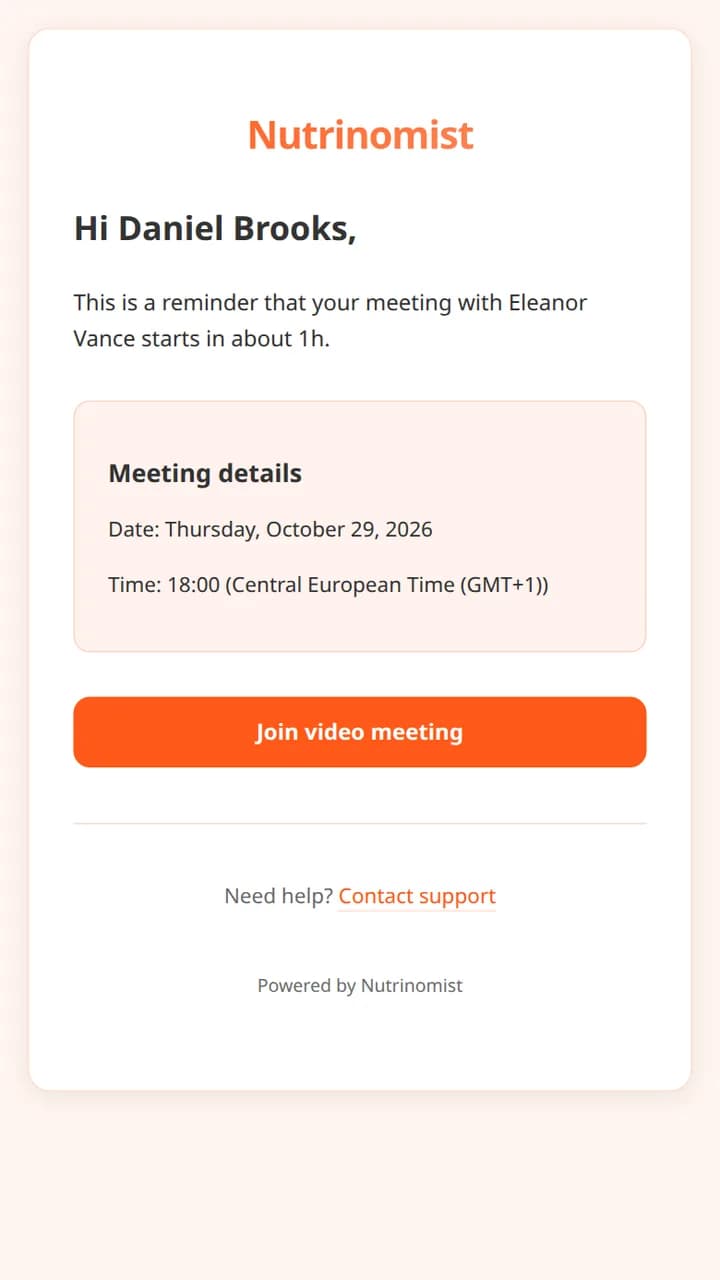
The reminder email a client receives an hour before the session, with a Join video meeting button
From Starter

Fully present in the session, with the note written afterwards

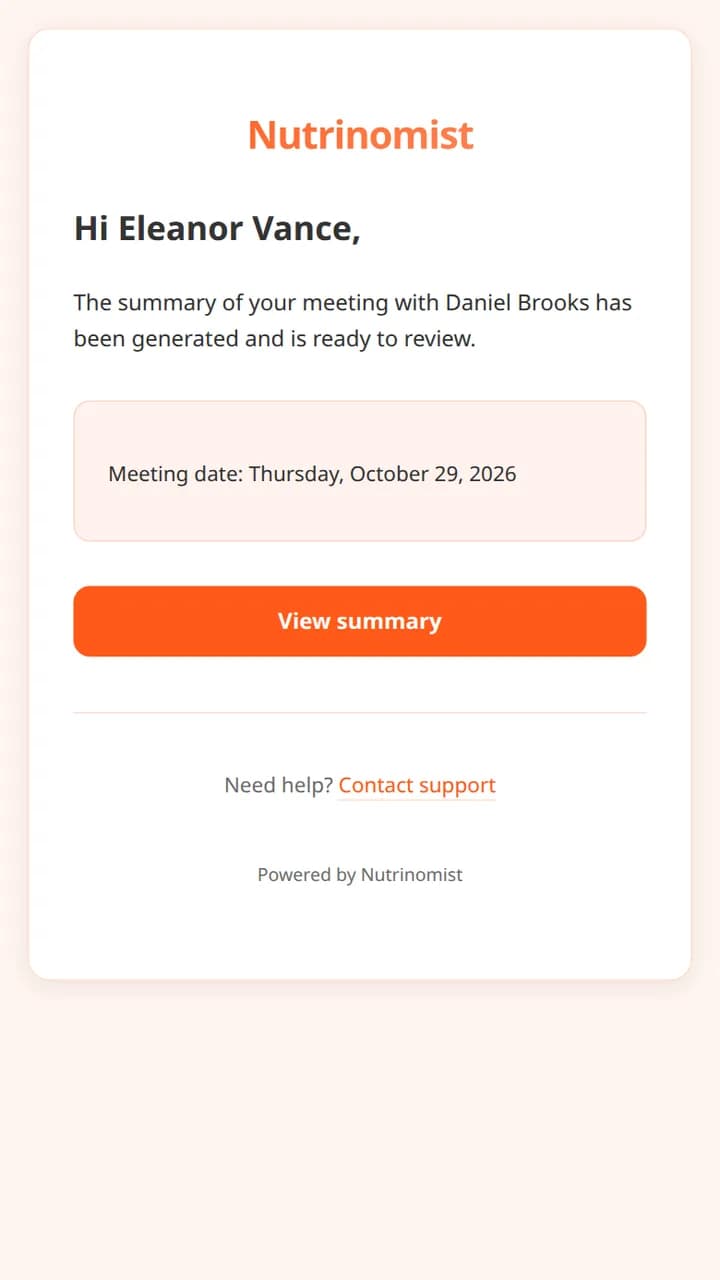
You hold the session in the video room with recording on, and the client is told before joining. Afterwards the transcript names each speaker, and AI writes a journal entry from your template: what you explored, what the client agreed to, the practice for the week. An email tells you it's ready to read and correct.

  • Transcripts in any of the 13 languages
  • Edit the note, or have it written again
  • 3 a month on Starter (a rewrite or re-transcription uses one); no limit under fair use on Pro

What it changes: Your attention stays on the client, and the note is done the same day without typing.

The email a practitioner receives when a session summary is ready to review
From Starter

Agreements that are still there next week

After the session you write the client's agreements into their chat. Midweek they reply with a voice note about how the breathing practice went, and you send a short reflection form from the same thread. On Pro, your AI assistant can read the chat and the session notes and brief you before the next session.

  • The client gets a push notification, then one email if it stays unread
  • A form or the next session sent from the chat menu on desktop
  • Voice notes written out from Pro

What it changes: Each session starts from where the last one ended, without rereading a week of messages.

On every plan

Sessions sold in blocks of six

On your page you offer a single session and a block of six, each with what's included and its price. Clients pay by card through packages into your own Stripe account, or through your own payment link. When the six sessions are done, you send the next block as a payment request.

What it changes: Clients commit to a block instead of deciding session by session, and you spend less time on payments.

  • No Nutrinomist fee; Stripe's standard fees apply
  • Your terms attached as a PDF and agreed at purchase
  • Book a call for people who want to talk first: it adds a lead and emails you

A coach's first week on Nutrinomist

Scheduling, your page and packages are on every plan. The video room, chat and AI notes start on Starter.

1

Day 1: connect your calendar

Connect Google Calendar from Integrations, so the sessions you book appear there and changes come back.

2

Day 2: your page and session blocks

Publish your page with a single session and a block, and connect Stripe.

3

Day 3: your note template

On Starter, set the sections your session notes follow and what the AI should write in each.

4

Days 4 and 5: this week's sessions

Book your current clients from their records. On Starter, the invitation also brings them into your client portal.

Questions coaches ask

Are clients told when a session is recorded?

Yes. You decide for every session whether to record it, before anyone joins, and clients are told before they join. Recordings are stored in the EU, and clients can watch theirs back in their portal.

Can clients book their own sessions?

Not on their own. You create the appointment, and the client accepts or declines it from the invitation email. Visitors to your page can tap Book a call and suggest a time; that adds a lead and notifies you, and you confirm.

Which languages do transcripts work in?

Session transcripts work in all 13 platform languages: Danish, German, English, Spanish, Finnish, French, Italian, Norwegian, Polish, Portuguese, Russian, Swedish and Ukrainian. Voice-note transcripts in chat don't yet cover Danish, Finnish, Polish, Swedish or Ukrainian.

Can I keep using Zoom?

Yes. Add your own meeting link to any appointment instead of the built-in room. Recording, transcripts and AI notes work only in the built-in room.

The features behind these workflows

Each feature page goes into the detail, plan by plan.

Be fully present in every session

Start free with scheduling and your page. Add the video room and AI notes on Starter.