Nutrinomist — the multilingual platform for holistic professionals working online
AI form builder

Describe the form. The copilot builds it.

Start from 14 ready-made sections on any plan. From Starter, describe the form to the AI copilot or upload the PDF you use today. Forms go out in each client's language and the answers land in their record.

  • 14 ready-made sections in all 13 languages
  • From Starter, an AI copilot builds and edits forms from plain language
  • Sent automatically before a session, with reminders
Included from the Free plan
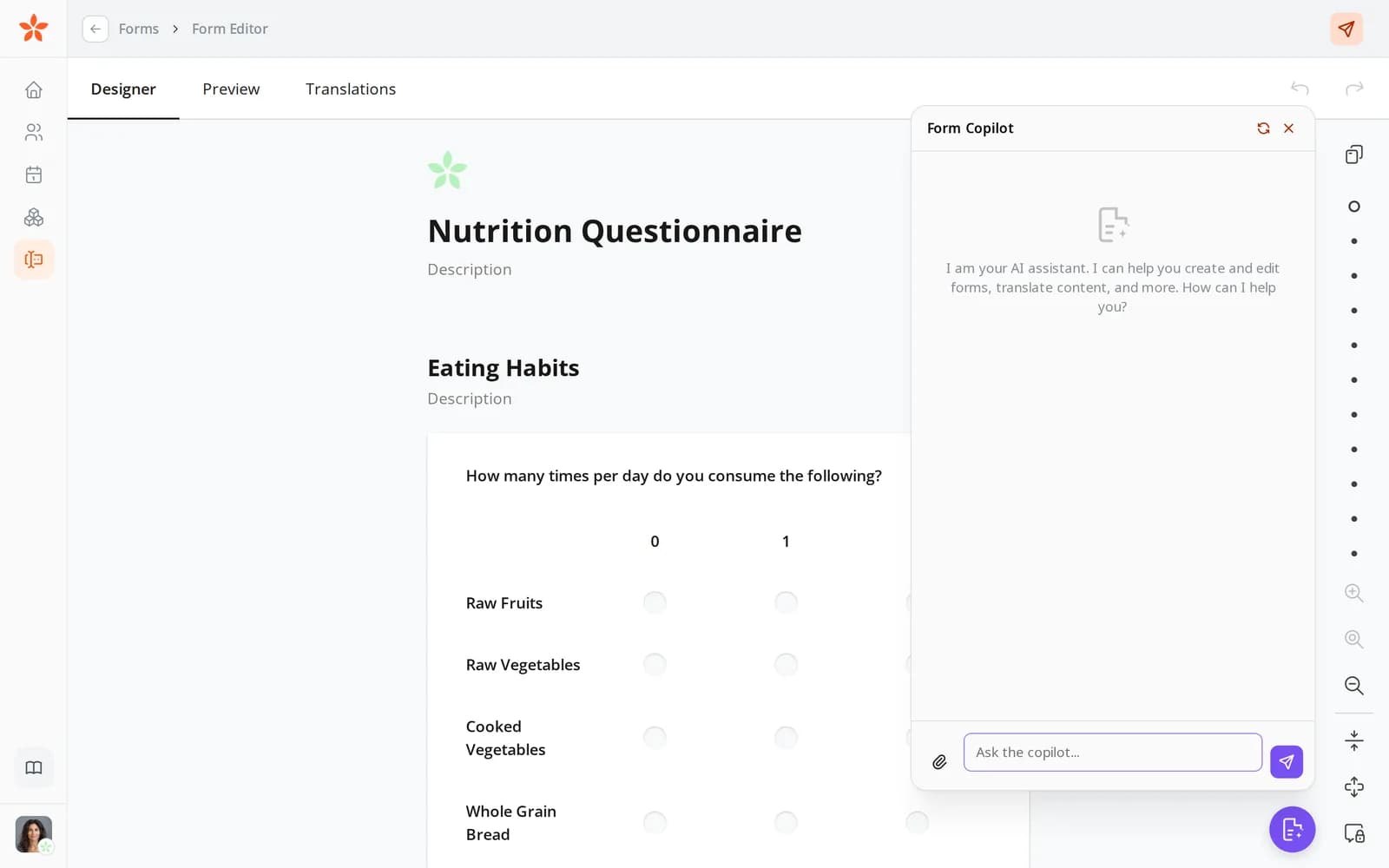
The form editor with a nutrition form open and the Form Copilot beside it
Use case

A new intake form before your next client

You take on clients in English, German and Spanish. Each one should fill in an intake form before the first session, and you'd like the answers ready to compare at the second.

Today

Your intake form is a PDF you made years ago. Clients print it, fill it in by hand or skip half of it, and email back a photo. You keep three versions in three languages and retype the answers into your notes.

With Nutrinomist

You pick the sections you need from the templates, ask the copilot to add questions on sleep and digestion, and translate the form in one click. It goes out with the booking, each client gets it in their language, and the answers land in their record.

What it does

Everything the form builder does, in detail

Captures from a demo practice in the live app. The form builder and templates are free; the AI features are included from the Starter plan.

Start from 14 ready-made sections

Pick the sections you need, drag them into order, and you have a full intake form. Each section is a set of questions practitioners ask all the time, written in all 13 languages.

  • Personal information, health status, medications, nutrition, eating habits, symptoms by body system, lifestyle, mental health and more
  • Every section exists in all 13 languages
  • Sections are marked as one-time information or as consultation worksheet questions you'll ask again
  • Drag the sections into the order you want

What it saves you: Writing the same intake questions from scratch.
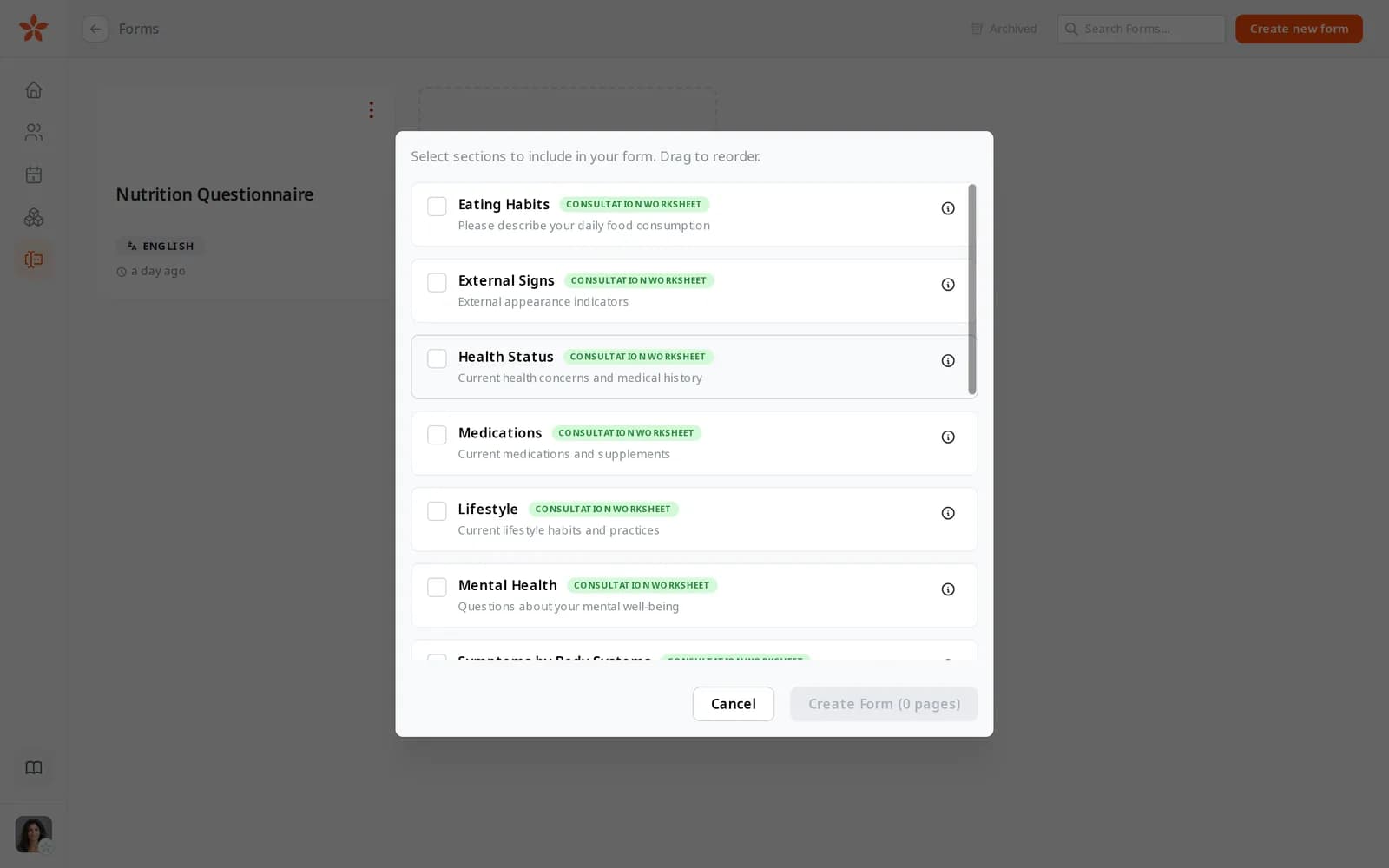
Choosing template sections for a new form: Eating Habits, External Signs, Health Status, Medications, Lifestyle and Mental Health
From Starter

Describe it, and the copilot builds it

Tell the Form Copilot what you need, such as a first-consultation intake for gut-health clients, and it drafts the pages and questions. Then keep asking in plain words until the form fits.

What it saves you: Building a form question by question.

  • Drafts a whole form from a description
  • Adds, rewords, moves and removes questions and pages when you ask
  • Shows a question only when an earlier answer calls for it
  • Adds calculated values, such as a total score
From Starter

Bring the PDF you already use

Attach the PDF form you use today in the copilot, and it reads the questions and turns them into a fillable form. You check the result and adjust it like any other form.

What it saves you: Rebuilding a form you already have.

  • Attach a PDF in the copilot
  • Its questions become form questions of the right kind
  • Review and edit the result before you send it

Questions clients can answer easily

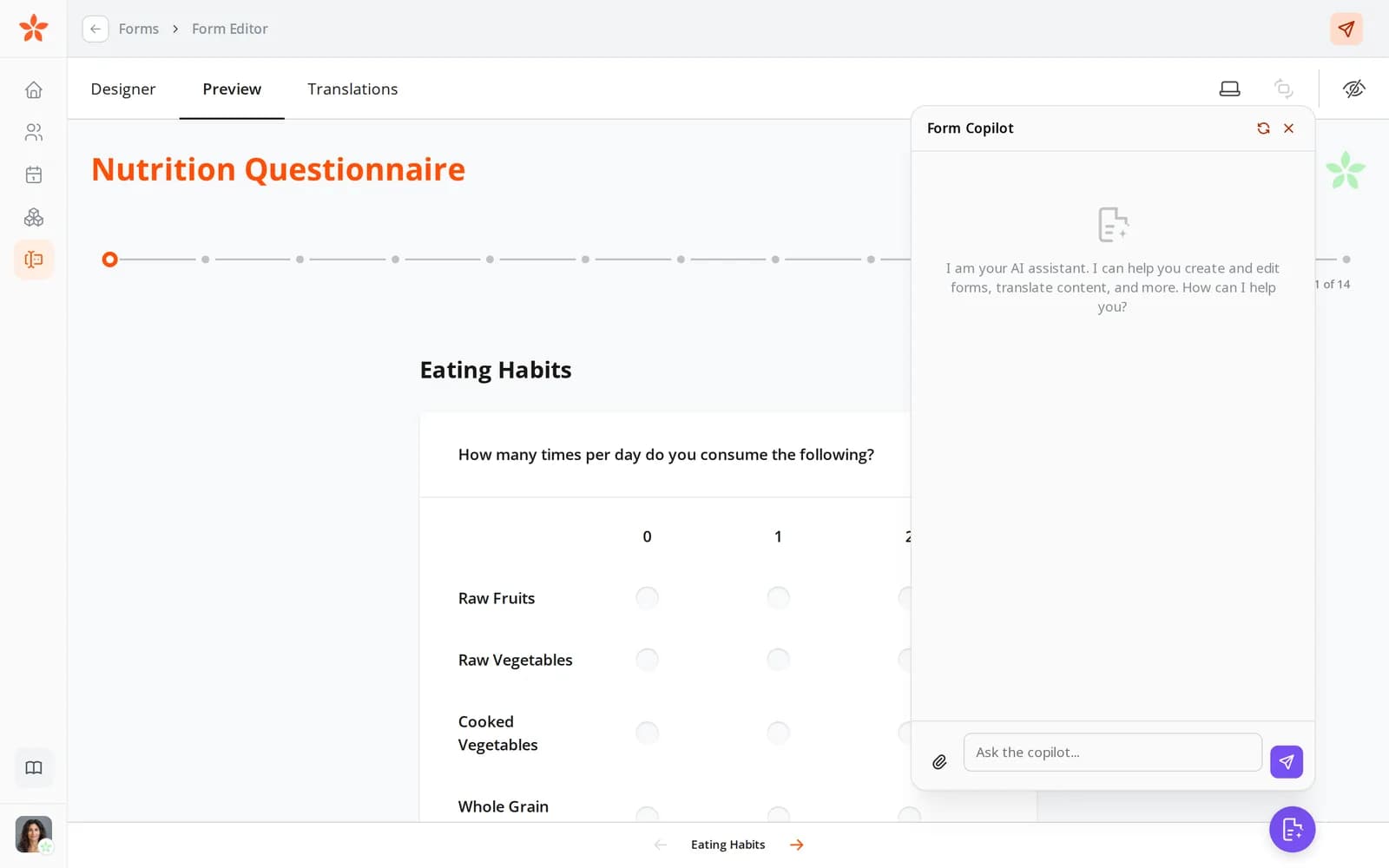
Clients see one page at a time with a progress bar, on a phone or a computer. You choose the right kind of question for each answer.

  • Text, single and multiple choice, yes or no, ratings, grids and repeatable groups
  • Pages with a progress bar, so a long form doesn't overwhelm
  • Mark the questions that must be answered
  • Your changes save as you go

What it saves you: Half-finished forms from clients who gave up.

A form as the client sees it: the Eating Habits page with a grid of foods and how often they're eaten, and the progress through 14 pages

The same form in every client's language

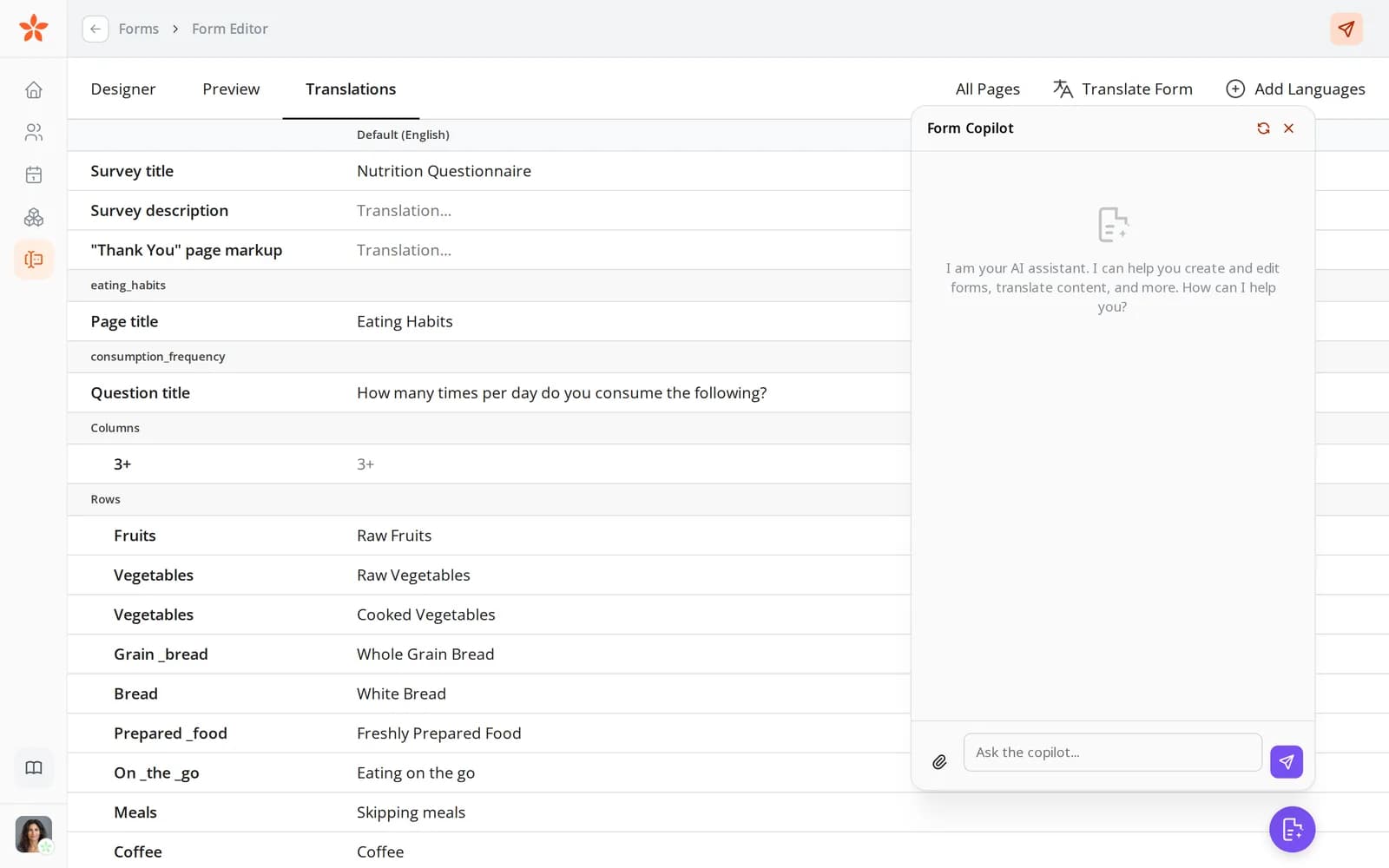
Add the languages you need and translate the whole form with AI in one click, or write the translations yourself. When you send a form, each client gets the version in their language.

  • Add languages to any form, on every plan
  • Translate the whole form with AI in one click, from Starter
  • Every translated line is there to read and correct
  • Before you send, you see which language each client will get

What it saves you: Keeping separate copies of a form for each language.

The Translations tab of the form editor, with Translate Form and Add Languages
From Starter

Sent at the right moment, without you

Attach forms to a booking and the client gets them before the session, with a deadline. If they haven't finished by then, a reminder goes out.

What it saves you: Remembering to send, and to chase, every intake form.

  • Send from your forms, the client's record or the chat
  • Ask for forms when you book a session
  • Set a deadline for each form
  • A reminder email goes out before the deadline

Answers land in the client's record

Completed forms appear in the client's record, ready to read. Download them as a PDF, or turn them into a worksheet to compare with later consultations.

What it saves you: Retyping answers into your notes.

  • Completed forms appear in the client's record
  • Download a completed form as a PDF
  • Turn the answers into a worksheet, from Starter
From Pro

Ask your AI assistant about the answers

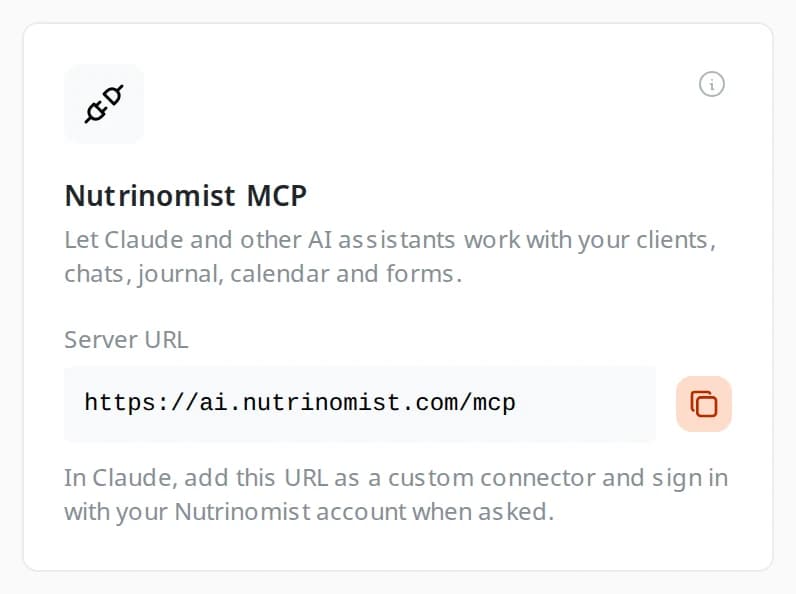
Connect Claude, ChatGPT or another assistant to Nutrinomist, and it can read your clients' completed forms when you ask. Ask it what stands out before a first session.

  • Ask what a client wrote about their sleep or digestion
  • Get a short brief from the intake form before you meet
  • It works with your own Nutrinomist sign-in

What it saves you: Reading a long intake form line by line before every first session.

The Nutrinomist MCP card on the Integrations page, with the server URL to add to an AI assistant

How it works

1

Start from templates, a prompt or a PDF

Pick ready-made sections, describe the form to the copilot, or attach the PDF you use today.

2

Refine it

Edit the questions yourself or ask the copilot to add, reword or reorder them.

3

Translate and send

Translate the form with AI from Starter, or write the translations yourself, then send it yourself, from the chat, or with a booking.

4

Read the answers

Completed forms land in the client's record and can become a worksheet.

Frequently asked questions

Can I edit what the AI creates?

Always. The copilot drafts the form, but you have full manual control over every page, question, and answer type — in the editor or by asking the copilot to change things.

Can forms be sent automatically?

Yes. Forms can be requested when booking a meeting so clients complete them before the session, and reminders are sent automatically if they haven't.

Which plan includes the AI form features?

The form builder and templates are available on every plan, including Free. The AI copilot, PDF conversion and AI translations are included from the Starter plan.

Works even better together

Every Nutrinomist feature is built to hand work to the next one.

Build your next intake form from templates or a prompt

Describe it, or upload the PDF you already use — the copilot does the rest.