Nutrinomist — the multilingual platform for holistic professionals working online
Telehealth

Telehealth with AI notes, from booking to follow-up.

Book or start a session from the client's record. Clients join from the email link in their browser or the Nutrinomist app, with nothing to install. After a recorded session, a transcript and an editable AI summary are waiting in the client's journal, in any of the 13 languages.

  • No downloads, no Zoom account
  • Invitations, RSVPs and reminders sent for you
  • Transcript and AI summary after each recorded session, within your plan
Included from the Starter plan
Use case

A first session with a client in another country

A new client in Lisbon books an online first consultation. You need them on camera at the right time, a completed intake form before you start, and notes you can trust afterwards.

Today

You make a Zoom link, paste it into an email, work out the time difference, and send the intake form separately. During the call you type notes instead of listening, then write them up from memory after it.

With Nutrinomist

You book the session from the client's record with the intake form attached. They get an invitation and a reminder in their time zone, check their camera, and wait until you arrive. After the call, the transcript and a summary in your own note template are in their journal.

What it does

Everything around the call, in detail

Captures from a demo practice in the live app, and the emails a session sends. Video sessions are included from the Starter plan.

Book it, or start right now

Schedule a session from your calendar, the client's record or their chat, or start one on the spot. Video is on by default, recording is one switch, and you pick when the reminder goes out.

  • Book from the calendar, the client's record or their chat
  • Start an instant session in one tap
  • Invite several clients to one group session
  • Attach forms the client completes before the session, with a deadline

What it saves you: Copying meeting links between three different apps.
An invitation clients can answer

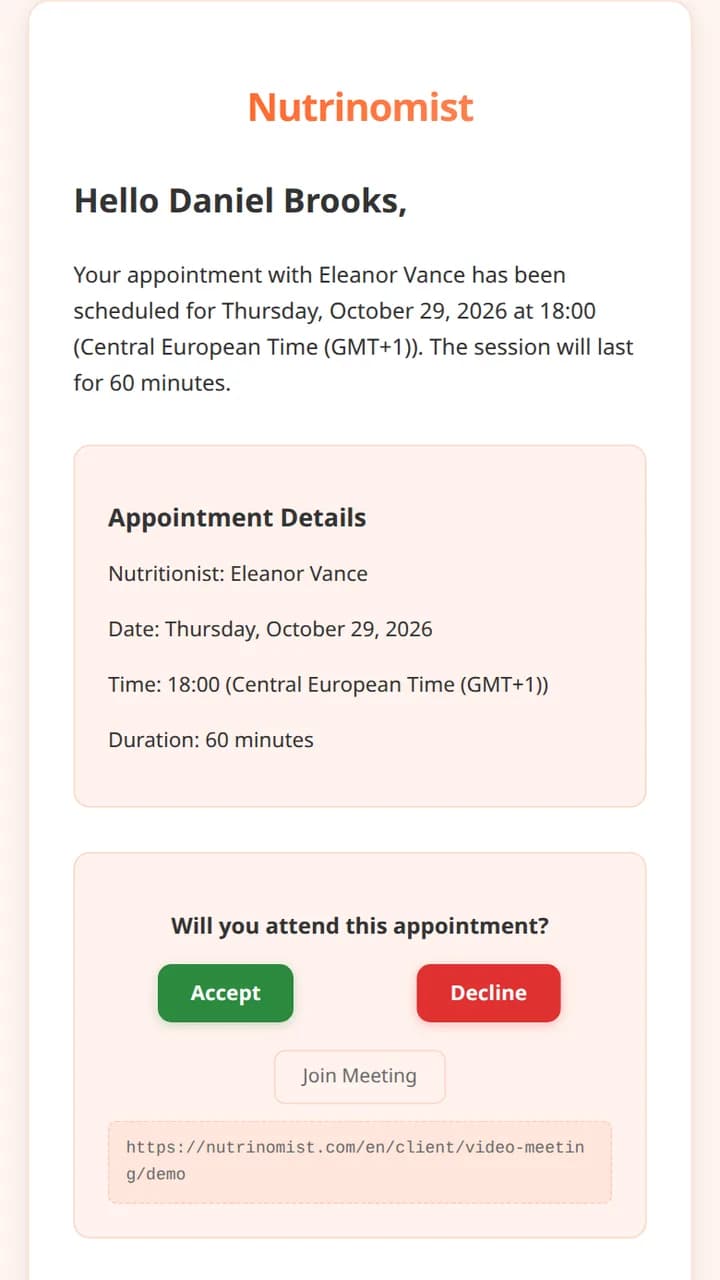
The client gets an email with the details, Accept and Decline buttons, the join link and a calendar invite. You get an email each time a client answers.

  • Accept or Decline in one click
  • A calendar invite that Gmail and Outlook recognize
  • An email to you when the client accepts or declines
  • Clients who haven't joined your portal yet get in through the same link

What it saves you: Chasing clients to confirm a time.

The invitation email a client receives, with the appointment details, Accept and Decline buttons and the join link

Reminders with the join button

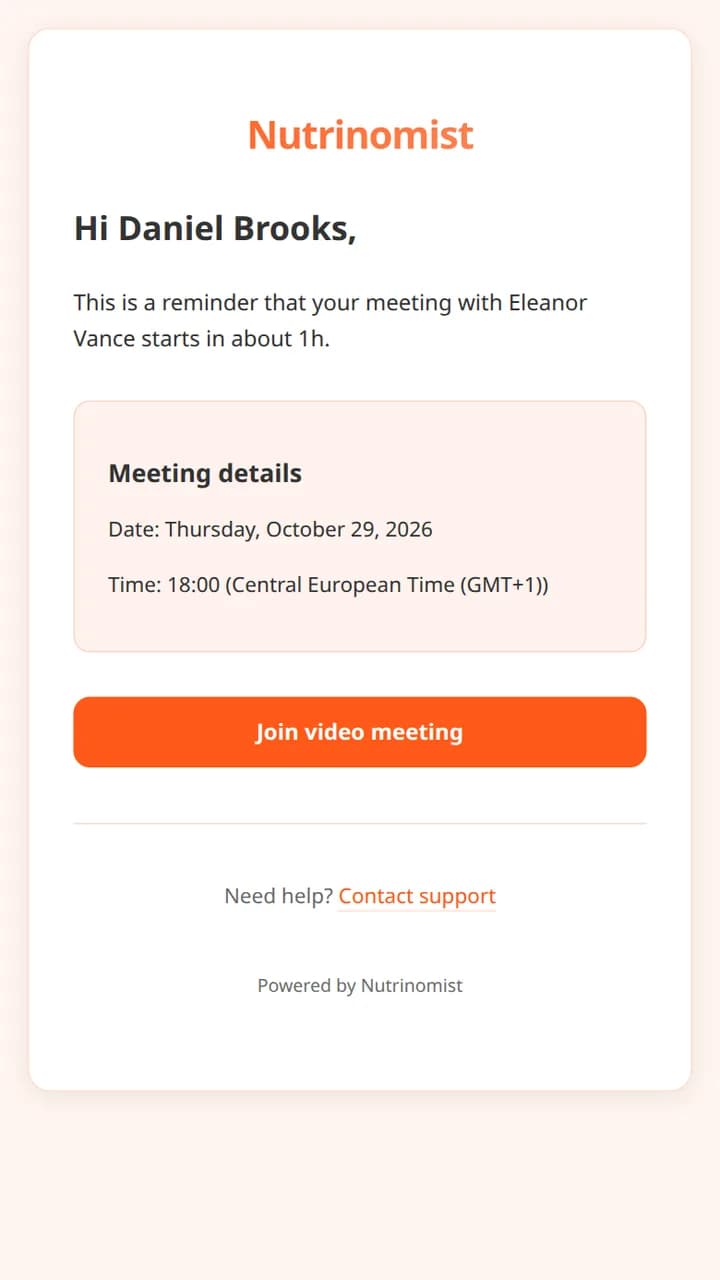
You and the client both get a reminder before the session, with a button that opens it. Times are shown in each person's own time zone.

  • Sent from 15 minutes to a day before, as you choose
  • To you and to the client
  • Each person sees the time in their own time zone
  • If you're running late, the client sees that you've been reminded

What it saves you: No-shows from time-zone mix-ups.

A meeting reminder email with a Join video meeting button

A call that holds up

The session runs in the browser or the Nutrinomist app. Clients check their camera, microphone and speaker first, and wait on that screen until you join. If a connection drops, the call reconnects by itself.

What it saves you: The start of a call lost to technical problems.

  • Nothing to install, and no Zoom account
  • Screen sharing, and the client's chat inside the call
  • Focus mode: only the other person, full screen
  • Elapsed and remaining time, with a warning in the last five minutes
  • Reconnects after a drop, with a relay for strict networks
  • On desktop, the call stays in a floating window while you open other pages

Recording, only when you choose

You decide for every session whether to record it, before anyone joins. Clients are told before they join, and they can watch their recording back in their portal.

  • Record or not, decided per session
  • Clients are told before they join
  • Recordings are stored in the EU
  • Clients can watch their recordings back in the portal

What it saves you: Asking for consent in a separate email.

Notes in your own structure

After a recorded session, the audio is transcribed with each speaker named, and AI writes a journal entry from your note template. Each section of the template tells the AI what to write there.

  • A transcript with each speaker named
  • Transcripts in any of the 13 languages
  • The summary follows your template: chief complaint, key findings, next steps, or your own sections
  • Edit the transcript, summarize it again, or re-transcribe in another language
  • 3 AI summaries a month on Starter, no limit under fair use on Pro and Team

What it saves you: Writing up each session from memory.

Told when the summary is ready

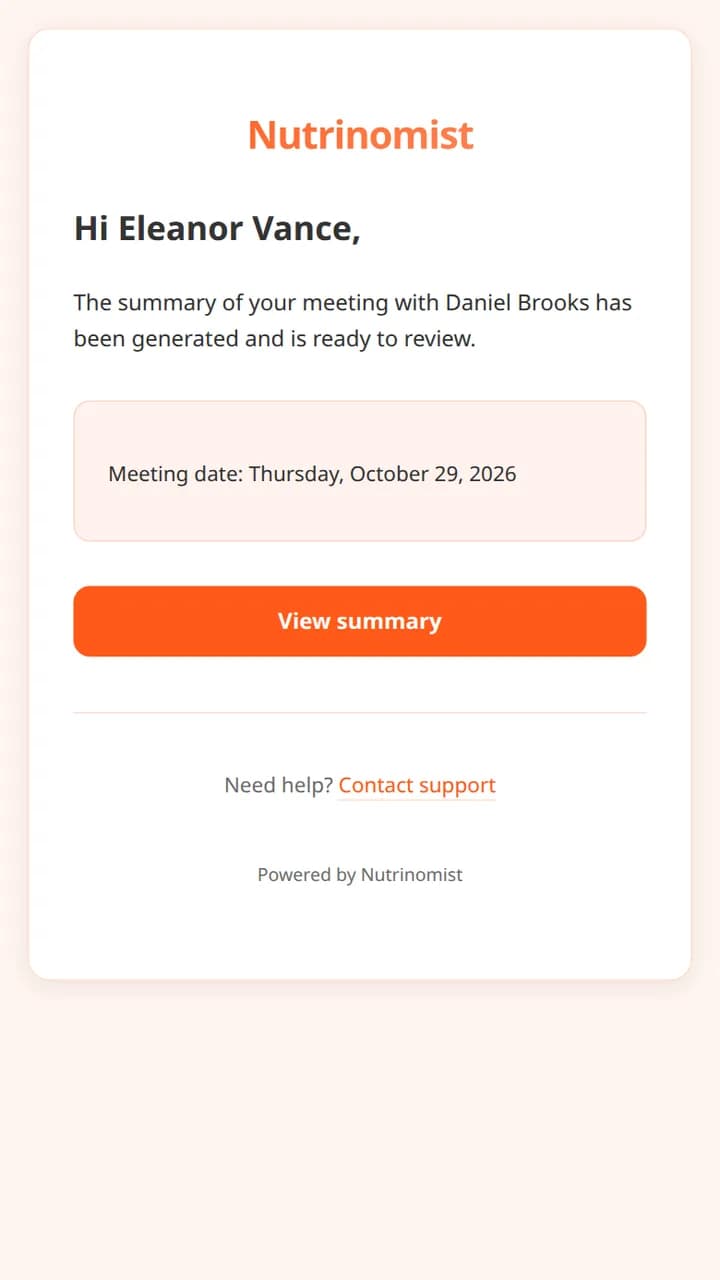
As soon as the summary is in the client's journal, you get an email with a link to it. Read it, correct anything, and you're done.

  • An email to you when the summary is ready
  • The summary sits in the client's journal, next to their other notes
  • The client's recording is in their portal

What it saves you: Checking back to see whether the notes are done.

The email a practitioner receives when a session summary is ready to review
From Pro

Ask your AI assistant about past sessions

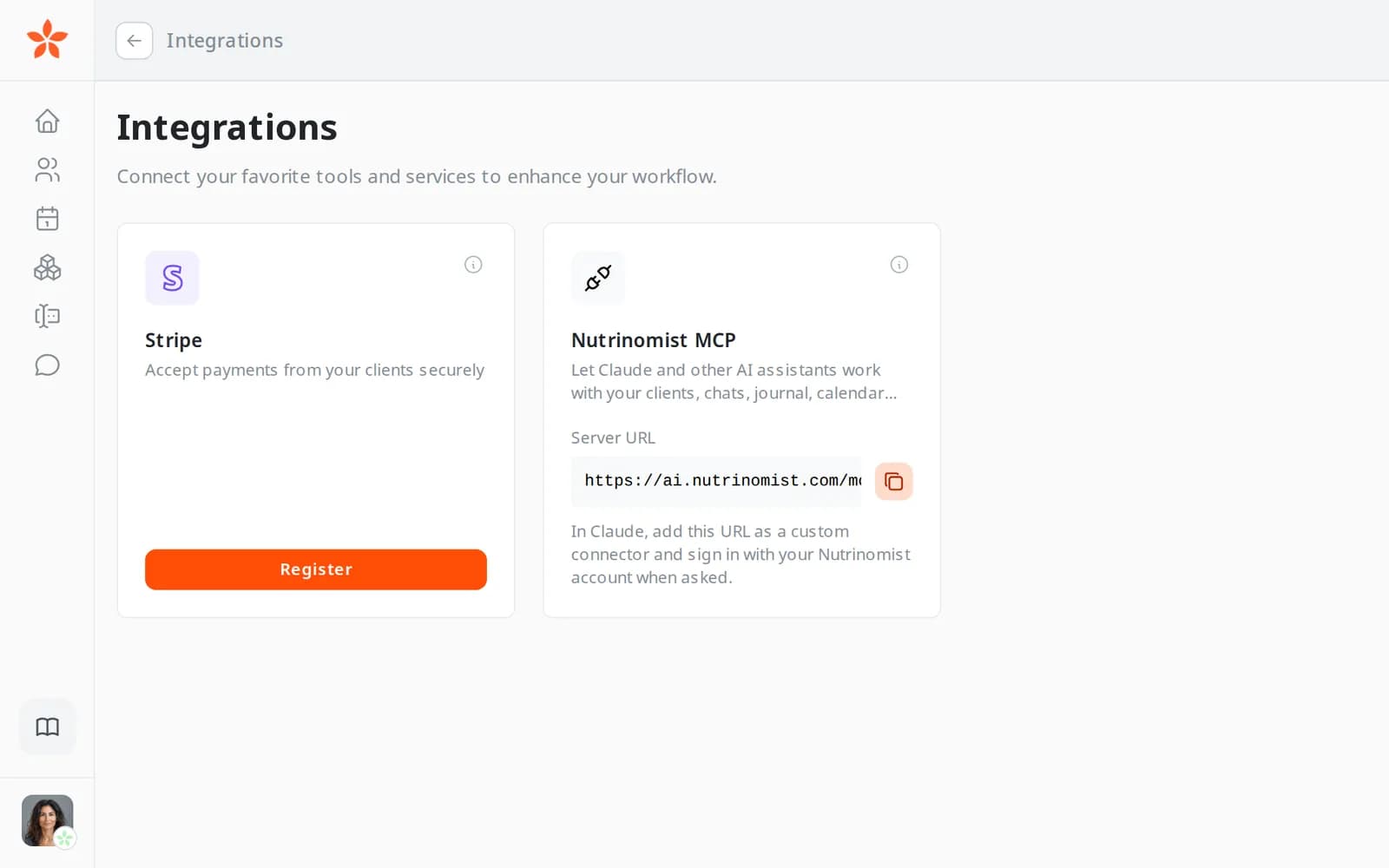
Connect Claude, ChatGPT or another assistant to Nutrinomist, and it can read your clients' journal entries and session summaries when you ask. Use it to prepare for the next session.

  • Ask what came up in a client's last sessions
  • Get a short brief before the next session
  • It works with your own Nutrinomist sign-in

What it saves you: Re-reading old notes before every session.

The Nutrinomist MCP card on the Integrations page, with the server URL to add to an AI assistant

Everything a session includes

Before, during and after the call.

Before the session

  • Book from the calendar, the client's record or their chat, or start an instant session
  • Invite several clients to one group session
  • Invitation emails with Accept and Decline, a calendar invite and the join link
  • An email to you each time a client accepts or declines
  • Reminder emails to you and the client, from 15 minutes to a day before
  • Forms the client completes before the session, with a deadline
  • Times shown in each person's own time zone
  • Clients who haven't joined your portal yet get in through the same link

During the session

  • Join in the browser or the Nutrinomist app, with no download
  • Camera, mic and speaker check before joining, and device menus during the call
  • Clients wait on the check screen until you join, and see if you're running late
  • Screen sharing, and the client's chat inside the call
  • Focus mode: only the other person, full screen
  • Elapsed and remaining time, with a warning in the last five minutes
  • Reconnects by itself after a drop, with a relay for strict networks
  • On desktop, the call stays in a floating window while you open other pages

After the session

  • Recording is your choice, and clients are told before they join
  • Recordings are stored in the EU, and clients can watch theirs back in the portal
  • A transcript in any of the 13 languages, with each speaker named
  • An AI summary in the client's journal, written from your template
  • Edit the transcript, summarize it again, or re-transcribe in another language
  • An email to you when the summary is ready
  • AI summaries: 3 a month on Starter, no limit under fair use on Pro and Team
  • Claude, ChatGPT and other AI assistants can read journal entries and summaries over MCP, from Pro

How it works

1

Book or start now

Schedule from the calendar or the client's record, or start an instant session. Video is on by default and you decide whether to record.

2

Clients join from the email

One link opens the session in the browser or the Nutrinomist app. Clients check their devices and wait for you; if you're late, they see that you've been reminded.

3

Meet, share and chat

Share your screen, use the client's chat during the call, or switch to focus mode to see only the client. A recording indicator stays on screen.

4

Review the summary

When the call ends, the transcript and AI summary land in the client's journal and you get an email. Clients can watch the recording back in their portal.

Frequently asked questions

Do my clients need to install anything?

No. Clients open the link in the invitation or reminder in Chrome, Safari, Edge or Firefox, on a computer or a phone, or in the Nutrinomist app. A client who hasn't joined your portal yet joins it through that same link, with the email address it was sent to. That takes a few minutes the first time.

What happens to the recording and the transcript?

You choose for every session whether to record, and clients are told before they join that it will be recorded. Recordings are stored in the EU. After the call, the audio is transcribed with each speaker named, and AI writes a summary into the client's journal from your template. You can edit both, and clients can watch the recording back in their portal. AI summaries are included 3 times a month on Starter and without a limit, under fair use, on Pro and Team.

Do I still need Zoom or Google Meet?

No. Video is built in. You can still put any meeting link in an appointment's location, but only sessions held in Nutrinomist get the transcript and the AI summary.

Works even better together

Every Nutrinomist feature is built to hand work to the next one.

Give the session your full attention

Nutrinomist sends the invitations, runs the room and writes the notes.