Nutrinomist — the multilingual platform for holistic professionals working online
For functional medicine practitioners

Functional medicine practice software for long, complex cases

A functional case runs for months: a timeline intake, panels from several labs, a protocol in phases and a review at each visit. Nutrinomist does the data work in between, so your preparation goes on the case rather than on retyping it.

  • Lab PDFs read into charts, checked by you
  • Phased protocols from your own templates
  • Every visit side by side in a worksheet
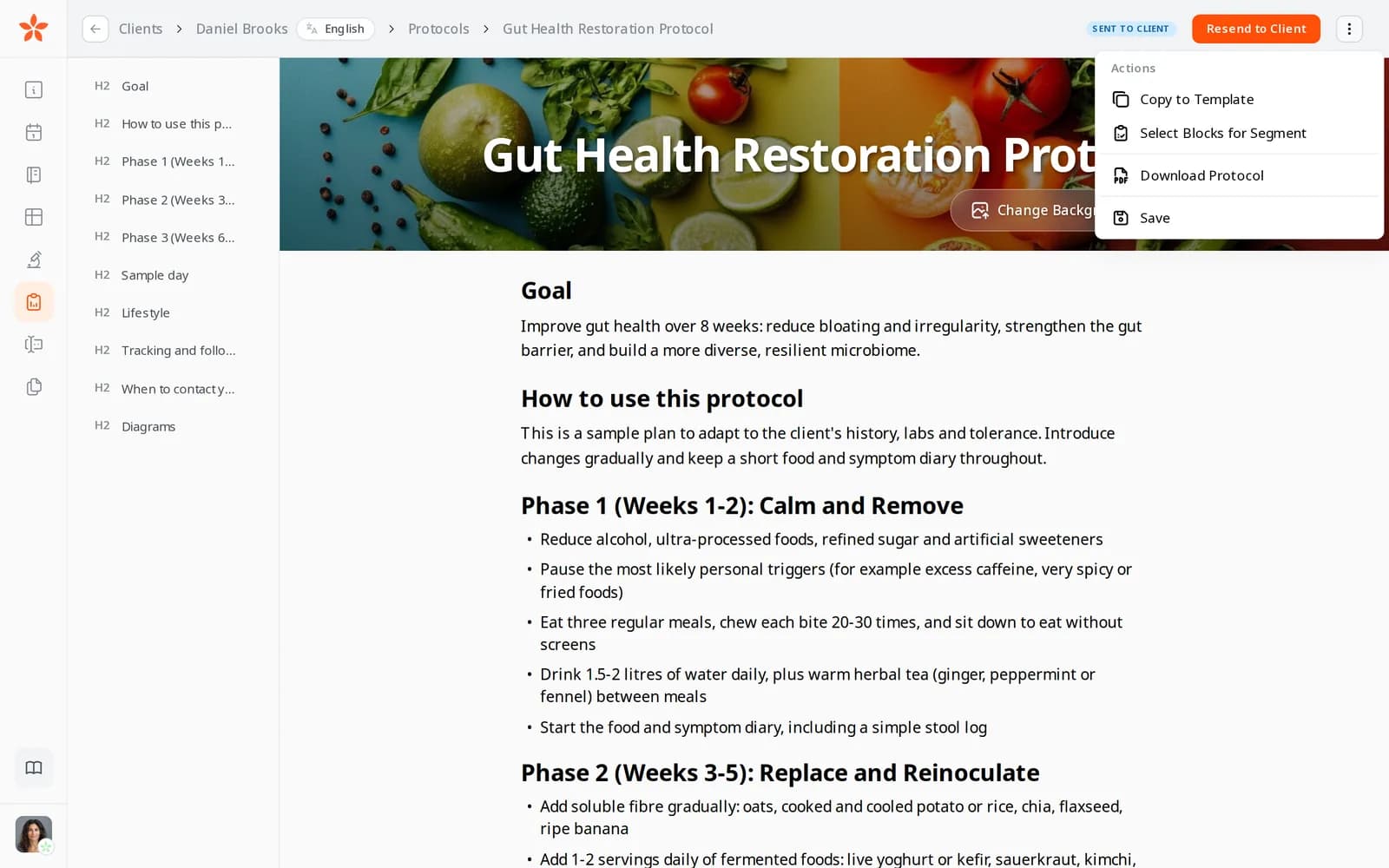
The protocol editor's actions menu: Copy to Template, Select Blocks for Segment and Download Protocol

Where the hours go in a functional practice

Lab data entry

Panels arrive from different labs in different formats and units, and turning them into one timeline is evening work.

Intakes that are long by design

A thorough timeline intake runs to many pages, and sent as a PDF it comes back incomplete.

Phase two, rewritten

Each phase of a protocol is rebuilt from an old client's document, and the case history is spread across files.

In practice

Four workflows from a functional medicine practice

Each one starts from a moment in a typical week and shows the features it uses, what it changes for your business and the plan it needs.

From Pro

Years of lab panels, read before the first consult

A new client sends nine PDFs from three labs. You drop them into their Biomarkers tab in one upload and carry on working. When the import is ready you check the values, approve them, and every marker has its own chart against the lab's range and an optimal range you can adjust.

  • An optimal range you can adjust on every marker
  • Nothing is saved until you approve the import
  • Results that came on paper added by hand

What it changes: The data entry is done before the consult, and your preparation goes on the case.
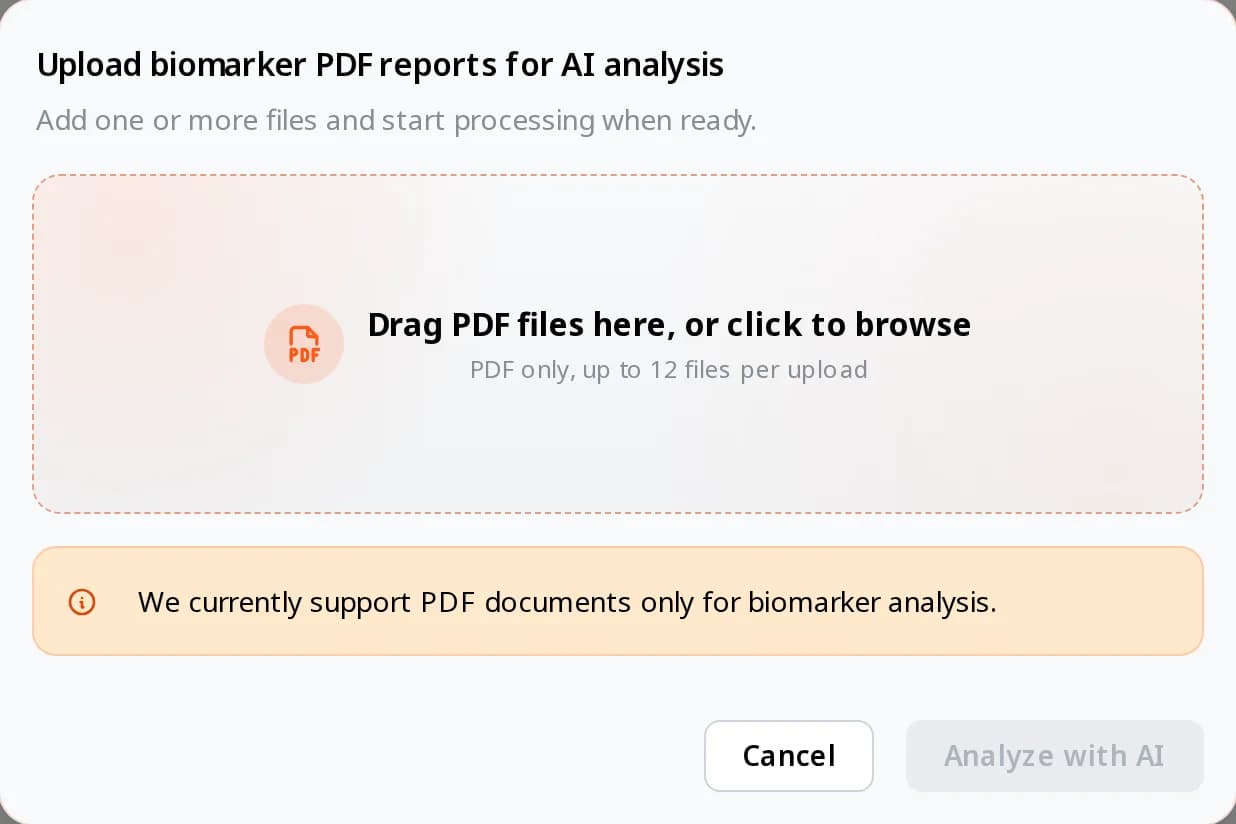
The biomarker import window: drag PDF lab reports here, up to 12 files per upload, then Analyze with AI
From Starter

A timeline intake the client completes at home

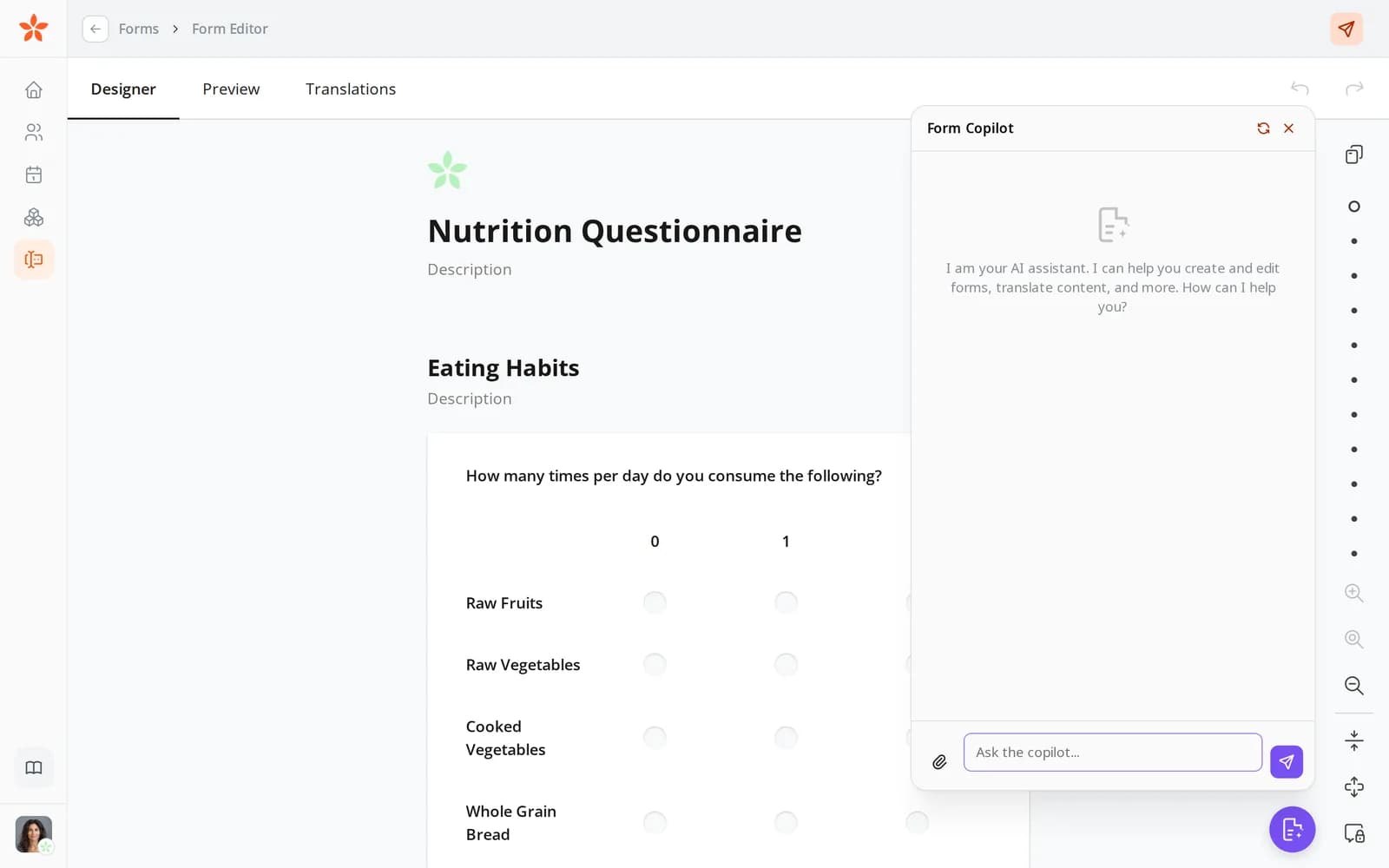
You attach the timeline intake you use today, as a PDF, in the form copilot, and it becomes a live form. You ask it to show the digestive questions only to clients who report symptoms, and to add up a symptom score. It goes out with the first appointment, with a reminder if it isn't done by the deadline.

  • Long forms split into pages with a progress bar
  • Calculated values, such as a total score
  • Each completed form downloadable as a PDF

What it changes: Clients can finish a long intake at home instead of in the session, and the scores are already added up.

The form editor with a nutrition form open and the Form Copilot beside it
From Starter

A phased protocol, one phase at a time

Your gut protocol has four phases, each saved as a template in the protocol builder. At the first visit you send phase one; at the review you send phase two, adjusted for what changed. On Pro, your AI assistant can start the phase-two draft from your template and the last session's notes.

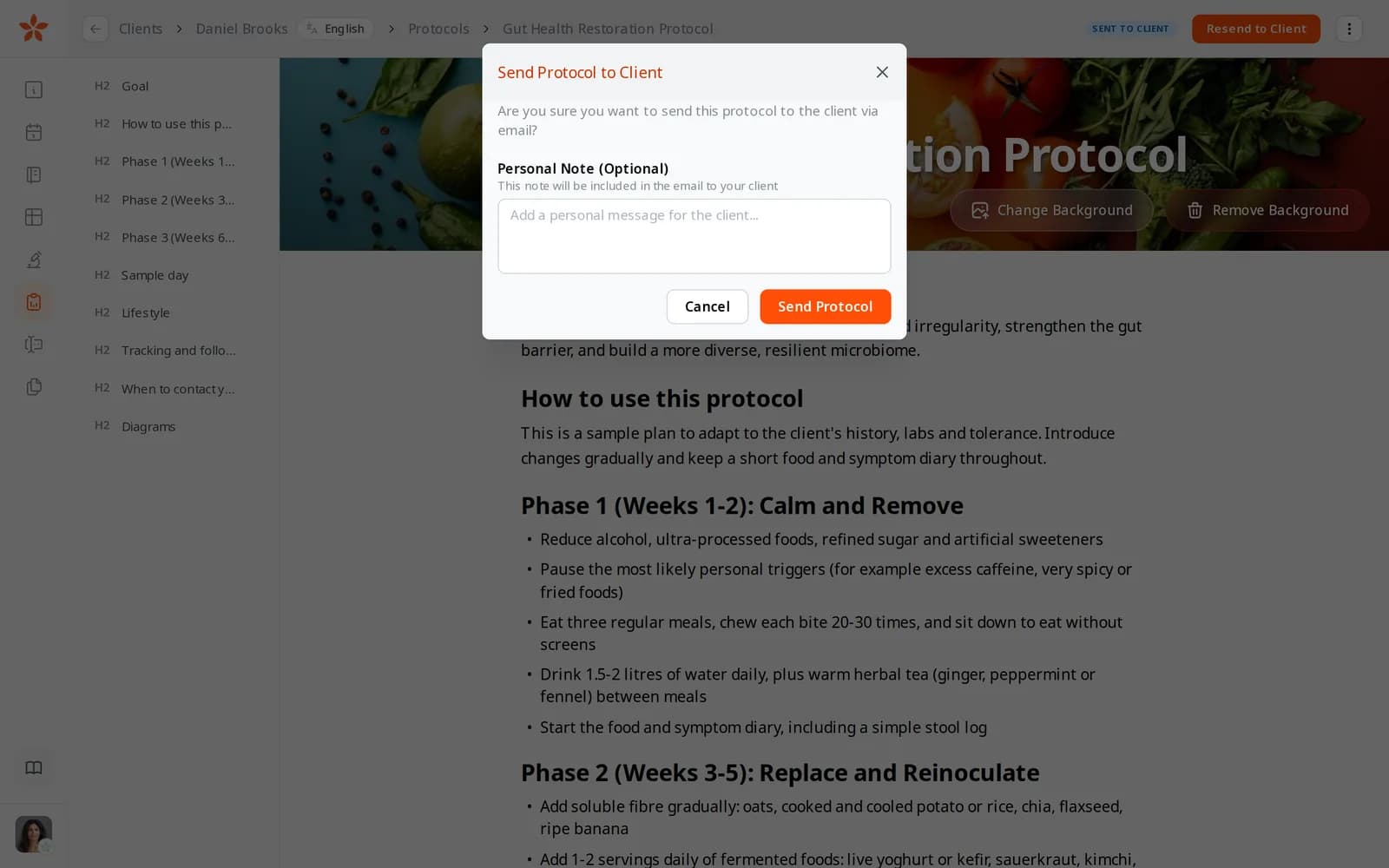
  • A personal note in the email with each phase
  • Not sent, Sent to client or Read by client on each phase
  • Assistant drafts stay drafts: you review and send them

What it changes: Each phase is an adjustment of your template rather than a rewrite, and you know the client has it before the next visit.

The Send Protocol to Client window, with a field for an optional personal note that goes into the email
From Starter

Six months of visits on one screen

The intake answers become the client's worksheet, with the first visit pinned as the baseline. Each review adds a column, from a follow-up form or filled in as you talk. You star the questions you track for this client, such as energy, sleep and bloating, and step across the visits to see what changed.

  • Earlier records brought in from a PDF
  • A finished visit locked so it can't be changed
  • Lab charts in the same record, from Pro

What it changes: A six-month review takes one look rather than a search through old files.

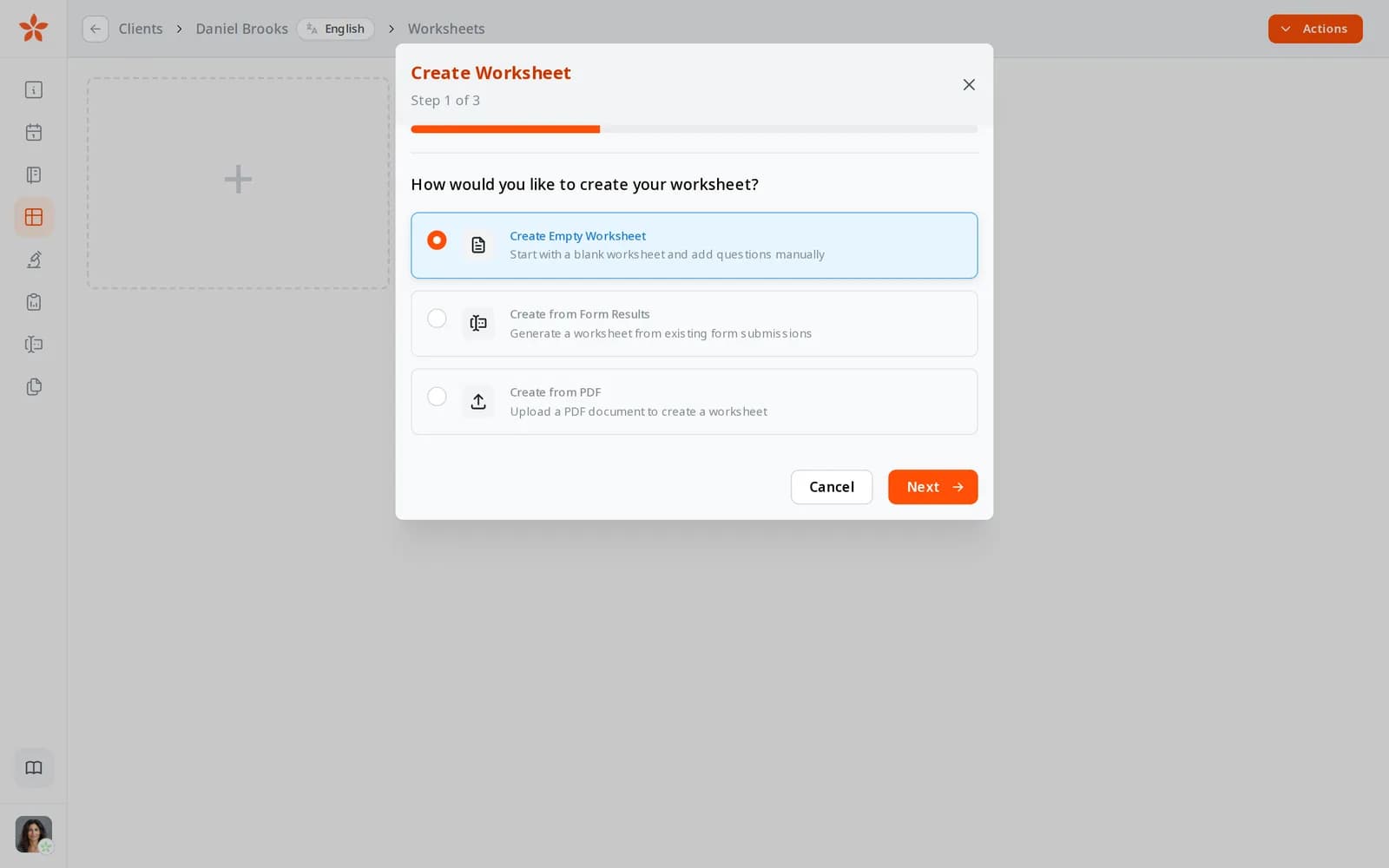
Creating a worksheet: start with an empty worksheet, from form results or from a PDF

A functional practice's first week on Nutrinomist

Lab imports need Pro. Forms, worksheets and protocols start on Starter; your page and packages are on every plan.

1

Day 1: your intake

Turn your timeline intake PDF into a live form with the copilot, and add the conditional questions and scores.

2

Day 2: your ranges

Import one client's lab reports and set the optimal ranges your practice works to. Each later import starts from the lab's own range, so check the optimal range in the review list before you approve.

3

Day 3: your protocol phases

Write your phased protocol once and save each phase as a template.

4

Days 4 and 5: your new cases

Book new clients with the intake attached and their labs imported before the first visit. Bring active cases over as they come in.

Questions functional medicine practitioners ask

Which lab reports can I import?

PDF reports with text in them, the kind labs send by email, from any lab and in any layout, up to 12 files at a time. Scans and photos of paper reports aren't read yet; add those values by hand. Reports in other languages are translated first, values are converted to SI units, and names are matched to more than 130 common markers. Biomarkers are on Pro.

Does it interpret results or suggest treatment?

No. It marks each value as optimal, standard or out of range against the lab's range and the optimal range you set. Interpretation and treatment stay with you.

Can my AI assistant read lab results?

Not today. Over the connector, from Pro, your assistant reads clients, chats, journal entries, forms, your calendar and protocols, and can draft protocols. Lab results stay in Nutrinomist.

Where is the data stored?

Nutrinomist's app servers and database run in Frankfurt, Germany, and session recordings are stored in the EU. Lab values reach the client's record only after you approve the import.

The features behind these workflows

Each feature page goes into the detail, plan by plan.

Spend your hours on the case

Start free, then import your first lab panels on Pro.