Nutrinomist — the multilingual platform for holistic professionals working online
For personal trainers & online fitness coaches

Software for online personal trainers who sell 12-week programmes

Your coaching runs in blocks: a programme, weekly check-ins, a review at the end and, ideally, the next block. Nutrinomist handles the business around it, from the checkout on your page to the renewal request you send in week eleven.

  • A programme page with checkout
  • Progress photos in one thread per client
  • Week one and week twelve, side by side
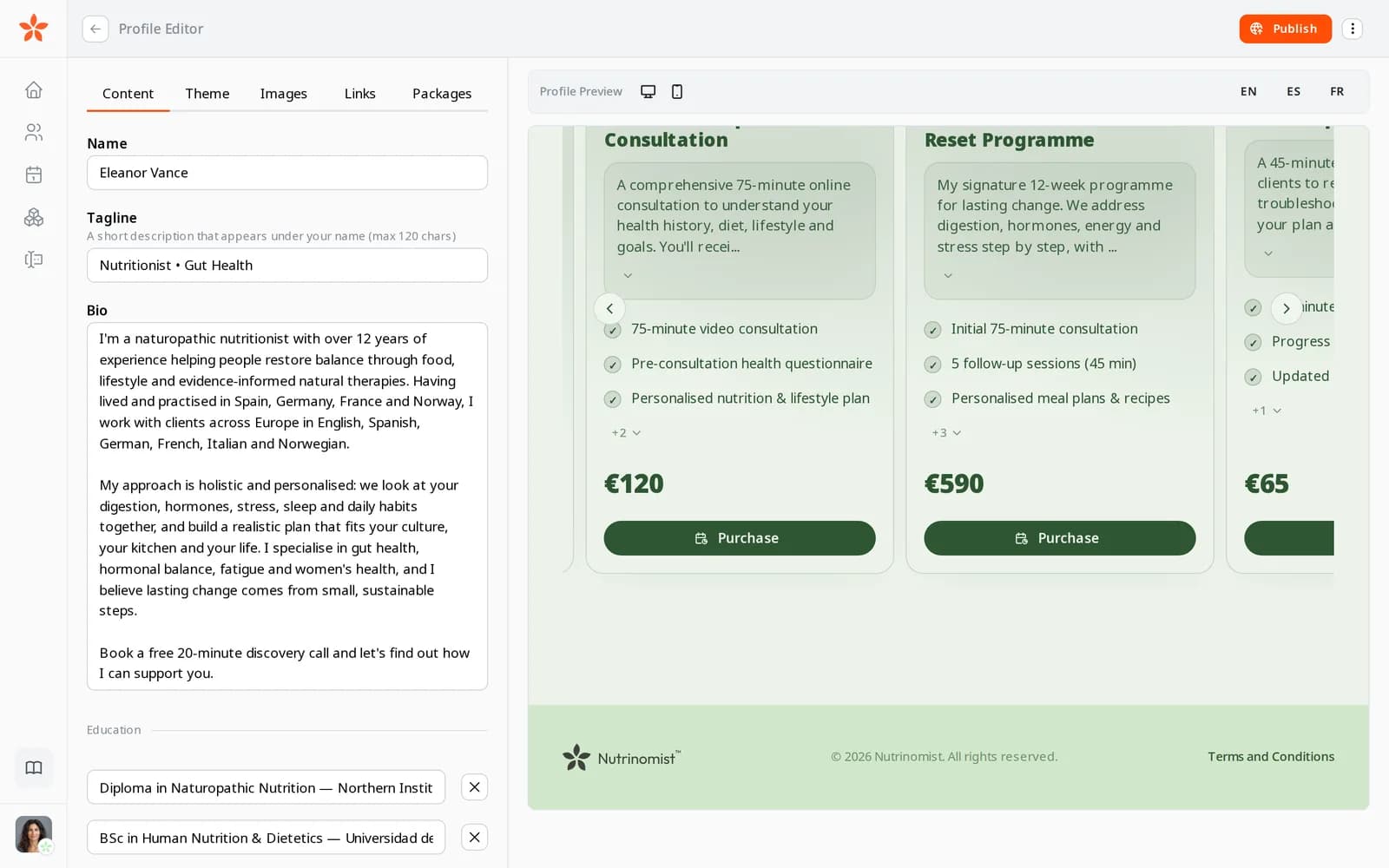
Three packages on a practitioner's page, each with what is included, its price and a Purchase button

Where a trainer's admin piles up

Selling through DMs

Prices go out in Instagram messages and payments arrive as bank-transfer screenshots, so a client who's ready to buy still waits for you.

Check-ins scattered across apps

Progress photos, questions about macros and reschedules land in personal chats, with no record of what you agreed.

Renewals left too late

The programme ends, the client goes quiet, and the conversation about the next block happens after they've drifted.

In practice

Four workflows from a training block

Each one starts from a moment in a typical week and shows the features it uses, what it changes for your business and the plan it needs.

On every plan

A 12-week programme anyone can buy from your bio link

You list the programme in packages: twelve weeks, a weekly check-in, a starting review and a final review, with your cancellation terms attached as a PDF. It sits on your page with a Purchase button. A client pays by card on a checkout in their language, the money goes to your Stripe account, and they're added to your client list.

  • Terms linked on the checkout and agreed at purchase
  • Prices in several currencies for clients abroad
  • Manual payment for bank transfers, marked paid by you

What it changes: Clients can buy the moment they're ready, without waiting for a DM, and the order is on your dashboard.
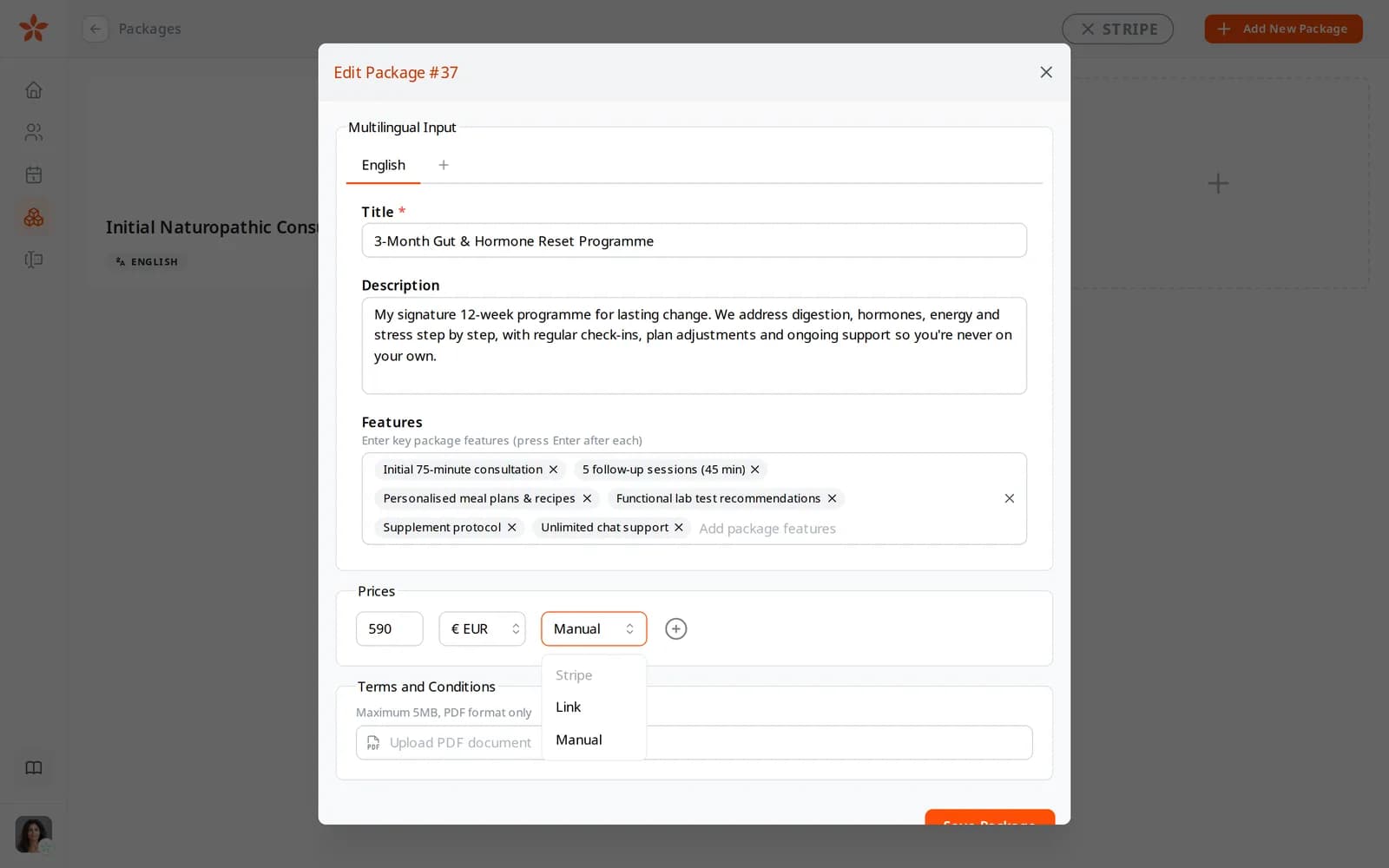
The payment method menu on a package price: Stripe, Link and Manual
From Starter

Onboarding: a starting form and the programme document

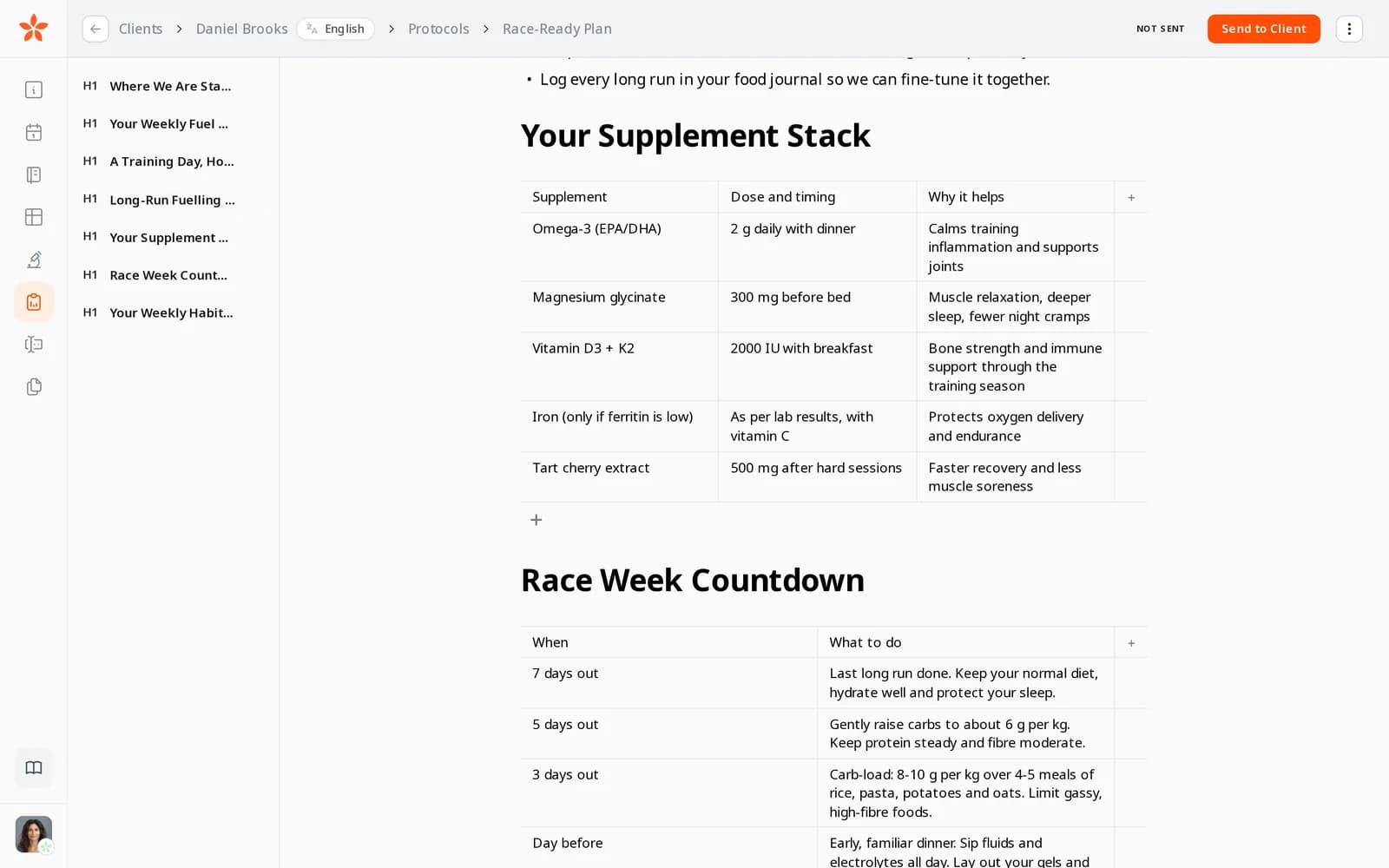
Before the first session the client gets a starting form from the form builder: the Physical Measurements, Lifestyle and Eating Habits sections, plus your questions on training history, injuries and equipment at home. You write the programme in the protocol builder, with tables for the training week and checklists for daily habits, and send it to their client portal.

  • Each client's programme started from your template
  • Read by client, once they've opened it
  • A PDF you download and send to the client for the gym

What it changes: Every client starts with the same information collected and a programme they can open on their phone, instead of a PDF lost in their inbox.

A race plan in the editor: a supplement table with dose, timing and why it helps, the race-week countdown table below and the outline of sections on the left
From Starter

Weekly check-ins with photos and voice notes

Every Monday the client posts their weigh-in and progress photos in their chat, and asks about Saturday's long run in a voice note. You reply from the Nutrinomist app between sessions, and book the next session from their record.

  • Photos from any phone, iPhone photos included, and files up to 20 MB
  • Voice notes up to 30 minutes, written out from Pro
  • Messages written without signal go out once you're back online

What it changes: Check-ins stay in one thread per client with the history intact, and your personal number stays personal.

From Starter

Week eleven: the progress review and the next block

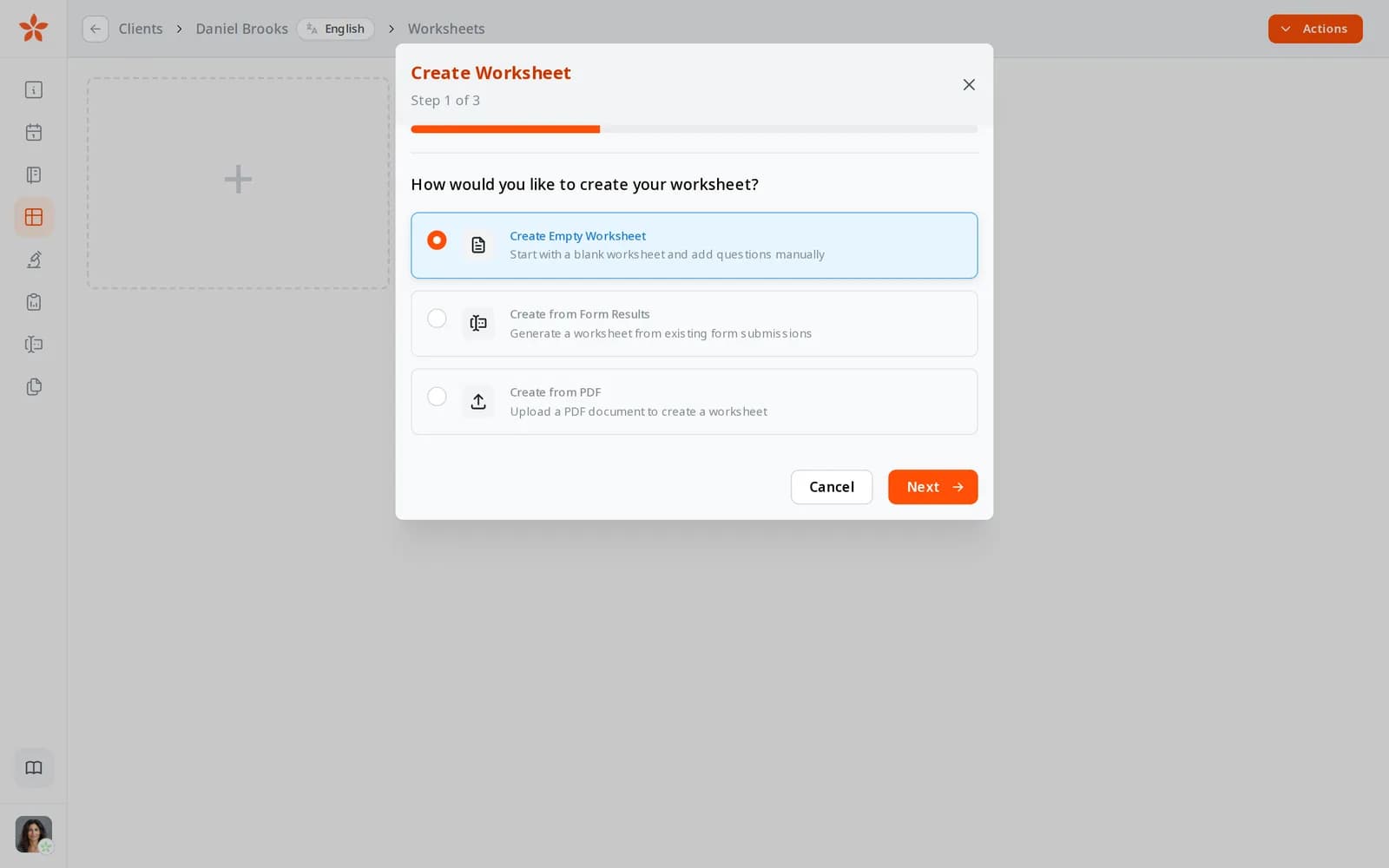
In week eleven you send the starting form again and import the answers into the client's worksheet as a new column, next to the baseline from week one. You go through the changes on the review call, then send the next block from packages as a payment request with a short note.

  • Week one pinned as the baseline
  • A payment request by email, or its link shared in the chat
  • Card orders appear on your dashboard

What it changes: The renewal is offered while the client can see their progress, not weeks after the programme has ended.

Creating a worksheet: start with an empty worksheet, from form results or from a PDF

A trainer's first week on Nutrinomist

Your page, packages and payments are on every plan. The client portal, chat, programmes and progress worksheets start on Starter.

1

Day 1: your programme for sale

Add your 12-week programme with its price and terms, connect Stripe, and publish your page.

2

Day 2: your starting form

Pick the Physical Measurements, Lifestyle and Eating Habits sections and add your training questions.

3

Day 3: your programme template

Write one programme in the protocol builder and copy it to your templates, so each new client starts from it.

4

Days 4 and 5: your current clients

Add them, send each a first message to invite them to the client portal, and move their check-ins over from WhatsApp.

Questions personal trainers ask

Can I sell programmes to clients in other countries?

Yes. Give each package a price in every currency you accept and a version in each language you need, filled in by AI on every plan. The checkout follows the client's language, and Stripe takes the card payment into your own account.

Does Nutrinomist take a cut of my sales?

No. Nutrinomist takes no fee on client payments. Stripe's standard processing fees apply to card payments, and payments through your own link or by arrangement don't pass through Nutrinomist.

Is there an exercise library?

No. You write programmes in the protocol builder, with tables, checklists, pictures and diagrams, and keep exercise videos where you host them today, sharing links in the chat.

Do finished clients count towards my plan?

No. A client counts as active for 30 days after you last message them, send them something or book them; a message from an active client restarts the 30 days. Free covers up to 5 active clients, Starter up to 25, and Pro has no limit.

The features behind these workflows

Each feature page goes into the detail, plan by plan.

Make the next block easy to buy

Publish your programme page today, free. Add the client portal, chat and progress worksheets on Starter.