Nutrinomist — the multilingual platform for holistic professionals working online
Personal page

Your professional page, built and published in the app.

A page at nutrinomist.com/yourname with your story, how you work, your packages and a Book a call button. In every language you work in, and ready for search engines.

  • Your own link: nutrinomist.com/yourname
  • Packages and Book a call on the page
  • Every language you work in, filled in by AI
Included from the Free plan
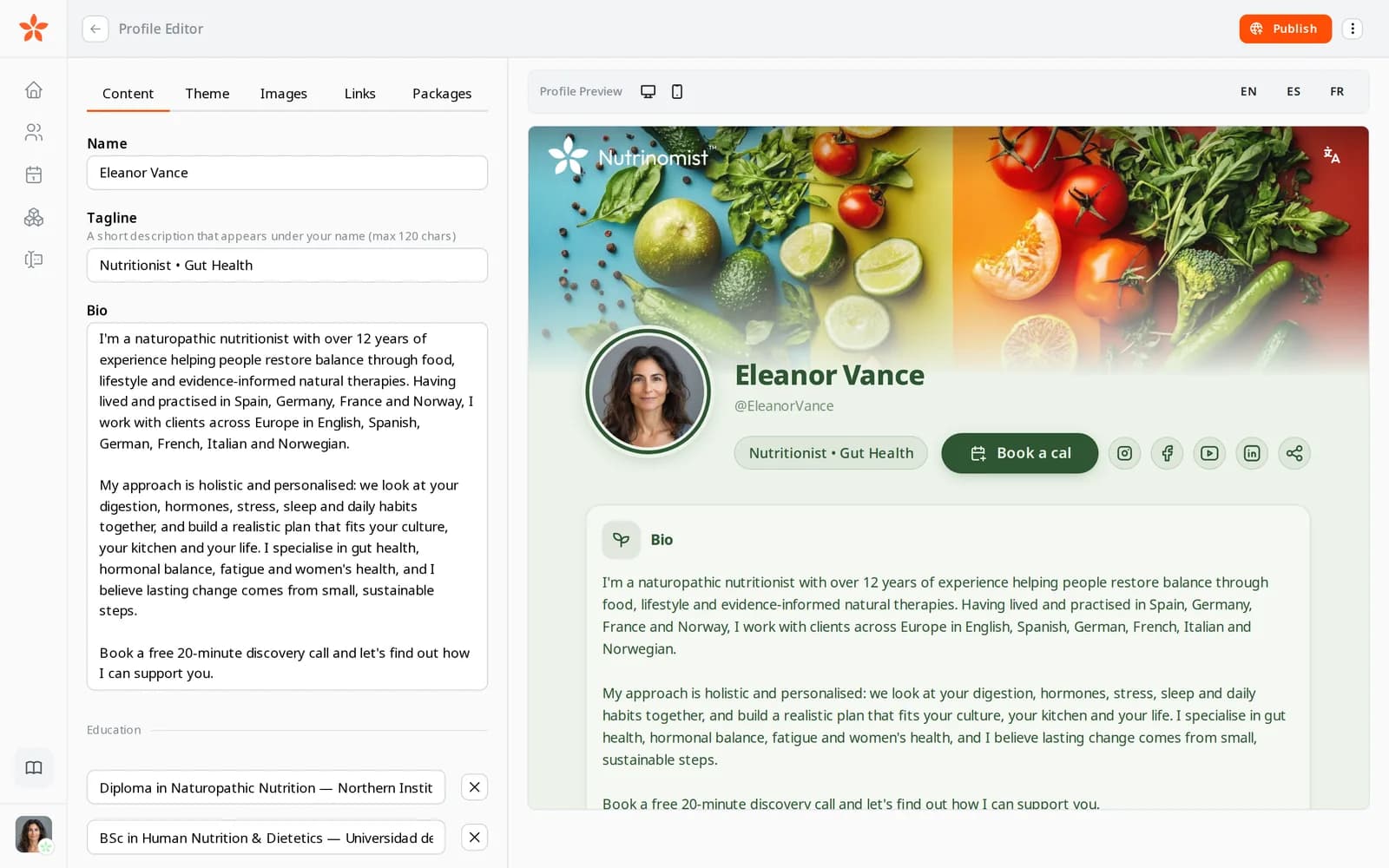
The profile editor: the page's text on the left and a live preview of Eleanor Vance's page on the right
Use case

From “how much do you charge?” to a booked call

A naturopath gets most new clients from Instagram. People find a post, open the link in the bio and want to know three things: who you are, what it costs and how to start.

Today

The link opens a list of links: an old website, a PDF price list and a WhatsApp number. People message “how much?” and you answer the same questions in DMs, then copy names and emails into a spreadsheet by hand.

With Nutrinomist

The link opens your page: your story, how you work and your packages with prices. A visitor taps Book a call, picks a time that suits them and leaves a message. They arrive in your client list as a new lead, and you get an email.

What it does

Everything your page does, in detail

Captures from a demo practice in the live app. Your page is included in every plan, Free too.

Your own address, live when you are

Pick a nickname and your page lives at nutrinomist.com/yourname. Edit on the left and watch the page change on the right, on a desktop or a phone, before anyone sees it. Publish when you are happy and unpublish whenever you like.

  • Your link: nutrinomist.com/yourname
  • A live preview on desktop and phone while you edit
  • Double-click any text in the preview to change it
  • Publish or unpublish in one click

What it saves you: Paying for a website you rarely update.
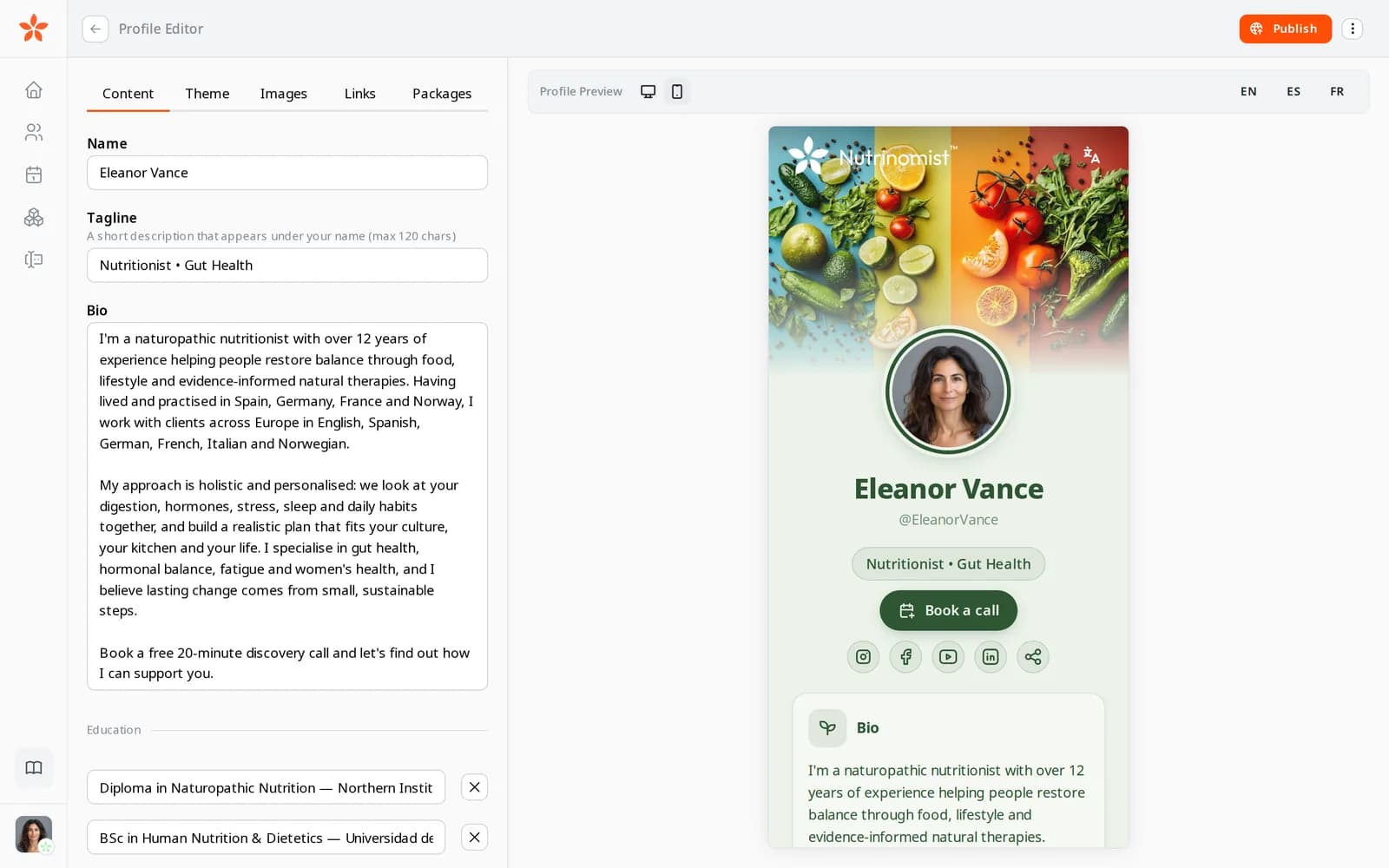
The profile editor with the phone preview of the page

Your story, in your words

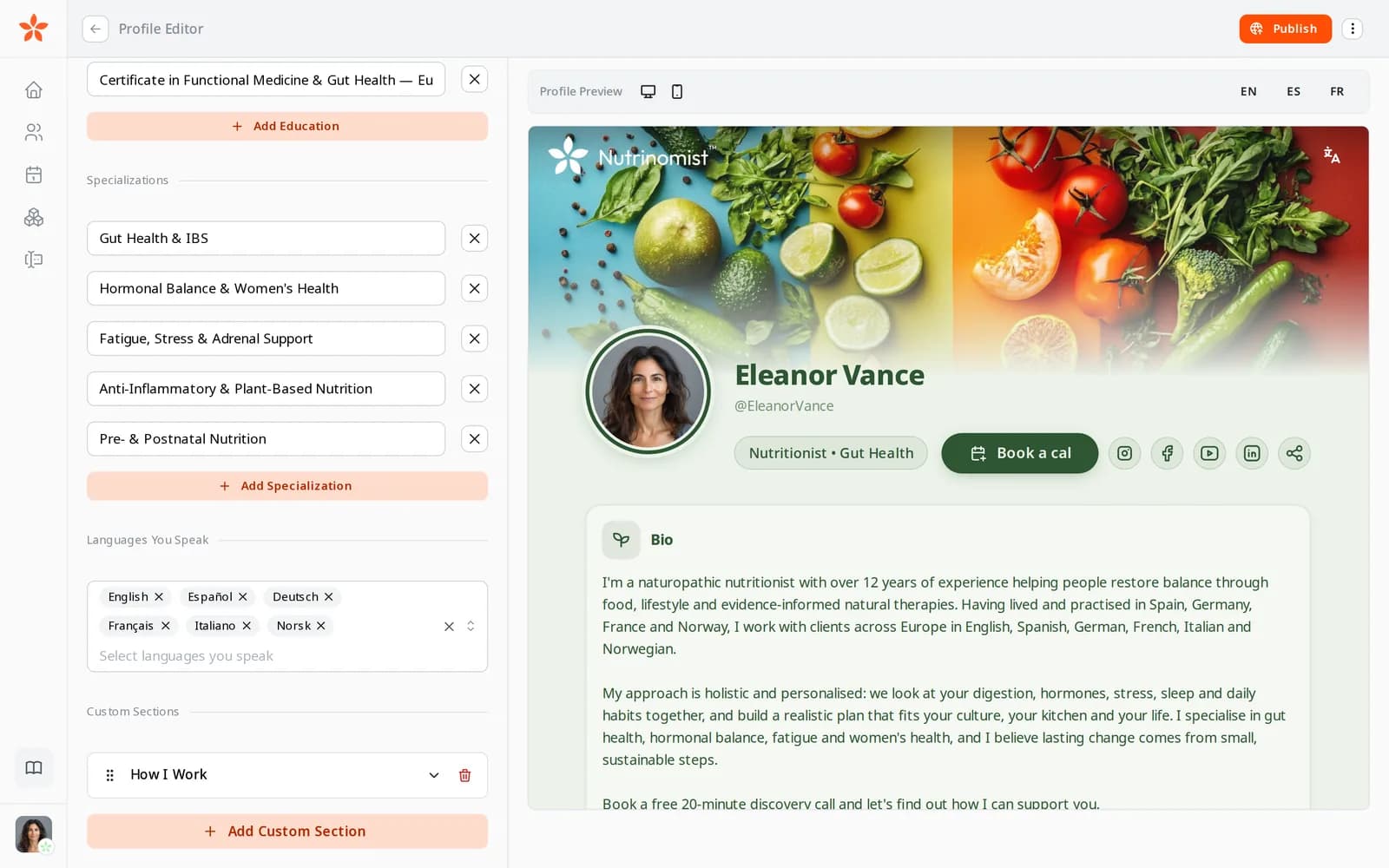
Write the things a new client wants to know before they reach out: who you are, what you trained in and what you help with. Add your own sections for anything else, such as how you work or your certificates, as text or as a list with files attached.

  • Name, a short tagline and your bio
  • Education, specializations and the languages you speak
  • Your own sections, as text or as a list
  • Attach PDFs and images to a section, up to 20 MB each

What it saves you: Answering “what's your background?” in every first message.

The Content tab of the profile editor: education, specializations and a custom section

A page that looks like your practice

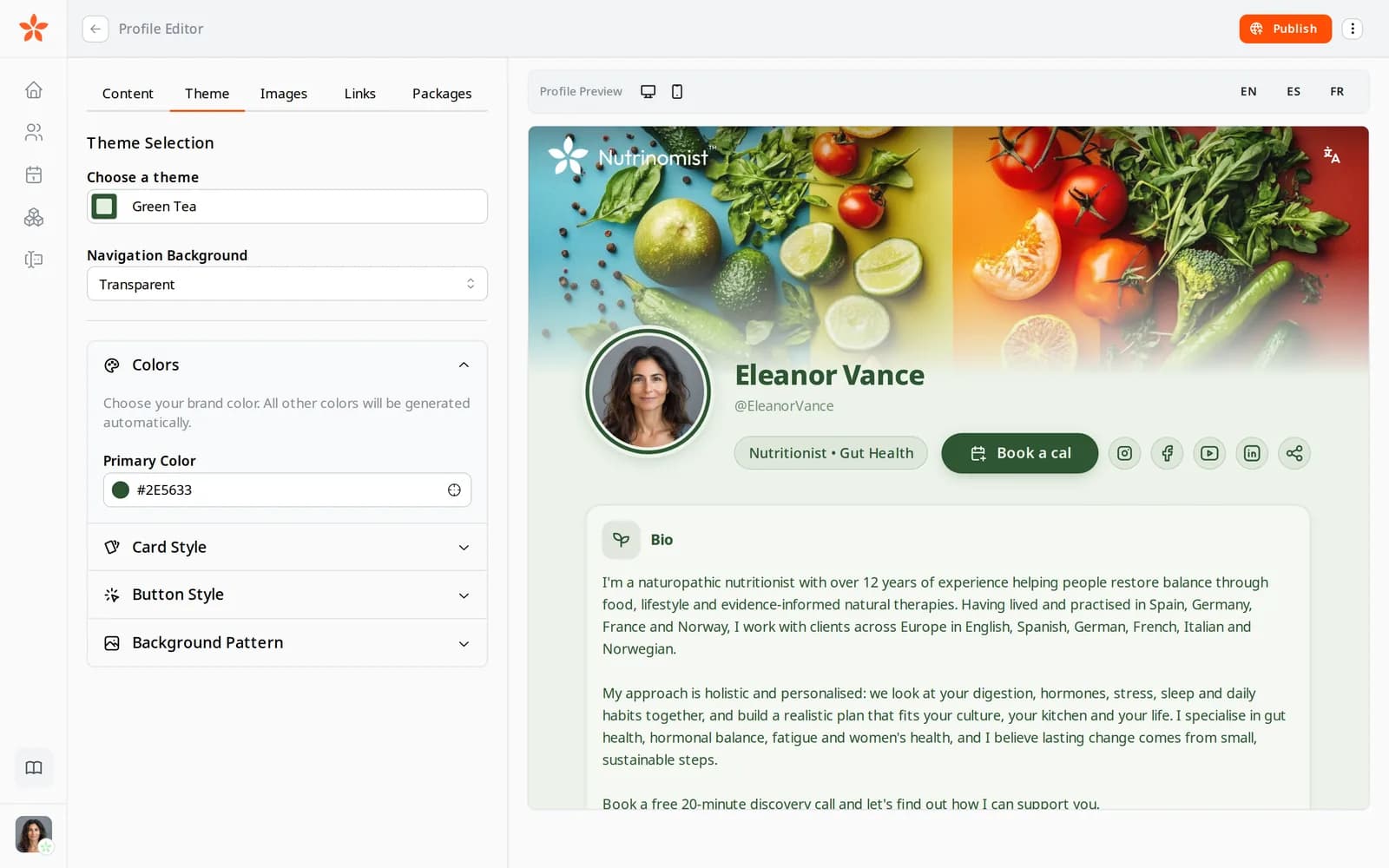
Start from one of three themes, or pick your brand colour and let the page work out the rest. Choose how cards and buttons look, add a background pattern and upload your logo, your photo and a cover image.

  • Three ready themes, or your own brand colour
  • Rounded, sharp or glass cards, and three button styles
  • Background patterns such as leaves, hearts or food
  • Your logo, your photo and a cover image

What it saves you: Hiring a designer for a page that changes twice a year.

The Theme tab of the profile editor with the brand colour options open

All your channels, under your name

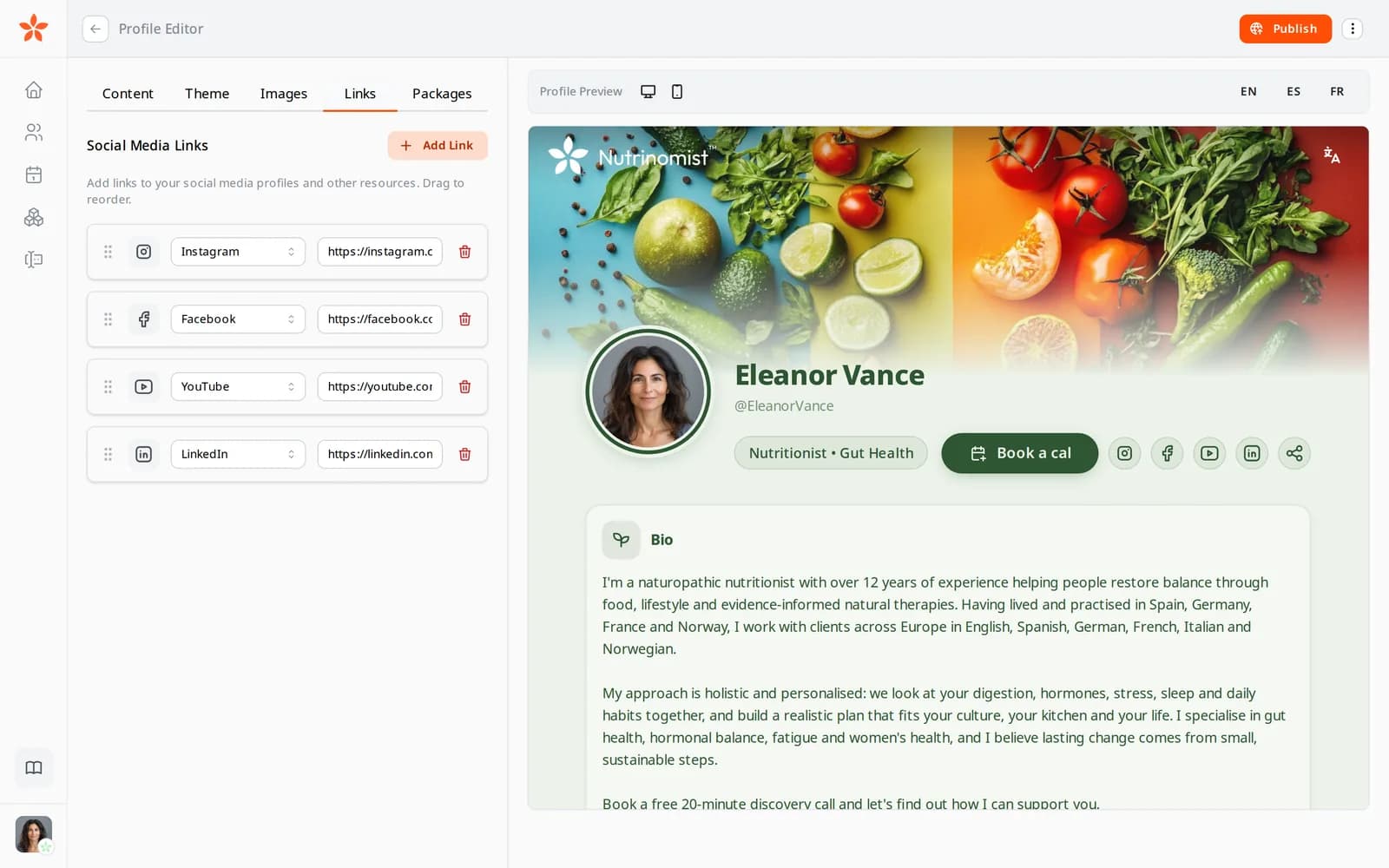
Link the places people already follow you, such as Instagram, YouTube or LinkedIn. The icons sit under your name, in the order you choose.

  • Links to your social profiles and other pages
  • Drag to change their order
  • Give a link your own label

What it saves you: A separate link-in-bio tool.

The Links tab of the profile editor with Instagram, Facebook, YouTube and LinkedIn links

Your packages, with prices, on the page

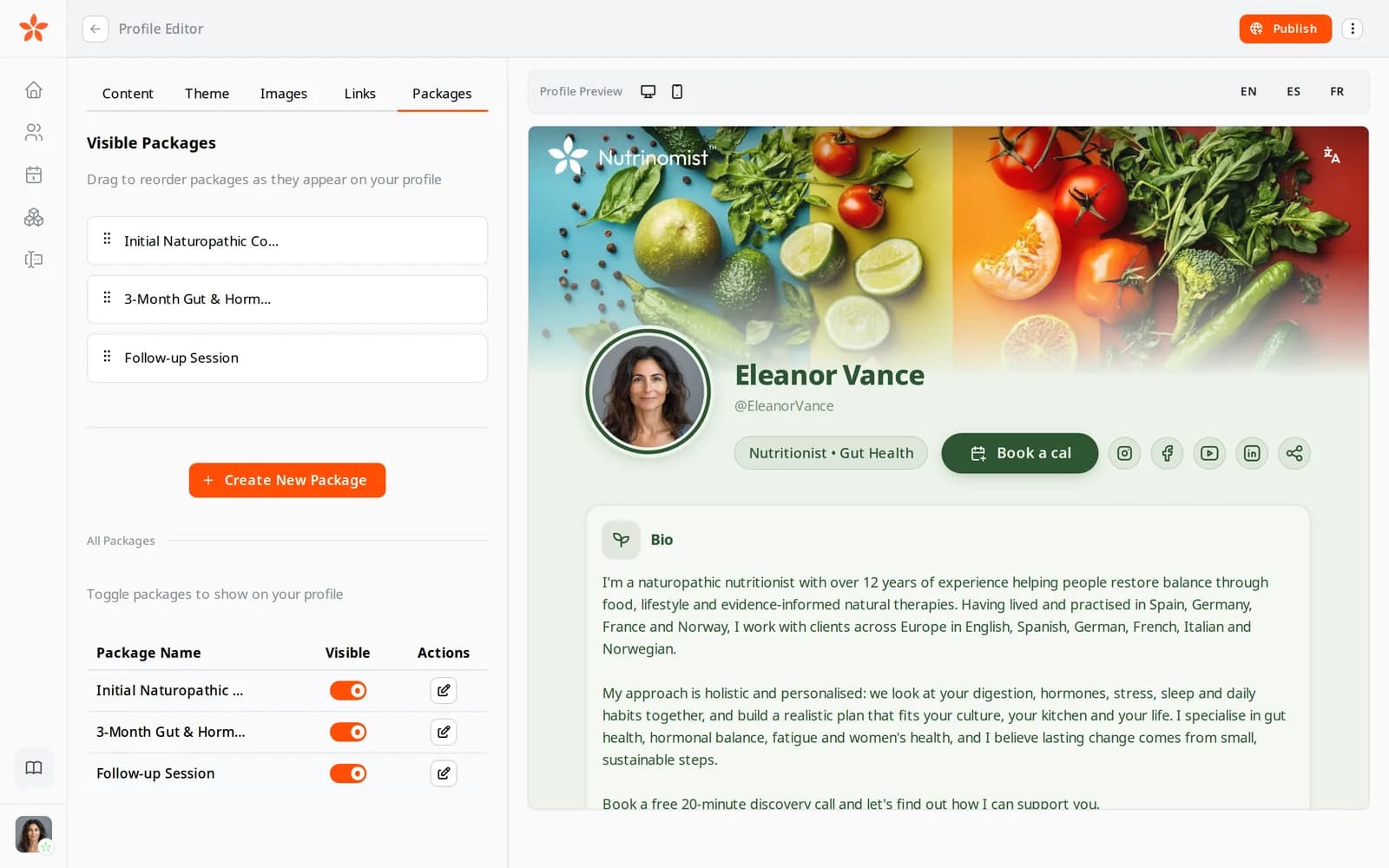
Choose which of your packages appear on the page and drag them into order. Each one shows what is included and its price, with a Purchase button that opens your checkout.

  • Pick which packages to show
  • Drag them into the order you want
  • Each package has its own Purchase button

What it saves you: Sending a price list as a PDF.

The Packages tab of the profile editor, with the three visible packages and their switches

Book a call, without the back-and-forth

A visitor taps Book a call and leaves their name, email, phone or Telegram, a time that suits them and a message. They are added to your client list as a lead, you get a notification and an email, and they get a confirmation in their language.

What it saves you: Copying enquiries from DMs into a spreadsheet.

  • Name, email, phone or Telegram, and a message
  • The visitor suggests a date and time
  • Each request becomes a lead in your client list
  • A notification and an email for you, a confirmation for them

One page, in every language you work in

Add a language and AI writes your page in it from your main one. Read it through and change any word. Visitors see the version in their own language, and you can preview each one in the editor.

  • Add any of the 13 languages
  • AI fills a new language from your main one, on every plan
  • Every word stays yours to change
  • Visitors see their own language

What it saves you: Keeping a copy of your page for every language.

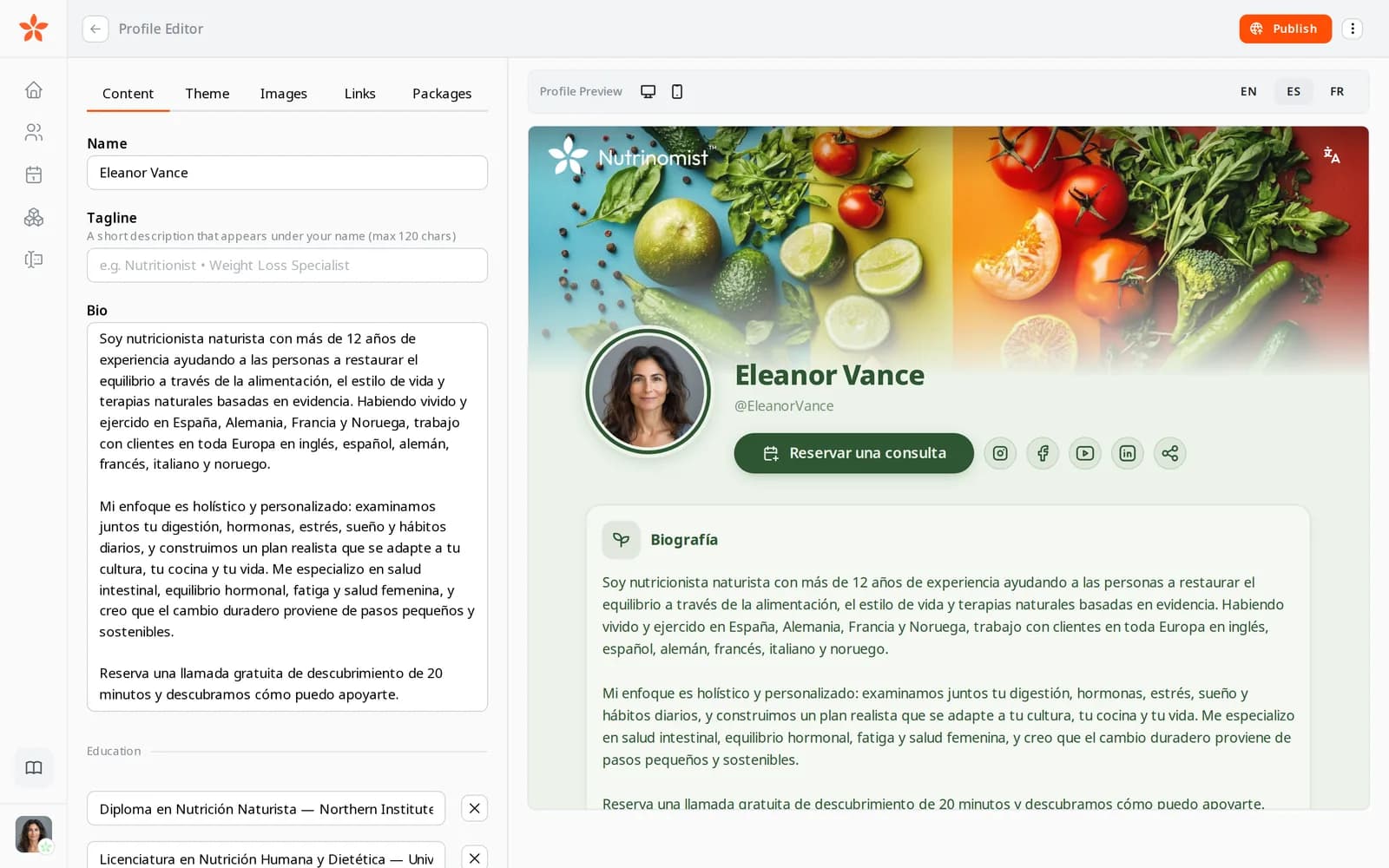
The live preview of the same page in Spanish

Ready to be found

Once your page is published, search engines can find it. Its title and description come from your name and bio in each language, and the page tells search engines who you are and what you do.

What it saves you: Learning SEO to be found by name.

  • A search title and description in each language
  • Details search engines read about you and your work
  • Added to the sitemap once it is published
  • Your logo shows when someone shares the link

How it works

1

Claim your link

Choose your nickname. Your page lives at nutrinomist.com/yourname.

2

Fill in your story

Bio, education, specializations, photo and colours. No design skills needed.

3

Add packages and Book a call

Show what you offer and let visitors buy a package or ask for a call.

4

Publish in every language

Write the other languages yourself or let AI fill them in. Each visitor sees their own.

Frequently asked questions

Do I need my own website or hosting?

No. Your page is hosted at nutrinomist.com/yourname and is included in every plan, Free too. If you already have a website, link to your page for packages and Book a call.

Can I customize how the page looks?

Yes. Choose a theme or your brand colour, the style of cards and buttons, a background pattern, and add your logo, photo and cover image. The page stays readable on any device.

What happens when someone books a call?

They leave their details and a time that suits them. They are added to your client list as a lead, you get a notification and an email, and they get a confirmation. You then reply or schedule the call in your calendar.

Works even better together

Every Nutrinomist feature is built to hand work to the next one.

Claim your page today

Publish it when you're ready, and it takes enquiries while you sleep.