Nutrinomist — the multilingual platform for holistic professionals working online
Mobile app

Your practice, in your clients' pocket.

The Nutrinomist app for iPhone and Android puts the client portal on your clients' home screen — chat, video sessions, forms and protocols, with push notifications. Free on the App Store and Google Play.

  • Free on the App Store and Google Play
  • Push notifications for chat and reminders
  • Native apps for iPhone and Android
Included from the Starter plan
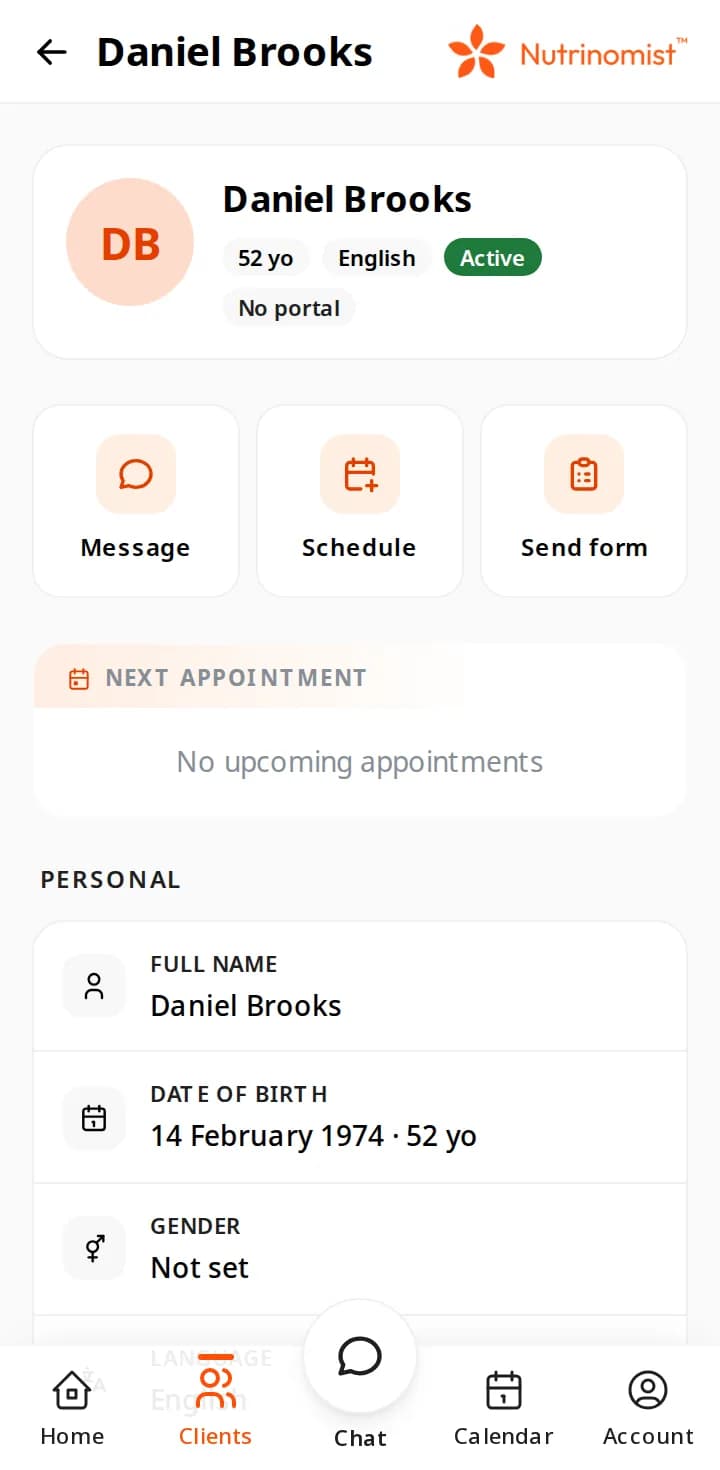
A client's record on a phone: Message, Schedule and Send form above the next appointment and personal details

Get the app

Scan the QR code with an iPhone camera to open the App Store, or get the Android app on Google Play. Both are free downloads.

Scan with your iPhone to download from the App Store
On the phone

The same Nutrinomist, phone-sized

Real screens from a demo practice. The iPhone and Android apps and the web app all show the Nutrinomist you use on a computer, laid out for a phone.

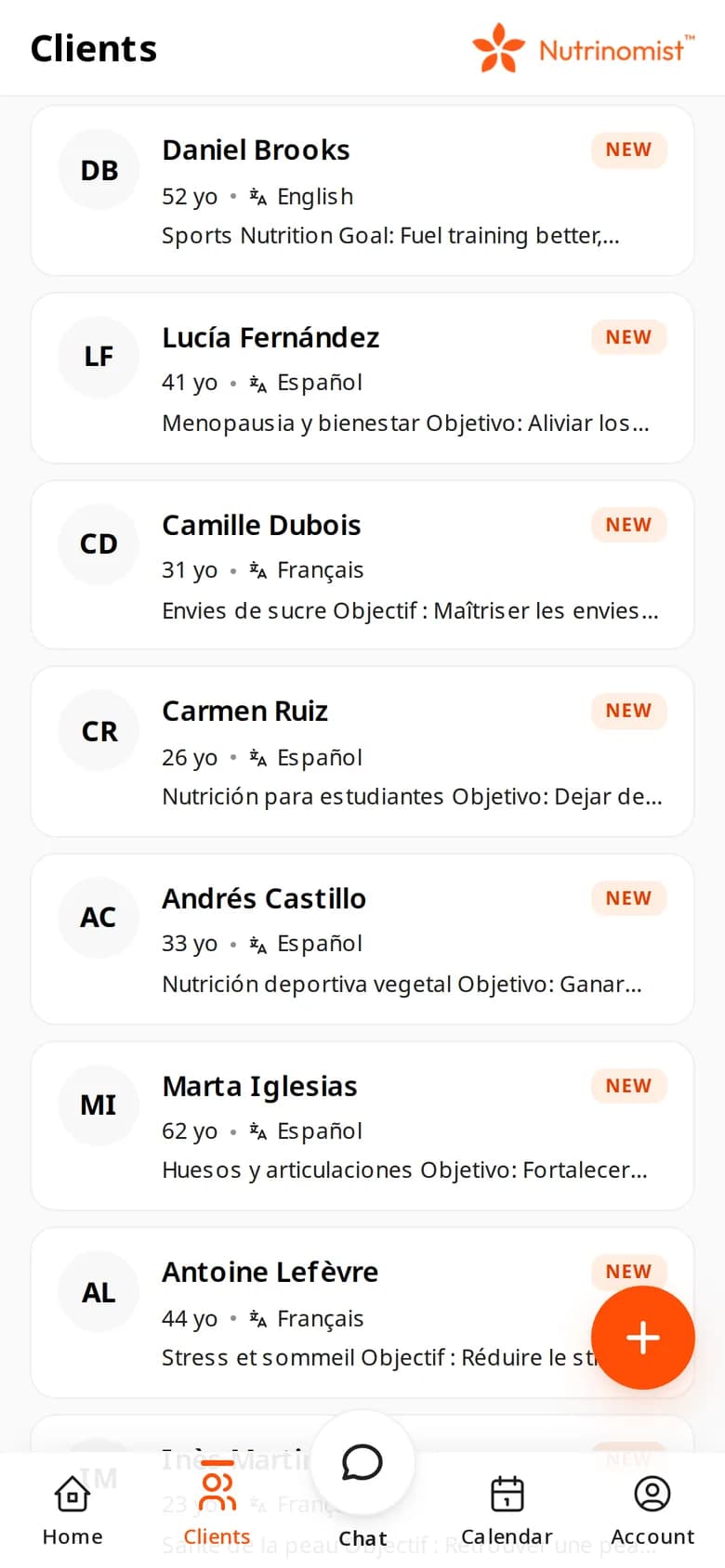
  • The client list on a phone: demo clients in English, Spanish and French, each with their language

    Your client list

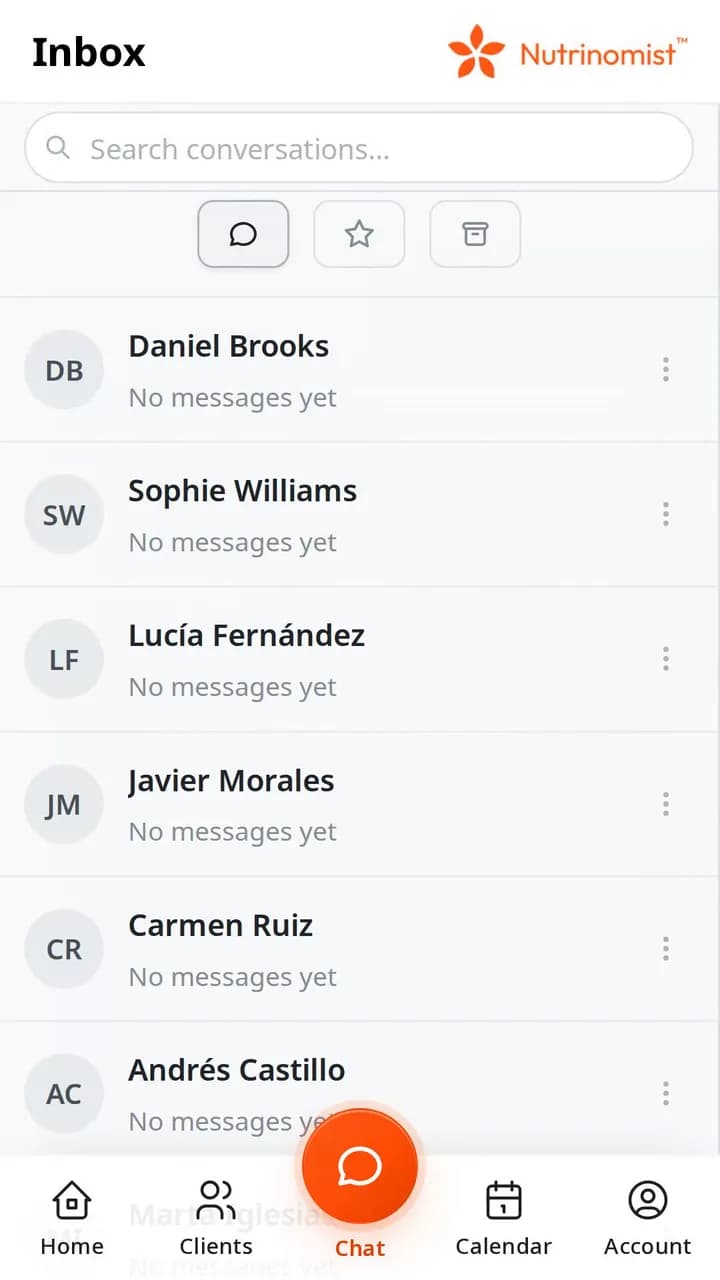
  • The chat inbox on a phone: one conversation per client

    Every conversation

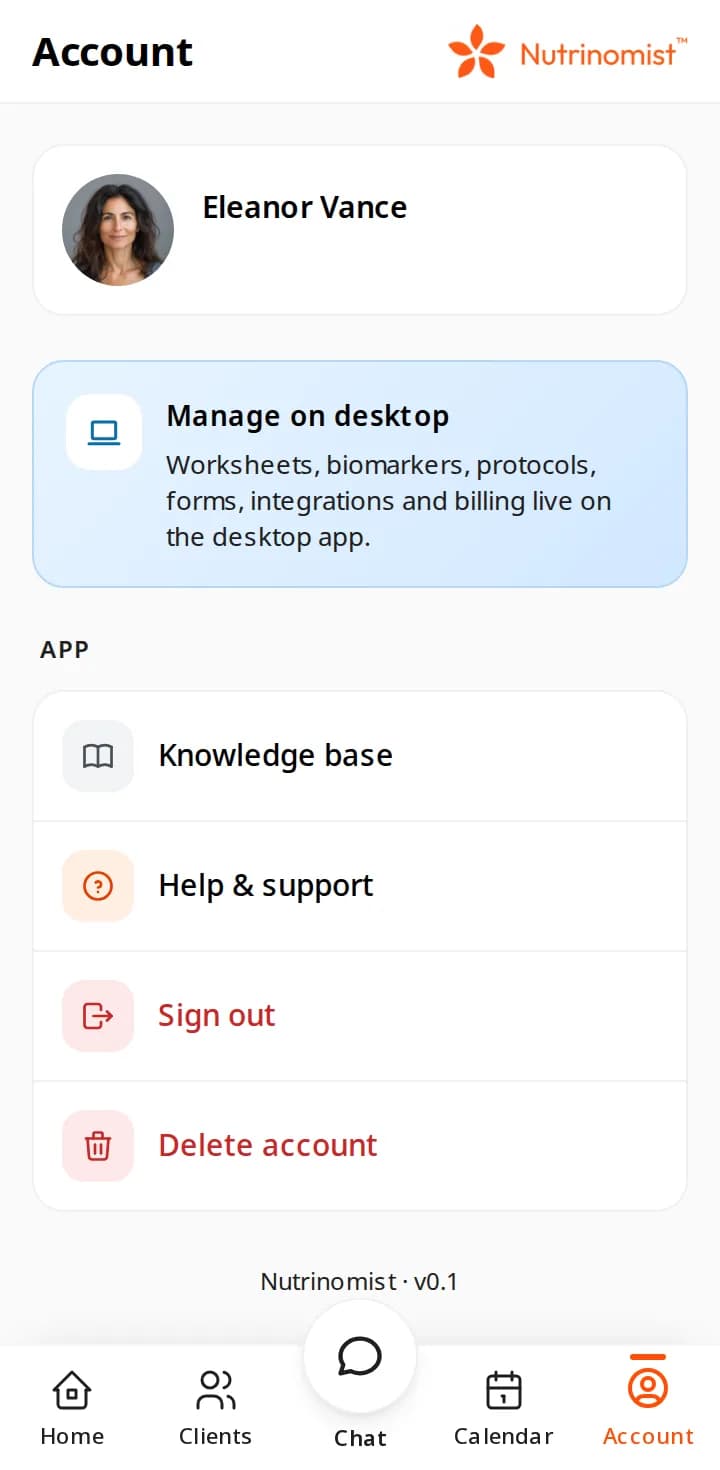
  • The Account tab on a phone: a Manage on desktop card listing worksheets, biomarkers, protocols, forms, integrations and billing, then Knowledge base, Help & support and Sign out

    What stays on the computer

Use case

Between two sessions, away from the desk

You're out between appointments when a client writes that the new supplement upsets her stomach and asks whether to keep taking it before Thursday's session.

Today

Today, the message sits in a personal messenger until you open the laptop in the evening. Booking an earlier slot means opening the calendar later too, and the client hears nothing until then.

With Nutrinomist

With Nutrinomist, a push notification brings the message to your phone. You answer in her chat, book an earlier session from her record and send a short follow-up form, all before you're back at your desk.

What it does

What you can do from the phone

Captures from a demo practice in the live app. Chat, video sessions and the client portal are included from the Starter plan.

Book a session from the client's record

Tap Schedule on a client and a new appointment opens with that client already filled in. Set the time and length, choose when the reminder goes out, and add the forms the client should complete first. It lands in the same calendar you use on the computer.

  • The client is already filled in
  • A reminder email for you and the client, from 15 minutes to a day before
  • Forms the client must complete first, with a deadline in hours
  • The same calendar as on your computer

What it saves you: A note to yourself to book it later.
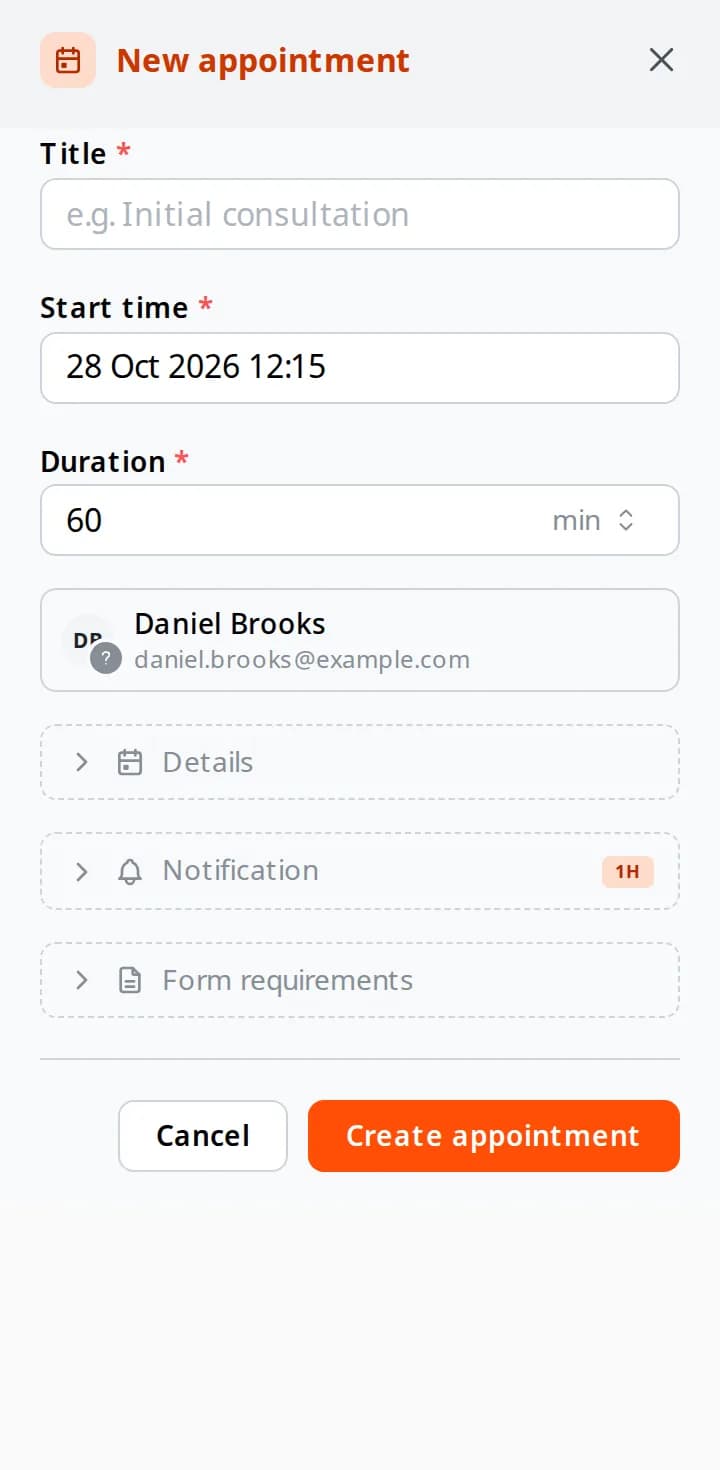
The New appointment sheet on a phone: title, start time, a 60-minute duration, the client, and the Details, Notification and Form requirements sections

Send a form while you think of it

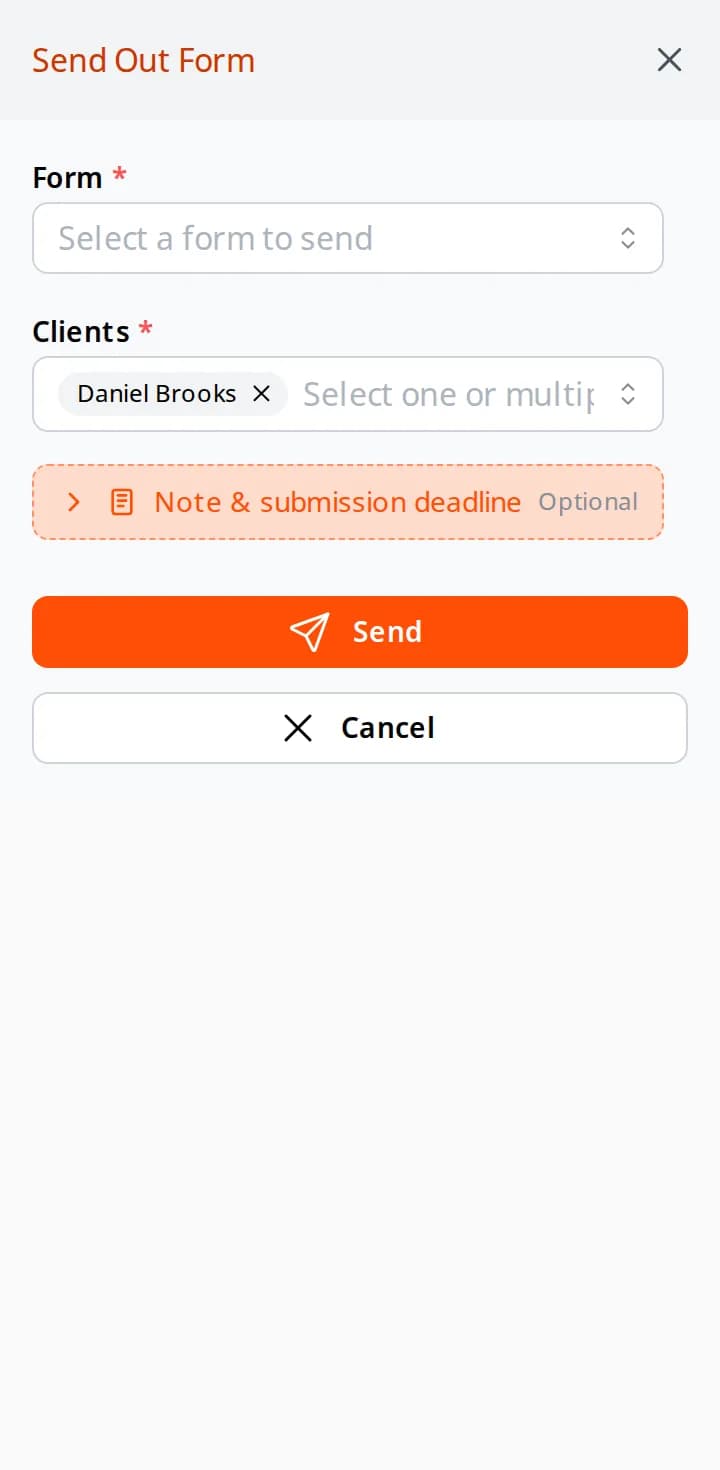
Send form opens a short sheet: pick one of your forms, one client or several, and add a note and a submission deadline if you like. The client fills it in on their phone or computer, and the answers land in their record.

  • Any of your forms, to one client or several
  • An optional note and submission deadline
  • Answers land in the client's record
  • Building and editing forms stays on the computer

What it saves you: Remembering to send it once you're back at your desk.

The Send Out Form sheet on a phone: a form to pick, the client already chosen, an optional note and deadline, and Send

Chat, with photos and voice notes

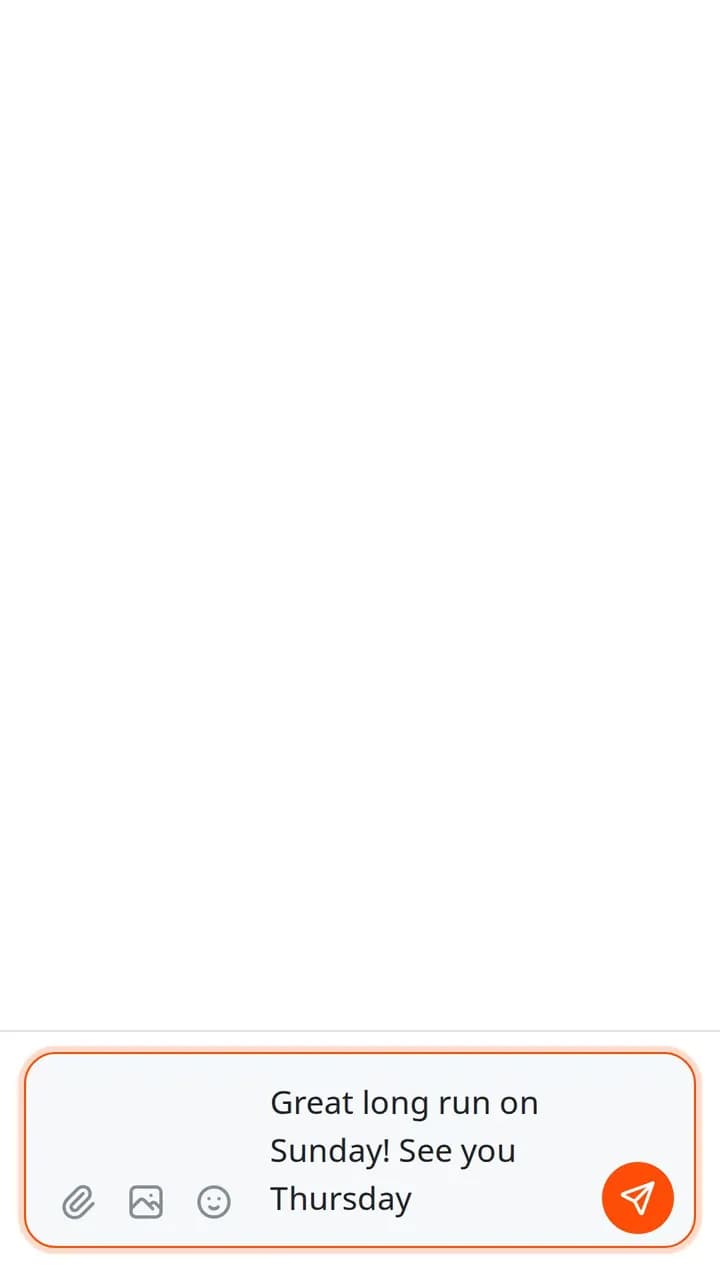
Reply from the inbox or from the client's record. Add a photo from the camera or the photo library, or hold the microphone to record a voice note. A message you write without signal is kept and sent when the connection comes back.

  • Photos from the camera or the photo library
  • Voice notes: hold the microphone to record
  • Messages written without signal are sent once you're back online
  • The same conversation you see on the computer

What it saves you: Switching to a personal messenger to answer a client.

The chat composer on a phone with a message typed and buttons for files, photos and emoji

Notifications that reach you

When a client writes and you're not in Nutrinomist, a push notification arrives on your phone, and tapping it opens the conversation. You also hear when a client accepts or declines an appointment.

What it saves you: Checking the inbox all day, just in case.

  • New chat messages, for you and for your clients
  • A client accepting or declining an appointment
  • Tap the notification to open the conversation
  • No push while you're already in the app

Video sessions from the phone

Start or join a video session with the phone's camera and microphone. The app asks for them once, and there's no separate video app to install, for you or for your client.

What it saves you: Sending a meeting link from another app.

  • Camera and microphone, asked for once
  • No separate video app to install
  • Your client joins from their phone or computer

Your client's portal, on their phone

Clients sign in to the same app and get their own portal: their upcoming sessions, the chat with you, the forms you send, the protocols you share and their files. Building any of that stays with you.

What it saves you: Emailing clients links they can't find again.

  • Their upcoming sessions
  • The chat with you, with photos and voice notes
  • The forms you send, filled in on the phone
  • The protocols you share, ready to read

The detailed work stays on the computer

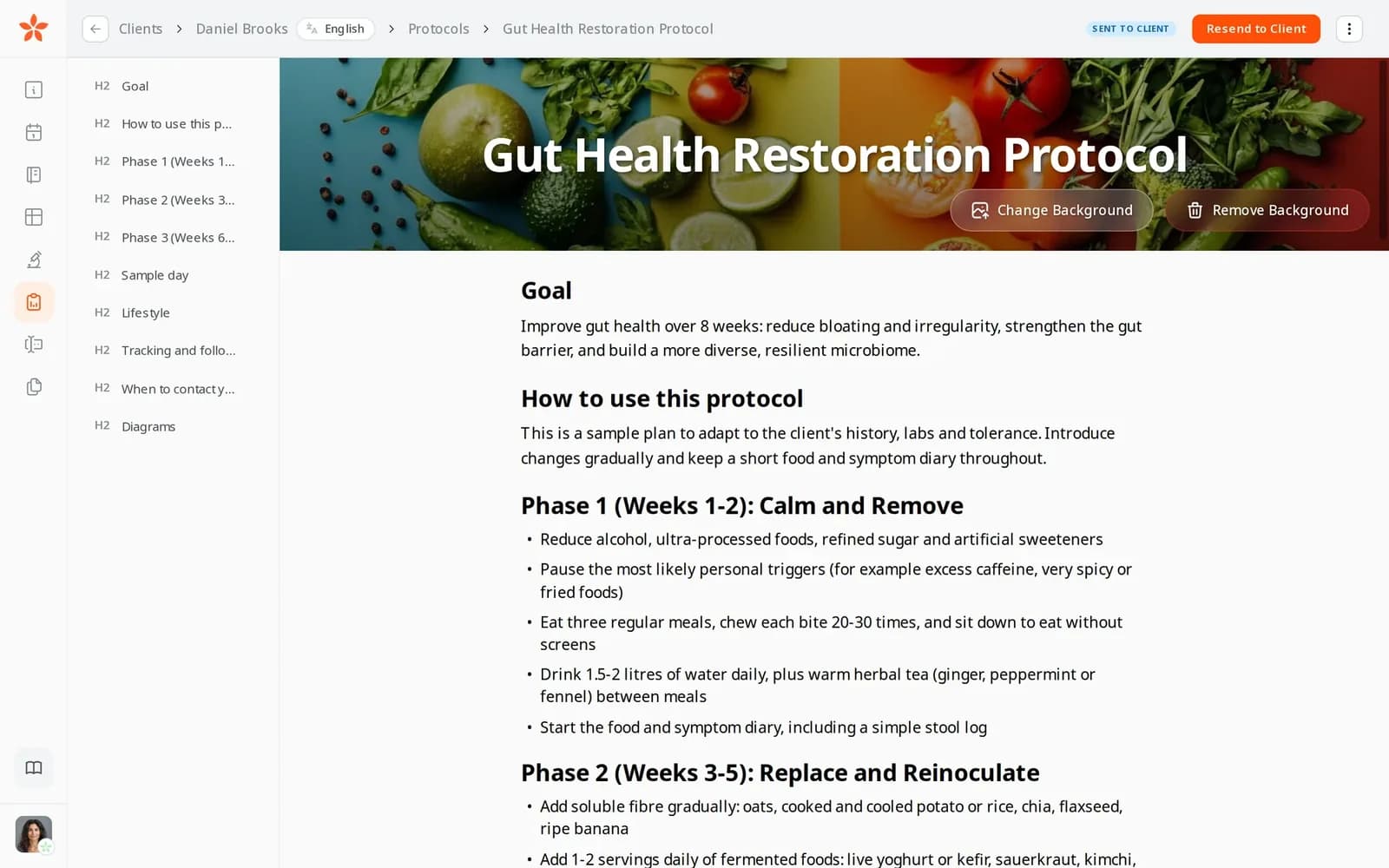
The phone is for keeping in touch. Writing a protocol, building a form, worksheets, biomarkers, billing and integrations open on a computer, where there's room for them, and the phone says so instead of squeezing them in.

  • Protocols, forms, worksheets and biomarkers are built on a computer
  • Client records, chats and the calendar are on both
  • One account: what you do on the phone is there on the computer

What it saves you: Wrestling with a long protocol on a small screen.

The protocol editor on a computer: a gut-health protocol with its illustrated phases

Everything the apps include

The same Nutrinomist on the iPhone, Android and the web.

On your phone

  • Home, Clients, Chat, Calendar and Account, one tap apart
  • Each client's record, with Message, Schedule and Send form
  • Client notes and contact details, with a Call button
  • Your week, with new appointments from the + button

For your clients

  • Their sessions, chat, forms, protocols and files
  • The same portal invitation as on the web
  • Free for clients to download

On every device

  • iPhone on the App Store, Android on Google Play
  • Any other device installs the web app from the browser
  • Push notifications in the iPhone and Android apps
  • In all 13 Nutrinomist languages

How it works

1

Invite the client to your portal

The same invitation as always — nothing extra to set up on your side.

2

They download the app

Clients scan the QR code or search for Nutrinomist on the App Store or Google Play — the download is free.

3

Sign in once

The app uses the same account as the web portal — one login, both places.

4

Stay connected

Chat, forms, meetings and protocols — with push notifications that keep things moving between sessions.

Frequently asked questions

Is the app free for my clients?

Yes. The Nutrinomist app is a free download on the App Store and Google Play, and the client portal is always free for your clients.

Is there an Android app?

Yes — the Nutrinomist app is on Google Play. Android clients can also install the portal as a web app from Chrome.

Do clients need the app to use the portal?

No. The app is optional — the portal works in any modern browser. The app adds push notifications and a home-screen icon, which makes day-to-day check-ins much more reliable.

Nutrinomist on every device

The same account on iPhone, on Android and in the browser. Use one, or all of them.

Works even better together

Every Nutrinomist feature is built to hand work to the next one.

Put your practice on their home screen

Invite a client to the portal — they can install the app from the App Store or Google Play.