Nutrinomist — the multilingual platform for holistic professionals working online
Web app

Install Nutrinomist from the browser. No app store needed.

Nutrinomist runs in any modern browser. Install it from Chrome, Edge or Safari and it gets its own icon and opens in its own window, on Android, iPhone, Mac and Windows.

  • Nothing to download from a store
  • Android, iPhone, Mac and Windows
  • Its own icon and window
Included from the Starter plan
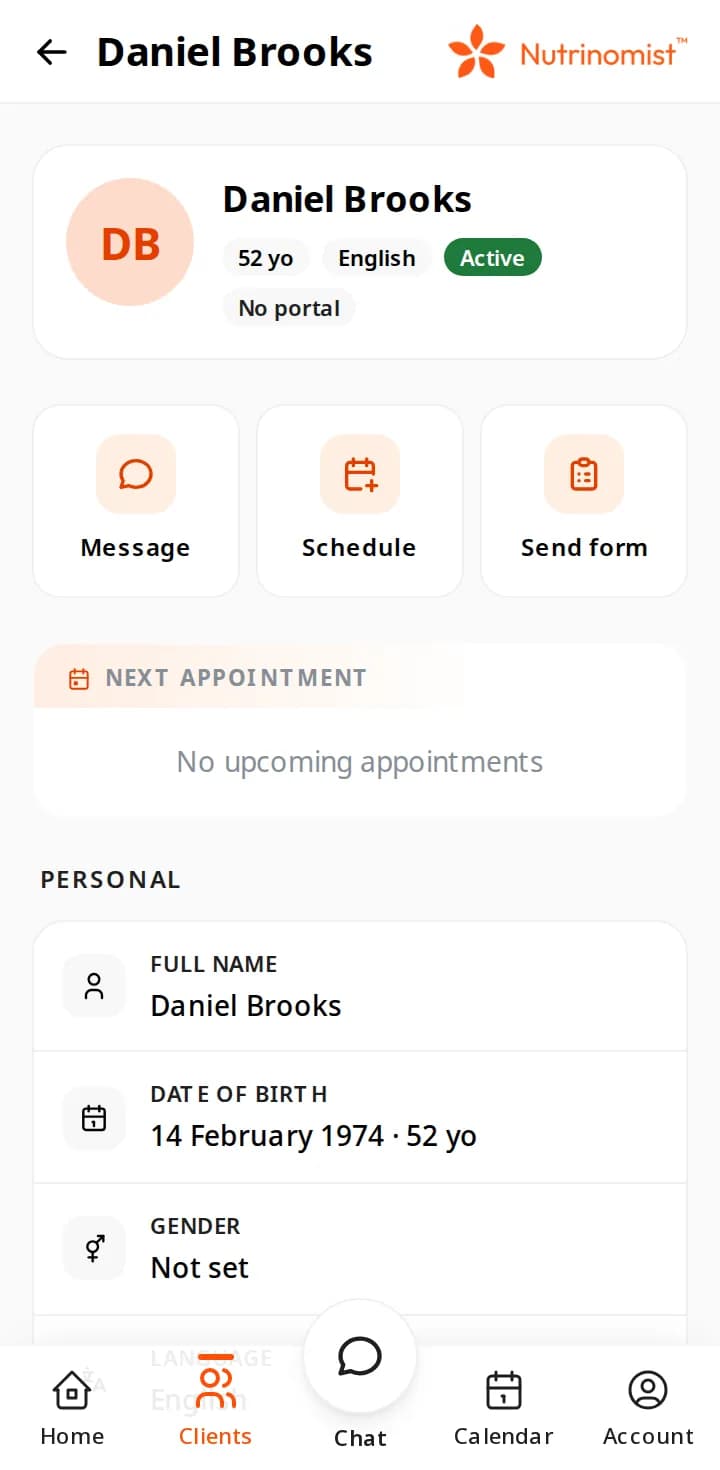
A client's record in the web app on a phone: Message, Schedule and Send form above the next appointment and personal details

Install it in three steps

Sign in once in the browser, then follow the steps for your device.

Android phone

Chrome

  1. Open nutrinomist.com in Chrome and sign in.
  2. Tap the ⋮ menu, then Install app or Add to Home screen.
  3. Tap Install. Nutrinomist joins your other apps.

iPhone and iPad

Safari

  1. Open nutrinomist.com in Safari and sign in.
  2. Tap the Share button, then Add to Home Screen.
  3. Tap Add. The Nutrinomist icon lands on your Home Screen.

Mac or Windows

Chrome or Edge

  1. Open nutrinomist.com in Chrome or Microsoft Edge.
  2. Click the install icon at the right of the address bar, or choose Install in the browser’s menu.
  3. Nutrinomist opens in its own window and stays in your dock or Start menu.

On a phone, Nutrinomist also offers to install itself a few seconds after you sign in, and suggests the iPhone or Android app first.

In the browser

The same Nutrinomist, on any phone

Real screens from a demo practice, as the web app shows them on a phone.

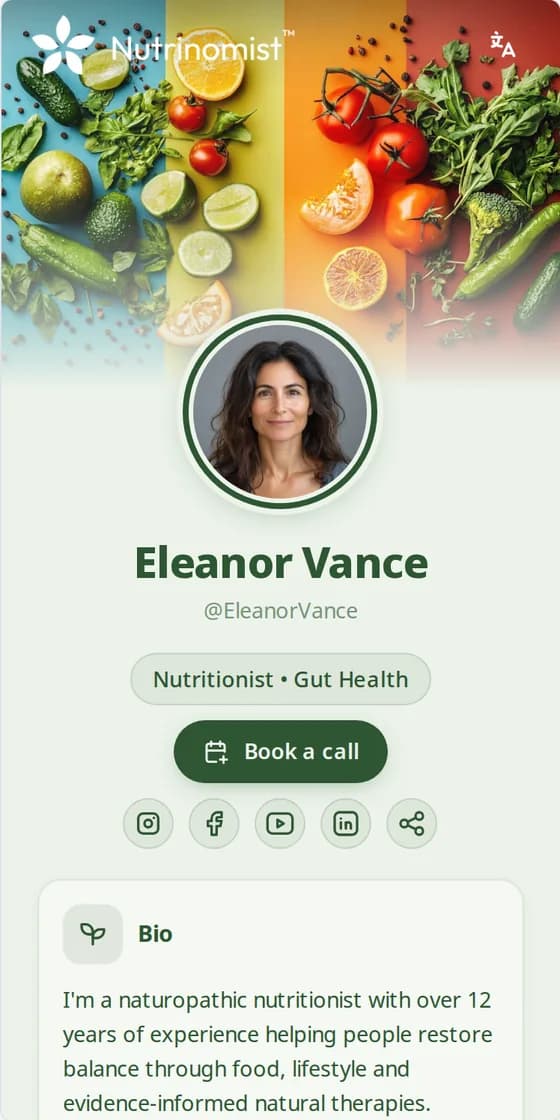
  • A practitioner’s public Nutrinomist page on a phone: photo, specialty and a Book a call button

    Your page, on their phone

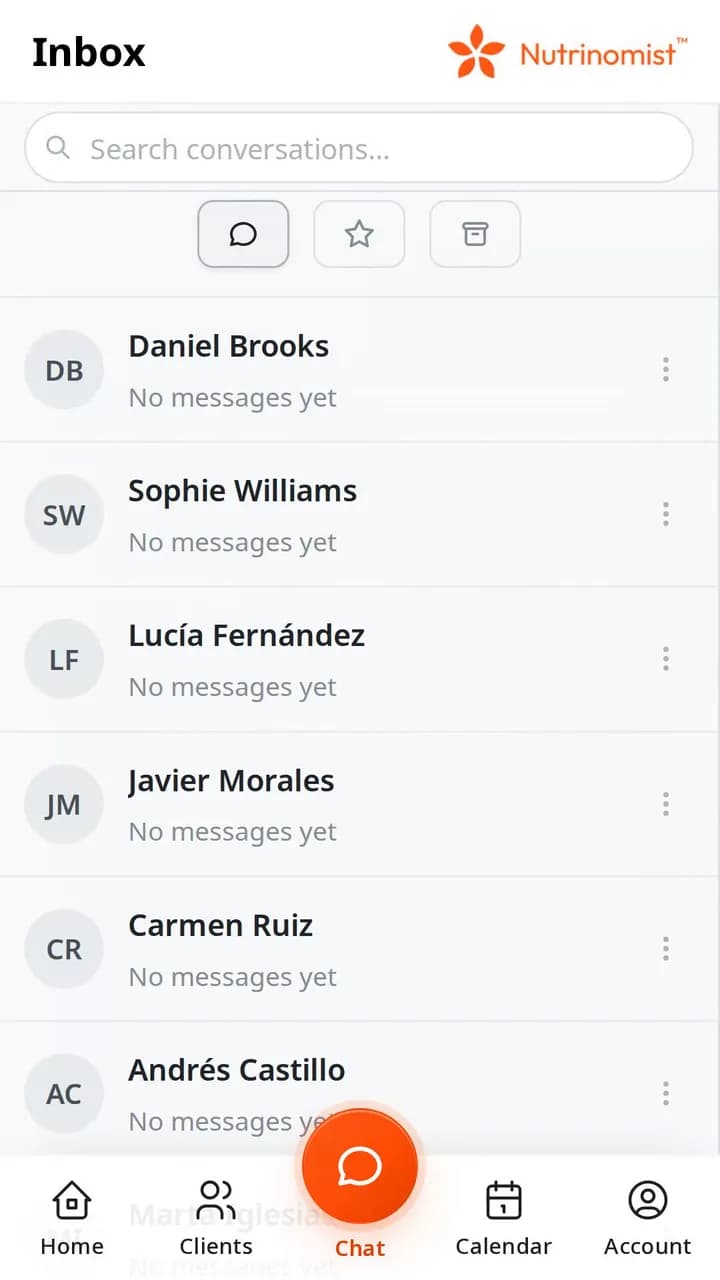
  • The chat inbox on a phone: one conversation per client

    Every conversation

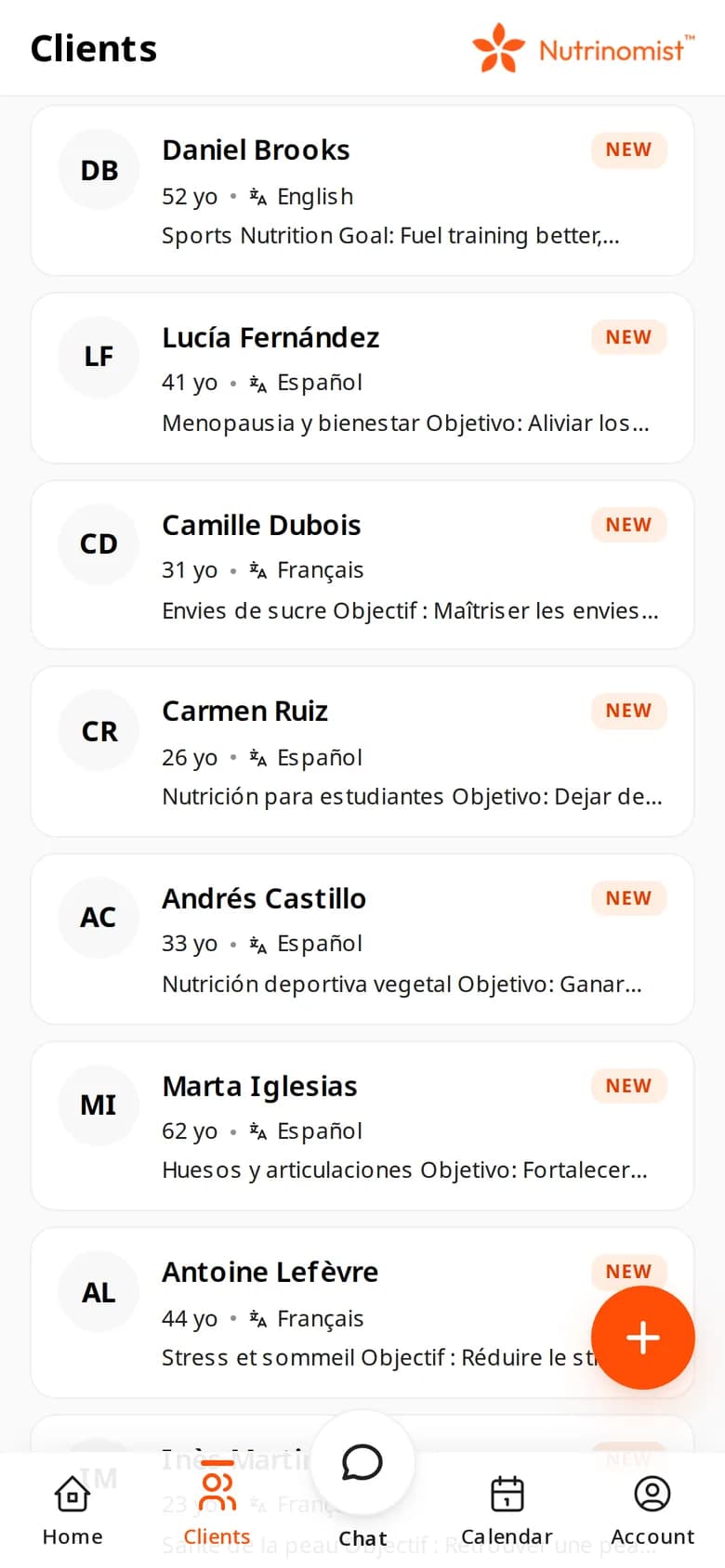
  • The client list on a phone: demo clients in English, Spanish and French, each with their language

    Your client list

Use case

One practice, on the clinic laptop and your own phone

You see clients at a shared clinic on a Windows laptop, and you don't want another store app on your phone.

Today

Today, Nutrinomist is one tab among many on the clinic laptop, and on the phone you type the address each time and sign in again.

With Nutrinomist

With the web app, Nutrinomist has its own window and icon on the laptop and on your phone's home screen. It opens straight to sign-in, and every device shows the latest version.

What it does

What the web app does

Captures from a demo practice in the live app. Chat, video sessions and the client portal are included from the Starter plan.

All of Nutrinomist, on the computer

On a Mac or Windows computer, the web app is the whole of Nutrinomist: protocols, forms, worksheets, biomarkers, billing and integrations, in its own window. On a phone it shows the phone layout, like the store apps.

  • Everything, on a Mac or Windows computer
  • The phone layout on a phone
  • Its own window and icon, without the address bar

What it saves you: Hunting for the right browser tab between sessions.
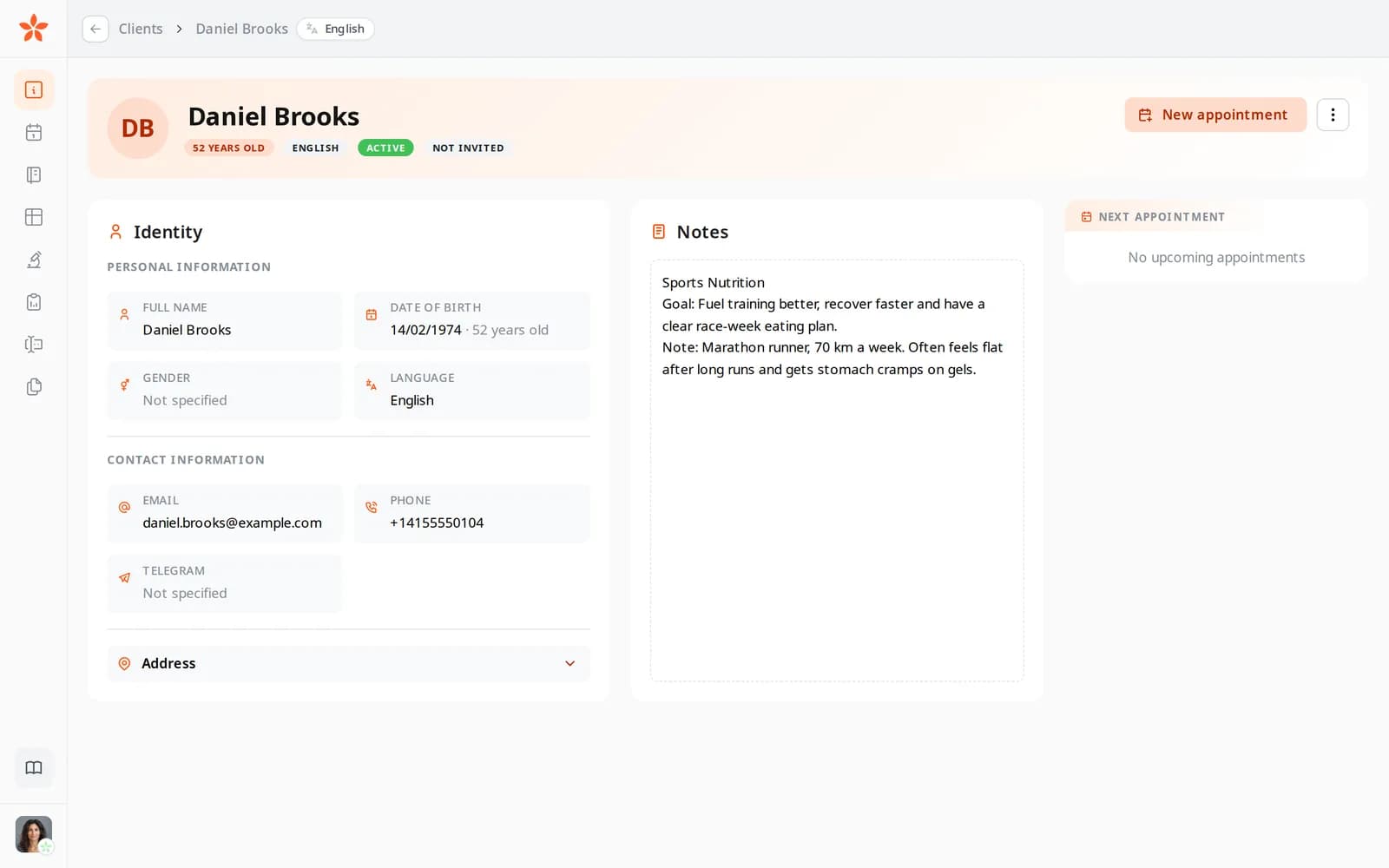
A client's record in Nutrinomist on a computer: identity, contact details, notes and the next appointment

Chat, with photos and voice notes

Reply from the inbox or from the client's record. Add a photo from the camera or the photo library, or hold the microphone to record a voice note. A message you write without signal is kept and sent when the connection comes back.

  • Photos from the camera or the photo library
  • Voice notes: hold the microphone to record
  • Messages written without signal are sent once you're back online
  • The same conversation you see on the computer

What it saves you: Switching to a personal messenger to answer a client.

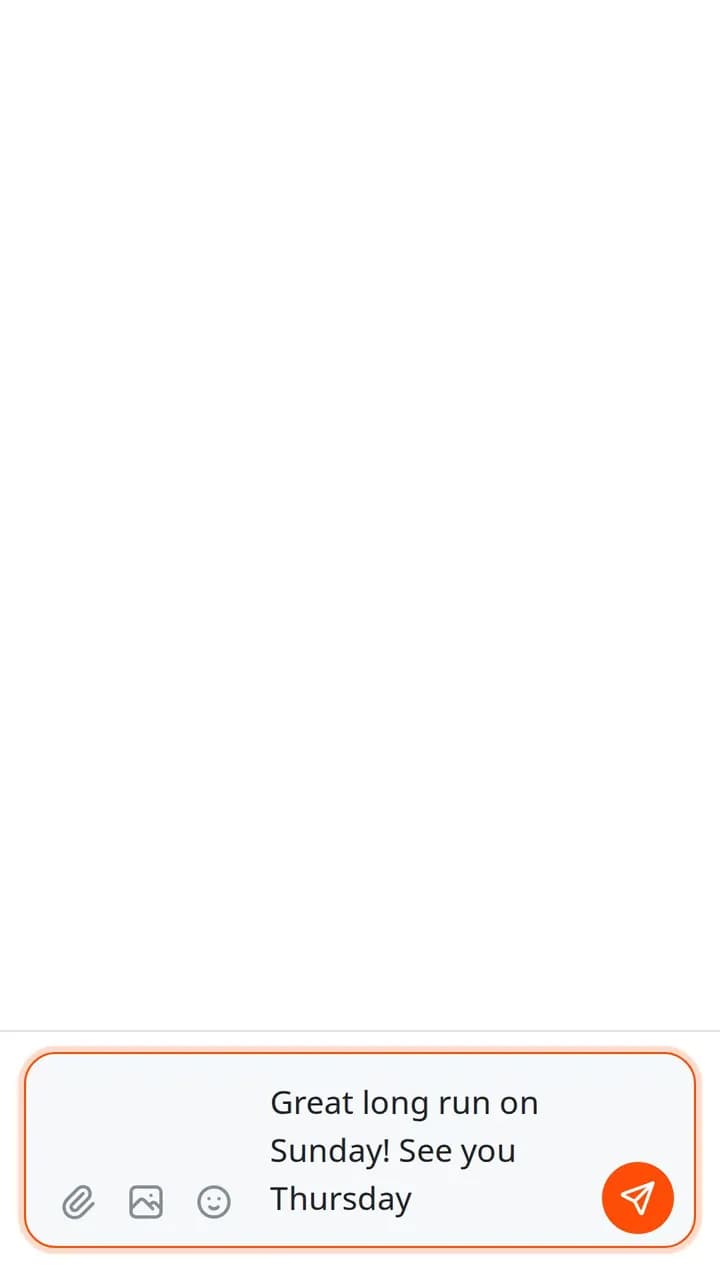
The chat composer on a phone with a message typed and buttons for files, photos and emoji

Book a session from the client's record

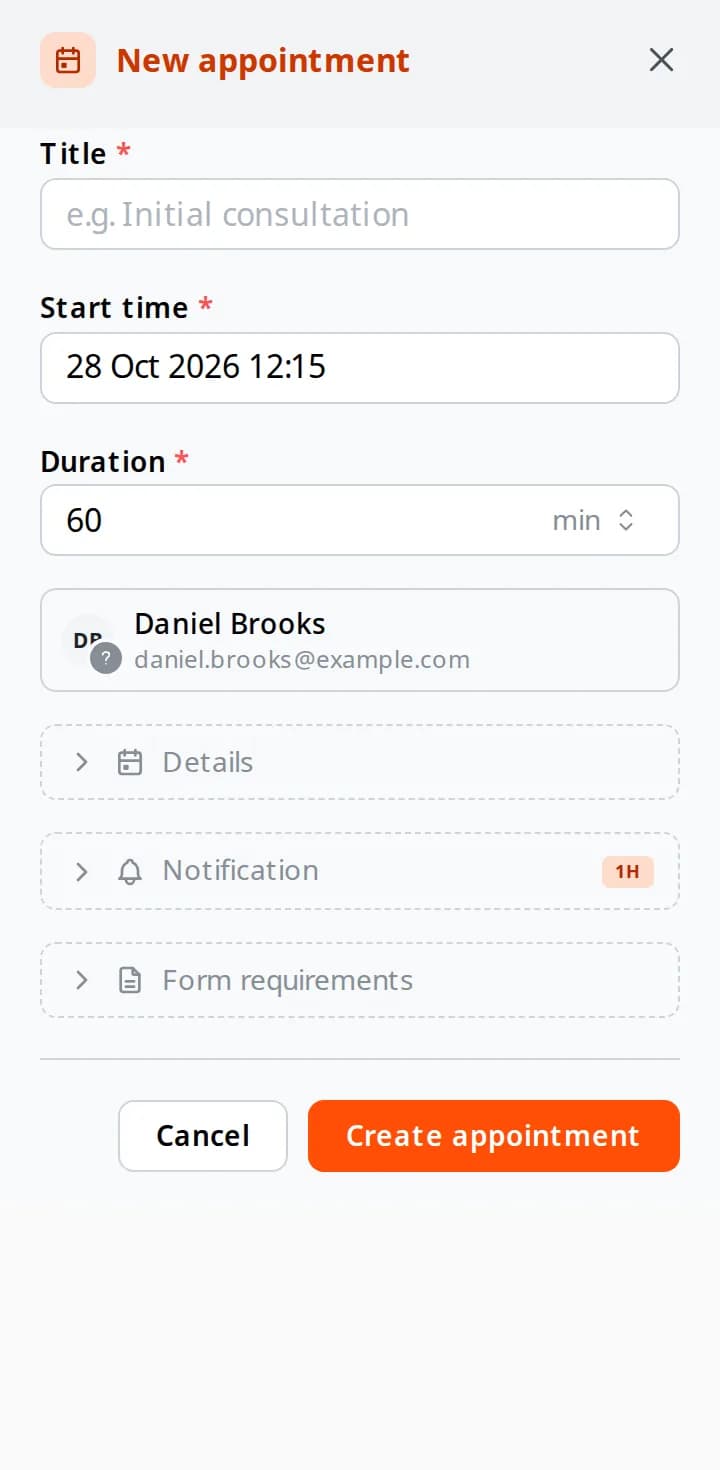
Tap Schedule on a client and a new appointment opens with that client already filled in. Set the time and length, choose when the reminder goes out, and add the forms the client should complete first. It lands in the same calendar you use on the computer.

  • The client is already filled in
  • A reminder email for you and the client, from 15 minutes to a day before
  • Forms the client must complete first, with a deadline in hours
  • The same calendar as on your computer

What it saves you: A note to yourself to book it later.

The New appointment sheet on a phone: title, start time, a 60-minute duration, the client, and the Details, Notification and Form requirements sections

Browser notifications for new messages

Turn on browser notifications for new chat messages in Settings, as a practitioner or as a client. On iPhone and iPad, Apple only allows them once Nutrinomist is on the Home Screen, from iOS 16.4.

What it saves you: Leaving a tab open just to see new messages.

  • Turned on in Settings, by you or by your client
  • On iPhone and iPad, from the Home Screen, iOS 16.4 or later
  • The iPhone and Android apps send push notifications too

Always the latest version

The web app loads Nutrinomist from the web every time, so there's nothing to update and every device shows the same thing. It needs an internet connection, like the website.

What it saves you: Update prompts and out-of-date versions.

  • Nothing to update, on any device
  • Needs an internet connection, like the website
  • Your data stays in your account, not on the device

Everything the web app includes

The small things that make it work every day.

Installing

  • Chrome on Android: Install app
  • Safari on iPhone and iPad: Add to Home Screen
  • Chrome or Edge on Mac and Windows: the install icon
  • On a phone, Nutrinomist offers to install itself after you sign in

Using it

  • The whole of Nutrinomist, as on the website
  • Its own window, opening straight to sign-in
  • Browser notifications for new chat messages

Good to know

  • It needs an internet connection
  • Nothing is stored on the device
  • On iPhone and Android, the store apps add push notifications

How it works

1

Open Nutrinomist in the browser

Go to nutrinomist.com and sign in, or accept your practitioner’s invitation.

2

Install it

Follow the steps above for Android, iPhone or a computer.

3

Open it from the icon

It opens in its own window, straight to sign-in.

4

Use all of it

Chat, video sessions, forms and protocols: the whole of Nutrinomist, as on the website.

Frequently asked questions

Do I need the web app if I have the iPhone or Android app?

No. The store apps and the web app are the same Nutrinomist with the same account. The web app is handy on a computer, or on a phone where you’d rather not install from a store.

Does the web app send notifications?

Clients can turn on browser notifications for new chat messages in their Settings. On iPhone and iPad, Apple only allows them once Nutrinomist is on the Home Screen, from iOS 16.4. The iPhone and Android apps send push notifications to practitioners and clients alike.

Does the web app work offline?

No. It needs an internet connection, like the website. Installing it gives Nutrinomist its own icon and window; your data stays in your account, not on the device.

Nutrinomist on every device

The same account on iPhone, on Android and in the browser. Use one, or all of them.

Works even better together

Every Nutrinomist feature is built to hand work to the next one.

Put Nutrinomist on every device

Sign up free in the browser, then install the web app wherever you work.