Nutrinomist — the multilingual platform for holistic professionals working online
13 languages

One practice. Thirteen languages.

Your page, packages, forms, emails and the client portal speak 13 languages. You work in yours, and every client reads theirs.

  • 13 European languages built in
  • AI fills in the other languages for you
  • Your language and each client's can differ
Included from the Free plan
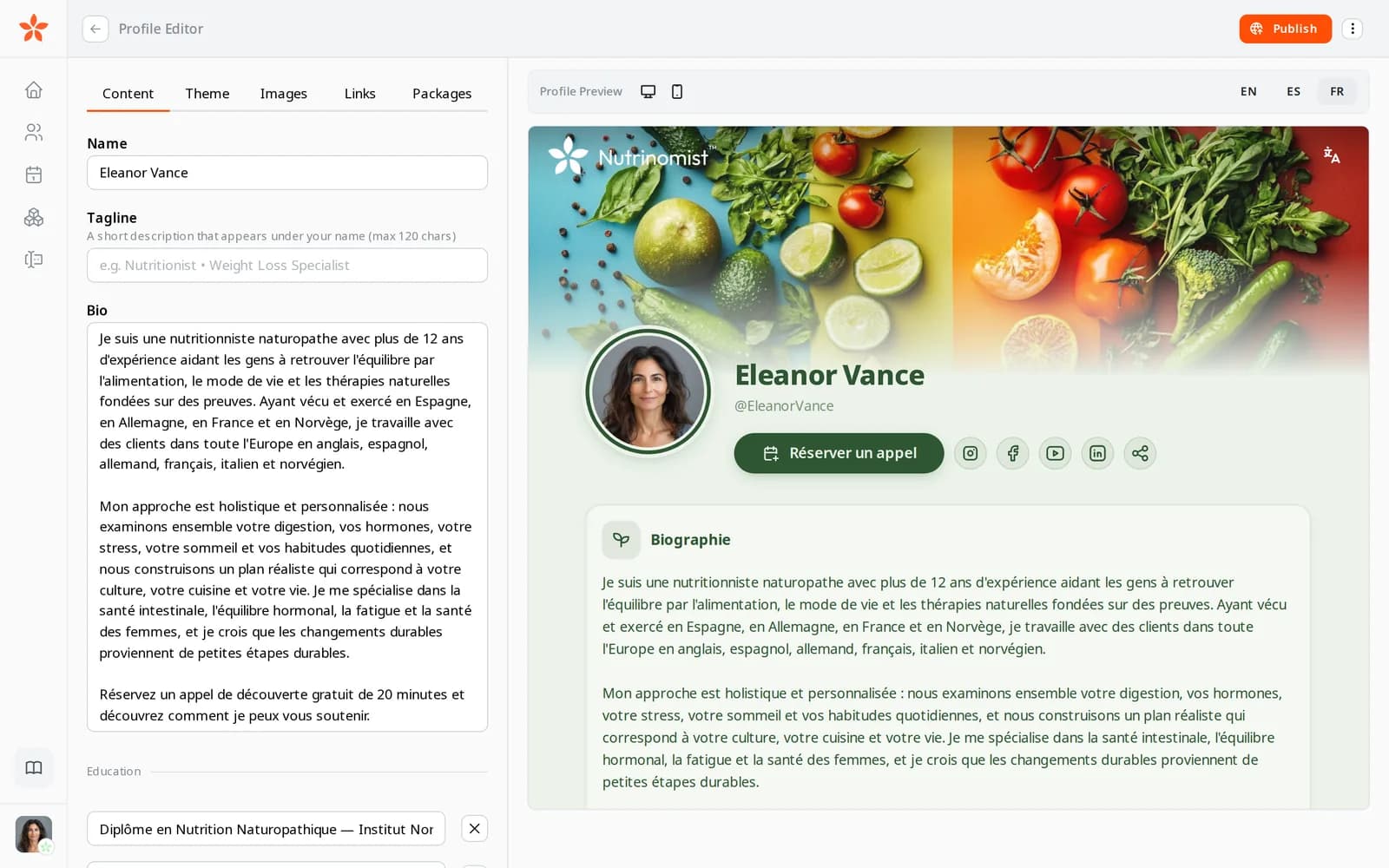
The live preview of a practitioner's page in French, from the profile editor
Use case

One practice, clients in three languages

A health coach in Norway runs her practice in English. Her clients read Norwegian, English and Russian, and each of them should get forms, reminders and plans they understand without effort.

Today

She keeps three copies of each form, pastes paragraphs into a translation app, and writes every reminder twice. When a client answers in Norwegian, their answers sit in a different file from the English ones.

With Nutrinomist

She sets a language on each client and writes everything once. AI fills in the other languages and she checks the wording. Forms, emails and the portal reach each client in their language, and every answer lands in the same client record.

What it does

Everything the 13 languages cover, in detail

Captures from a demo practice in the live app. All 13 languages are included in every plan; AI form translation comes with Starter.

A language for every client

Each client record has its own language. Invitations, reminders, order confirmations and unread-message emails are written in it, with times in the client's own time zone. Someone who books from your Spanish page arrives with Spanish already set.

  • A language on every client record
  • Invitations, reminders and confirmations in that language
  • Times in the client's own time zone
  • New clients from your page bring their language

What it saves you: Writing the same email twice.
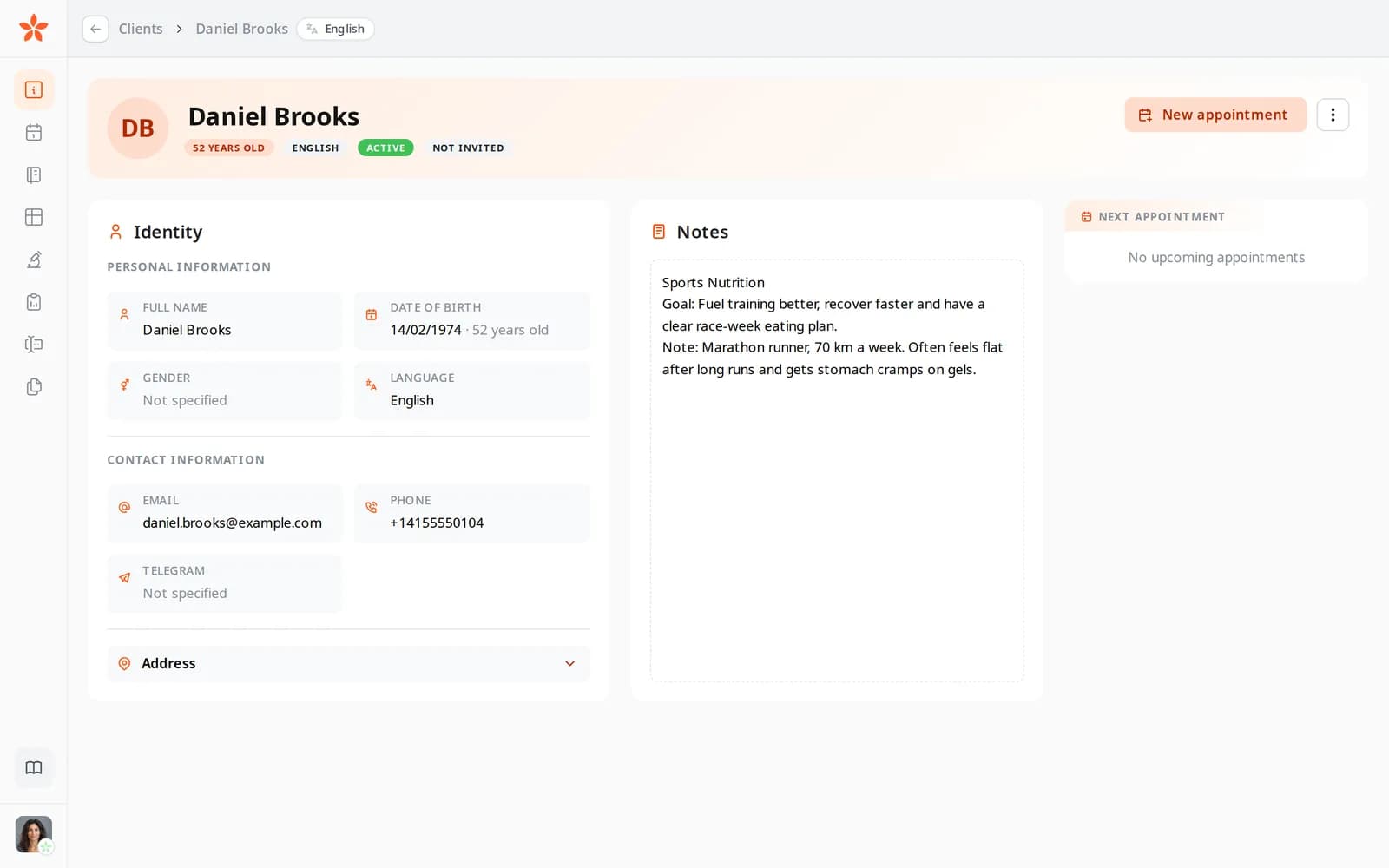
Daniel Brooks's client record, with his language set to English

You work in your own language

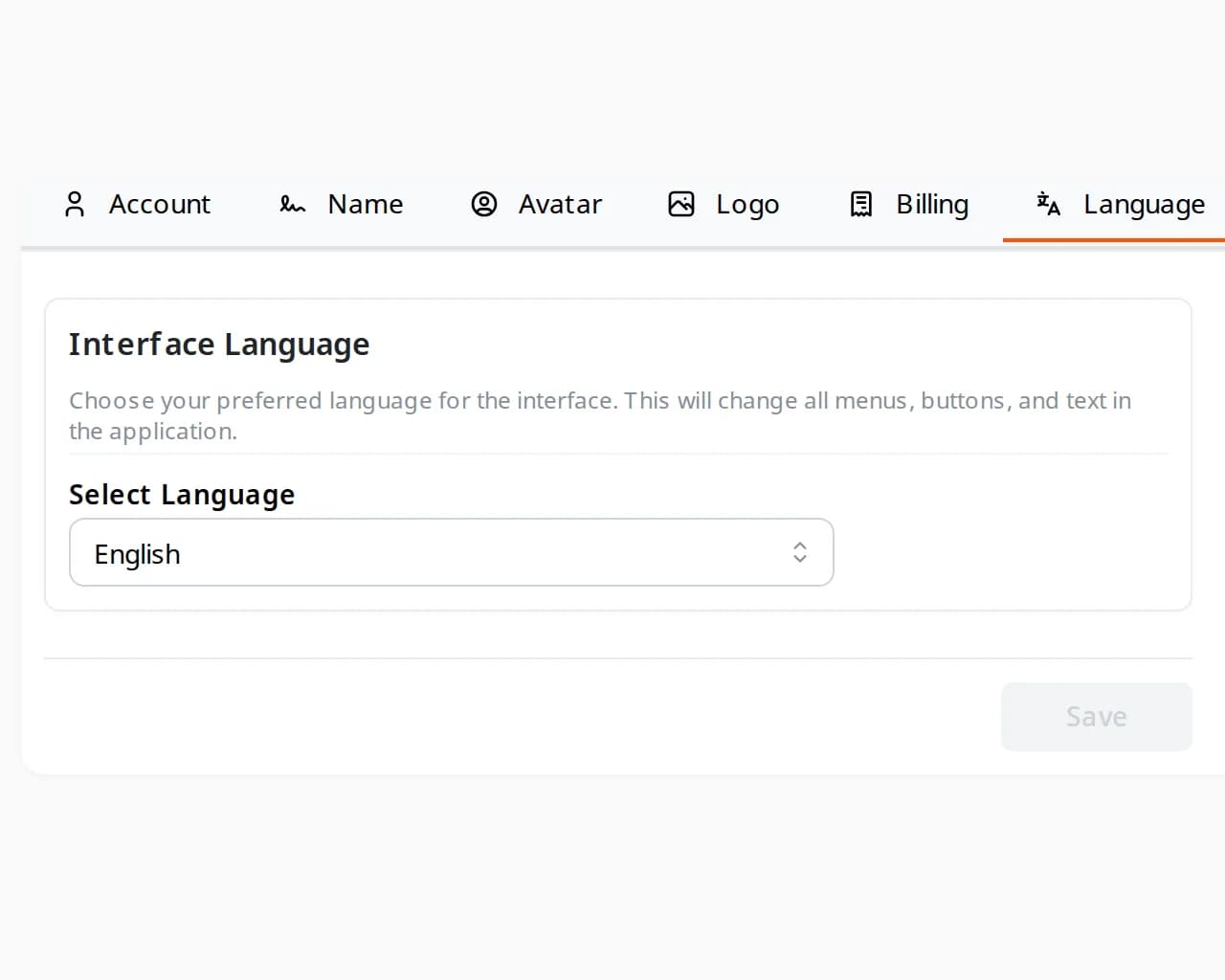
Choose the language of your workspace in Settings. It changes every menu, button and screen for you, and nothing for your clients. Your name is written in each language's script, Latin or Cyrillic, for the clients who read it.

  • The whole app in any of the 13 languages
  • Independent of each client's language
  • Your name in Latin and Cyrillic script

What it saves you: Working in a second language all day.

The Language tab in Settings, with the interface language set to English

Your page in every language

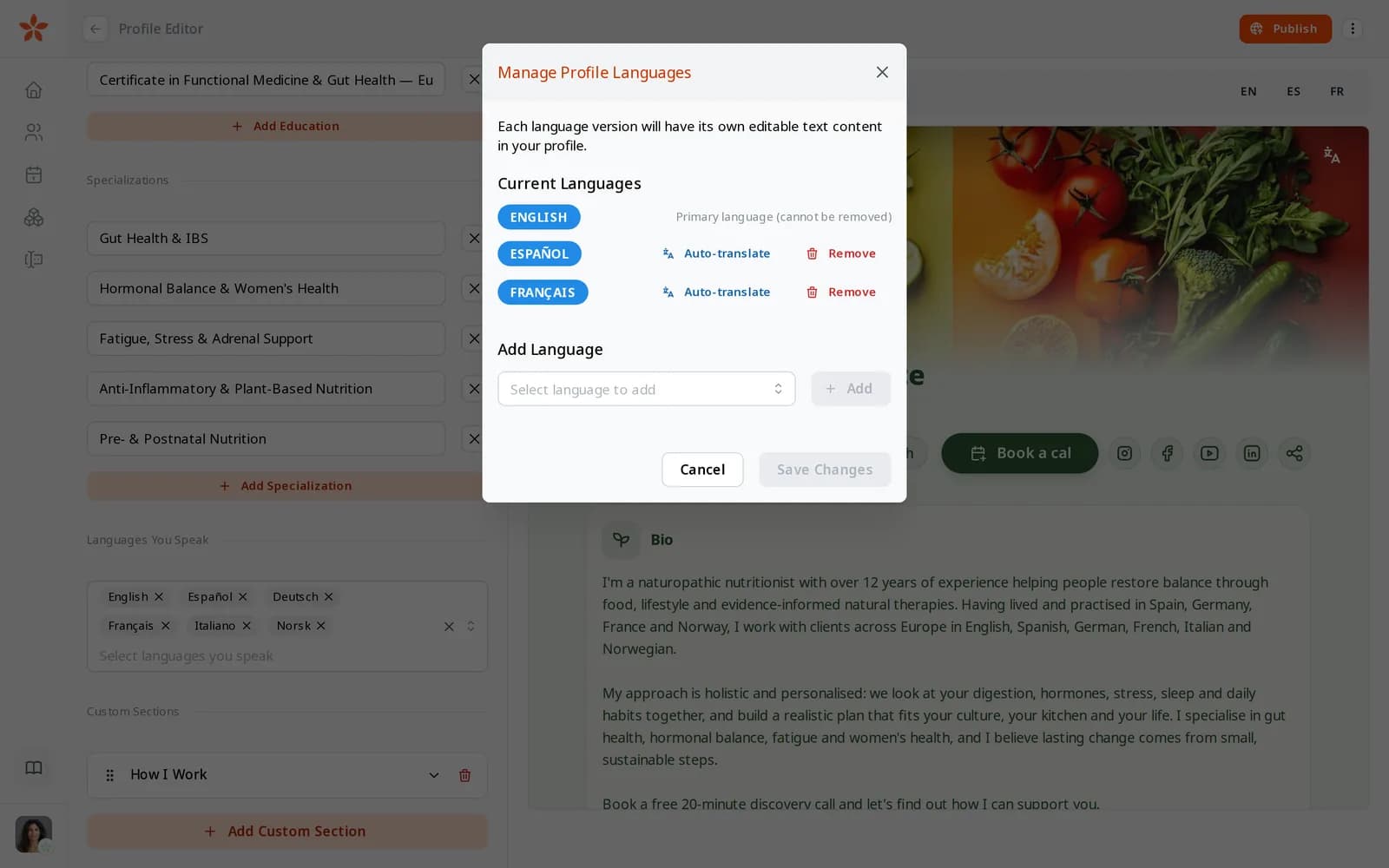
Add a language to your page and AI writes it from your main one. Each visitor reads the version in their language, and you can preview every version before you publish.

  • Add any of the 13 languages to your page
  • AI fills a new language from your main one
  • Preview each language in the editor

What it saves you: Keeping a copy of your page for every country.

The Manage Profile Languages dialog: English, Spanish and French, each with Auto-translate

Forms in the client's language

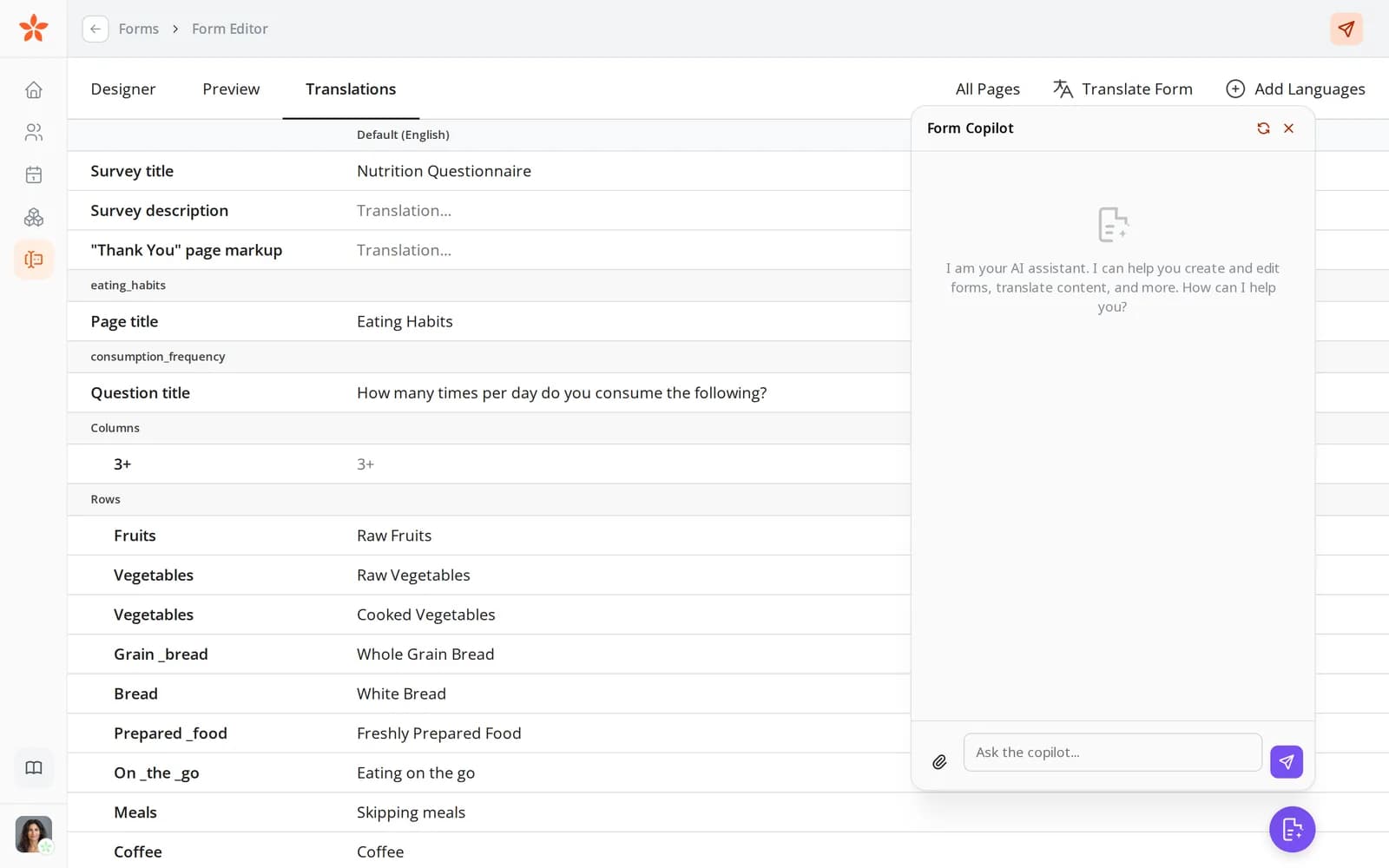
Write a form once and add its other languages in the Translations tab. The client opens it in their language, or in the form's main language when it has no version for theirs, and the answers come back into the same record.

  • One form, with a version for every language you need
  • Every translation side by side in the Translations tab
  • Answers in any language land in one record
  • Before you send, see which language the client will get

What it saves you: A copy of every form for every language.

The form editor's Translations tab
From Starter

AI translation, where it saves the most work

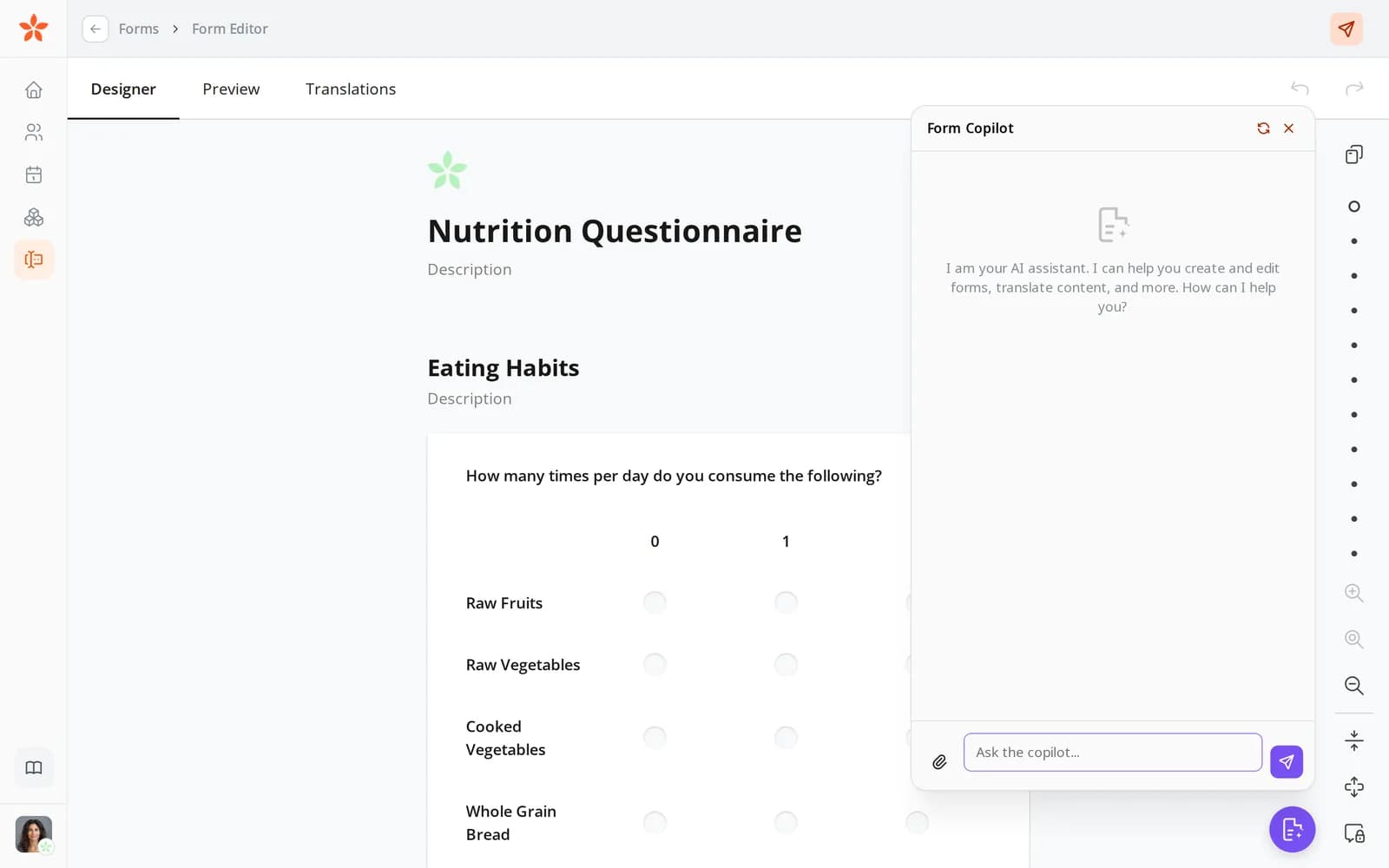
On Starter and above, the form assistant translates a whole form into another language for you. Read it through and change any word before the form goes out.

  • A whole form translated in one go
  • Every translation stays yours to edit
  • Packages and your page are translated by AI on every plan

What it saves you: Copying text into a translation app.

The form editor with Form Copilot open, which can create and translate forms

Packages in every language and currency

Each package can have a version for every language you need and a price in each currency you accept. Visitors read it in their language on your page and at checkout.

What it saves you: A separate price list for every country.

  • A title, a description and what is included, per language
  • Prices in several currencies
  • A checkout in the client's language
From Starter

A portal that speaks their language

The client portal and the app are available in all 13 languages, so clients find their forms, files, chat and video sessions in words they read without effort.

What it saves you: Explaining an English-only app to every new client.

  • The portal and the app in all 13 languages
  • Forms, files, chat and video in one place

What it looks like in practice

Two professionals, one platform, five client languages. Whatever the label on your work — nutrition, health coaching, functional medicine, longevity, physiotherapy — if you collect personal health data online, your clients should read it in their own language.

Valentina Urbinati

Valentina Urbinati

Nutritionist, Italy

Interface language
Russian
Client languages
ItalianEnglishRussian

Valentina lives in Italy and thinks in Russian, so her whole workspace — dashboard, client records, protocol editor — stays in Russian. Her clients never see that. Someone booking from Milan reads her public page in Italian, fills in an Italian intake form and opens an Italian portal; the client in London gets the same journey in English. Emails, reminders and calendar invitations are written in each client's language, not hers, and when a form exists only in Russian, AI translates it into the others before it goes out.

See their Nutrinomist page
Anna Stroganova

Anna Stroganova

Health coach and naturopath, Norway

Interface language
English
Client languages
NorwegianEnglishRussian

Anna runs her practice from Norway with the interface in English, while her client base splits across Norwegian, English and Russian. She writes each form, package and plan once, translates it in one click, and edits the wording where nuance matters. Whichever language a client answers in, their history, lab results and notes land in the same record — so switching languages never means splitting the health data.

See their Nutrinomist page

How it works

1

Set each client's language

Pick one of 13 languages on the client's record. New clients from your page bring their language with them.

2

Create content once

Write your page, forms and packages in the language you think in.

3

Let AI fill in the rest

AI adds the other languages. Check and change anything before it goes out.

4

Clients get their language

Your page, forms, emails and portal reach each client in their own language.

Frequently asked questions

Which languages does Nutrinomist support?

Danish, German, English, Spanish, Finnish, French, Italian, Norwegian, Polish, Portuguese, Russian, Swedish and Ukrainian: 13 languages across the app, forms, portal and public pages.

Do I have to translate everything myself?

No. AI fills in the other languages of your page and packages on every plan, and translates whole forms from Starter. Every translation stays editable, so the wording stays yours.

Can my client and I use different languages?

Yes. Your workspace language and each client's language are set separately. You can run your practice in Italian while one client reads everything in Ukrainian and another in French.

Works even better together

Every Nutrinomist feature is built to hand work to the next one.

Serve clients across borders

Add a language to your practice today — Nutrinomist takes care of the translations.